Why Encoding Modes Matter
A QR code is, at its core, a binary data container. Every piece of information you store — a URL, a phone number, a line of text — must be converted into a stream of bits before it can be arranged into the familiar grid of black and white modules. The encoding mode determines how that conversion happens, and different modes use dramatically different amounts of space for the same characters.
The QR code specification (ISO/IEC 18004) defines four primary encoding modes and one extended mechanism. Each mode is optimised for a specific type of input data. Choosing the right mode — or letting your generator choose it automatically — directly determines how much data you can fit into a given QR code version and error correction level.
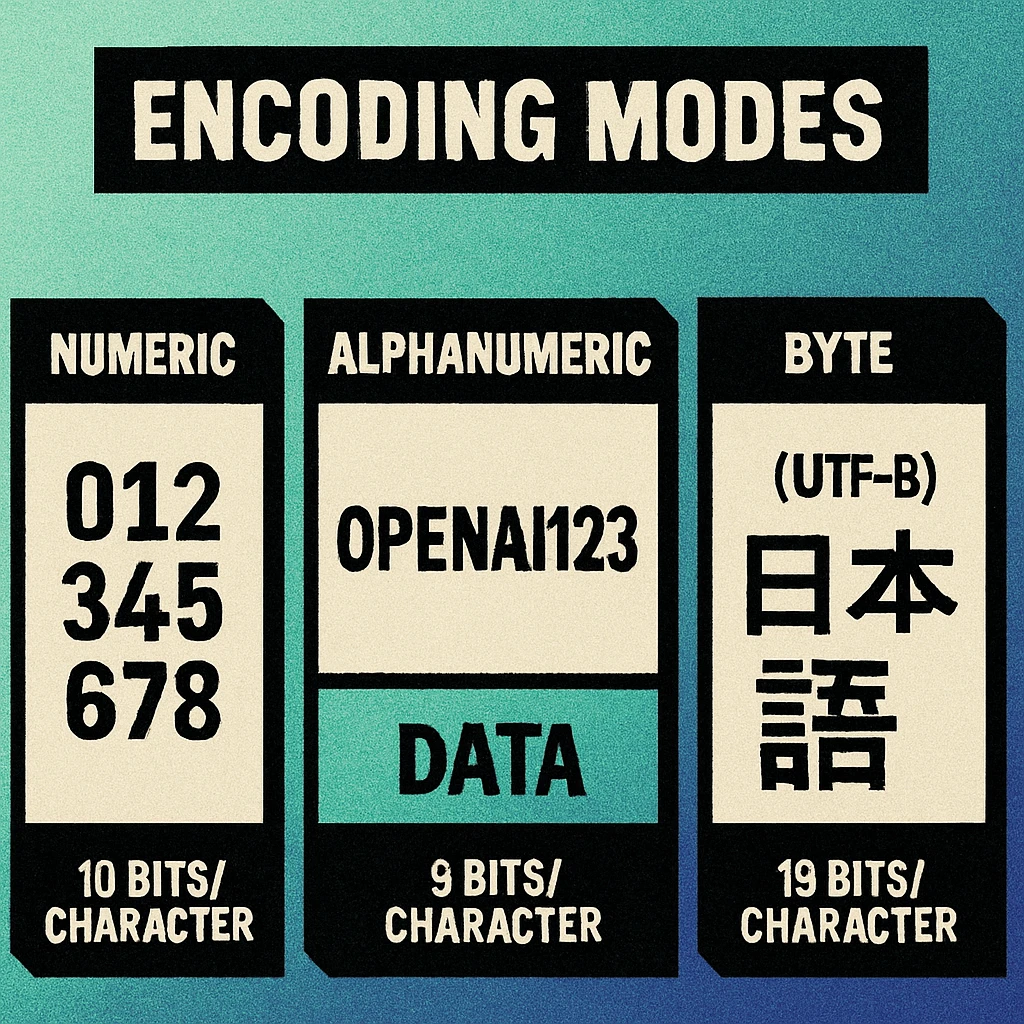
Think of it this way: if you are encoding a 12-digit phone number, Numeric mode needs roughly 40 bits. Byte mode would need 96 bits for the same digits — more than double. That difference compounds rapidly as data length increases, and it can mean the difference between fitting your data in a compact Version 5 code versus needing a larger, denser Version 10. For a complete breakdown of version sizes and module counts, see our technical specifications pillar guide.
Every QR code data segment begins with a 4-bit mode indicator that tells the decoder which encoding mode is in use. This is followed by a character count indicator (whose length varies by mode and QR version), and then the encoded data bits. The mode indicator values are: 0001 (Numeric), 0010 (Alphanumeric), 0100 (Byte), 1000 (Kanji), and 0111 (ECI).
Numeric Mode: 3.33 Bits per Character
Numeric mode is the most space-efficient encoding available in a QR code. It encodes the digits 0 through 9 — nothing else. No decimal points, no plus signs, no spaces. Just the ten Arabic numerals.
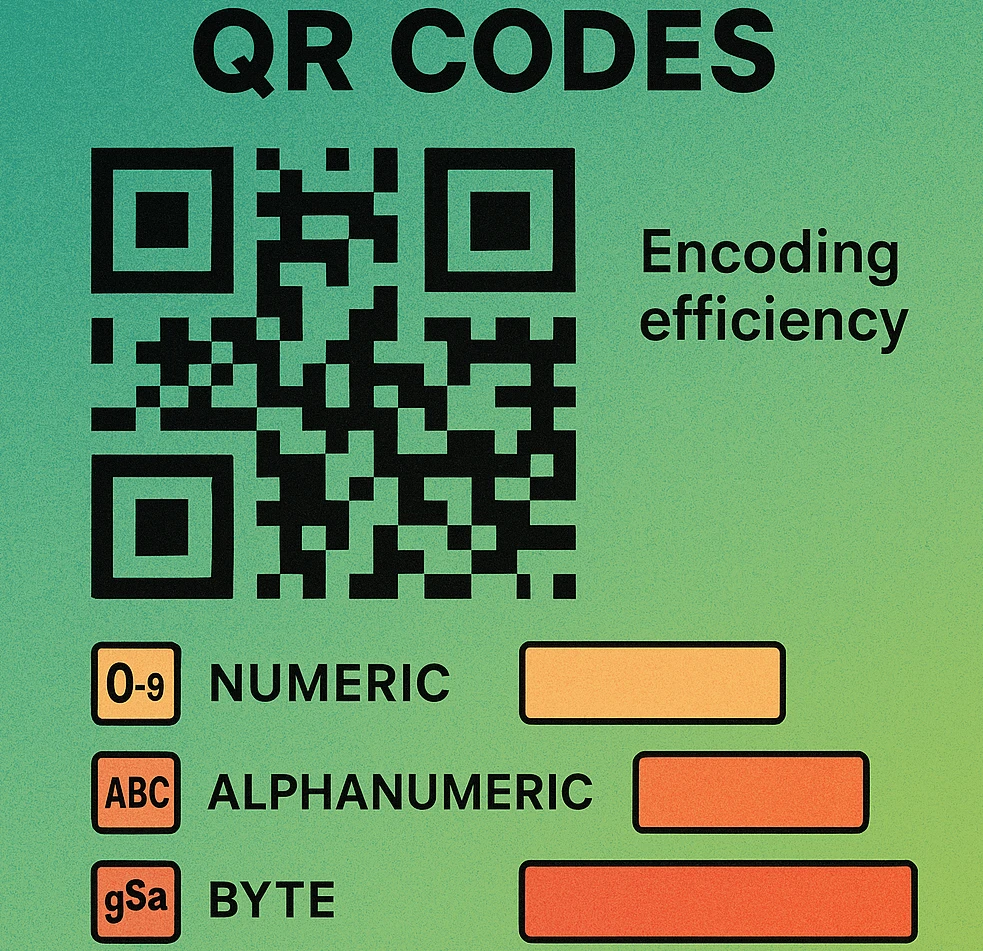
The encoding works by grouping digits into sets of three. Each group of three digits (which has 1,000 possible values, from 000 to 999) is encoded into a 10-bit binary number. If the final group has two digits, it uses 7 bits; if it has one digit, it uses 4 bits. This gives an effective density of 3.33 bits per character (10 bits / 3 characters), making Numeric mode approximately 2.4 times more efficient than Byte mode for the same digits.
When to Use Numeric Mode
- Phone numbers (digits only, without the + prefix)
- Serial numbers and product codes that use only digits
- Numeric identifiers such as membership IDs, tracking numbers, and order numbers
- Timestamps formatted as pure digit strings (e.g.,
20260331083000)
A Version 10 QR code with error correction level M can hold up to 652 numeric characters. The same version and error level holds only 271 characters in Byte mode. That is the power of mode-specific encoding. For detailed capacity tables across all 40 versions, see our data capacity reference.
Alphanumeric Mode: 5.5 Bits per Character
Alphanumeric mode extends the character set beyond digits to include uppercase Latin letters (A–Z), the digits 0–9, and nine special characters: space, $, %, *, +, -, ., /, and :. That gives a total character set of 45 symbols.
The encoding packs two characters at a time into 11 bits. Each character is assigned a value from 0 to 44, and a pair is encoded as (first × 45) + second, yielding a number between 0 and 2,024 that fits in 11 bits. A trailing single character uses 6 bits. The effective density is 5.5 bits per character (11 bits / 2 characters).
When to Use Alphanumeric Mode
- Short uppercase URLs such as
HTTPS://EXAMPLE.COM/OFFER - Uppercase text messages or codes like
DISCOUNT: 20% OFF - Structured identifiers that mix uppercase letters and digits, such as flight codes (
BA2490) or licence plates
Alphanumeric mode only supports uppercase letters. A single lowercase letter in your data forces the entire segment (or the entire message, if not using mixed-mode) into Byte mode, which costs 8 bits per character instead of 5.5. If you control the input data, converting to uppercase before encoding can save significant space. URLs are case-insensitive in the protocol and host portions, so HTTPS://EXAMPLE.COM resolves identically to the lowercase version.
Byte Mode: 8 Bits per Character
Byte mode is the general-purpose encoding. Each character is stored as a single 8-bit byte, giving a fixed cost of 8 bits per character. By default, the QR specification assumes ISO 8859-1 (Latin-1) encoding, which covers Western European characters. However, in practice, most modern QR generators and decoders treat Byte mode data as UTF-8 when an ECI indicator is present (or by convention when none is specified).
Byte mode is required whenever your data contains any character outside the Numeric and Alphanumeric character sets. This includes:
- Lowercase letters — the most common reason Byte mode is triggered for URLs and general text
- Punctuation beyond the nine Alphanumeric specials (e.g.,
@,#,&,=,?) - Accented characters such as e with acute, u with umlaut, n with tilde (in Latin-1 range)
- Binary data such as raw bytes from a file, encryption output, or compressed payloads
For multi-byte UTF-8 characters (anything above code point U+007F), each character costs 16, 24, or even 32 bits depending on the Unicode plane. An emoji, for example, typically costs 32 bits (4 bytes) in Byte mode. This is why encoding non-Latin text in a QR code quickly consumes capacity. Understanding these costs is essential for planning data capacity requirements.
Byte Mode Capacity Example
A Version 10 QR code at error correction level M provides 271 bytes of data capacity in Byte mode. A typical URL like https://www.example.com/product/12345?ref=qr is 47 bytes, well within this limit. But a paragraph of UTF-8 text with accented characters or CJK characters can exhaust capacity much faster than the character count might suggest.
Kanji Mode: 13 Bits per Character
Kanji mode is a specialised encoding for Japanese characters in the Shift JIS (JIS X 0208) character set. It encodes each double-byte Shift JIS character into 13 bits, which is more efficient than using Byte mode where the same character would cost 16 bits (2 bytes).
The encoding takes the Shift JIS double-byte value, subtracts an offset (0x8140 for characters in the 0x8140–0x9FFC range, or 0xC140 for characters in the 0xE040–0xEBBF range), then compresses the high and low bytes into a 13-bit value using the formula: (high_byte × 0xC0) + low_byte.
When to Use Kanji Mode
- Japanese text containing kanji, hiragana, and katakana characters encoded in Shift JIS
- Mixed Japanese/ASCII content where the Japanese segments benefit from 13-bit encoding (combined with Numeric or Alphanumeric mode for the ASCII segments via mixed-mode encoding)
Kanji mode only works with the Shift JIS character set. Chinese characters (GB2312, Big5), Korean (EUC-KR), and other CJK encodings are not supported by Kanji mode. For those scripts, use Byte mode with ECI to specify the correct character encoding. QR codes were invented by Denso Wave in Japan, which is why Shift JIS Kanji has dedicated support while other CJK encodings do not.
ECI Mode: Extended Channel Interpretation
ECI (Extended Channel Interpretation) is not an encoding mode in the same sense as the four primary modes. Instead, it is a mechanism for declaring the character encoding used in subsequent Byte mode segments. Without an ECI indicator, a QR decoder assumes Byte mode data is ISO 8859-1. With an ECI indicator, you can specify any of the registered character sets.
The most commonly used ECI assignment is ECI 000026, which specifies UTF-8. This is critical for encoding:
- Cyrillic text (Russian, Ukrainian, Bulgarian, etc.)
- Arabic and Hebrew scripts
- Chinese characters (Simplified and Traditional) outside the Shift JIS range
- Korean Hangul
- Emoji and other Unicode symbols
- Any text containing characters from multiple scripts
An ECI indicator adds 12 bits of overhead (4-bit mode indicator + 8-bit ECI designator for values 0–127). This is a one-time cost that applies to all subsequent Byte mode segments until another ECI indicator or a different mode is encountered.
Not all QR code scanners support ECI. Some older or basic scanners ignore the ECI designator and decode Byte mode data as Latin-1, which produces garbled output for UTF-8 multi-byte characters. If your audience uses a wide range of devices, test ECI-encoded QR codes thoroughly before deployment. The native camera apps on modern iOS and Android devices handle ECI correctly.
Build QR Codes with Optimal Encoding
Our generator automatically selects the most efficient mode for your data — maximising capacity without manual configuration.
QR Code Apps for Mac & Safari
Prefer generating codes without opening a browser tab? These two native Apple apps cover both habits — a full generator on the desktop, and a one-click share button inside Safari.


Capacity Comparison by Mode
The following table shows the maximum character capacity for selected QR code versions at error correction level M. These numbers demonstrate why mode selection matters so much — the difference between Numeric and Byte mode is typically a factor of 2.4x.
| QR Version | Modules | Numeric | Alphanumeric | Byte | Kanji |
|---|---|---|---|---|---|
| Version 1 | 21 × 21 | 34 | 20 | 14 | 8 |
| Version 5 | 37 × 37 | 202 | 122 | 84 | 52 |
| Version 10 | 57 × 57 | 652 | 395 | 271 | 167 |
| Version 20 | 97 × 97 | 2061 | 1249 | 858 | 528 |
| Version 30 | 137 × 137 | 3289 | 1994 | 1370 | 843 |
| Version 40 | 177 × 177 | 4296 | 2604 | 1786 | 1099 |
Note that higher error correction levels (Q and H) reduce these capacities significantly. Error correction level H, which allows recovery from up to 30% data loss, typically reduces capacity by about 40% compared to level M. See our Reed-Solomon error correction article for a deep dive into how error correction interacts with data capacity.
| Encoding Mode | Bits / Char | Character Set | Mode Indicator | Packing Method |
|---|---|---|---|---|
| Numeric | 3.33 | 0–9 (10 chars) | 0001 |
3 digits → 10 bits |
| Alphanumeric | 5.5 | 0–9, A–Z, 9 specials (45 chars) | 0010 |
2 chars → 11 bits |
| Byte | 8 | ISO 8859-1 / UTF-8 (256+ chars) | 0100 |
1 char → 8 bits |
| Kanji | 13 | Shift JIS double-byte (6,879 chars) | 1000 |
1 char → 13 bits |
| ECI | N/A | Declares encoding for Byte mode | 0111 |
8–24 bit designator |
Mode Selection Flowchart
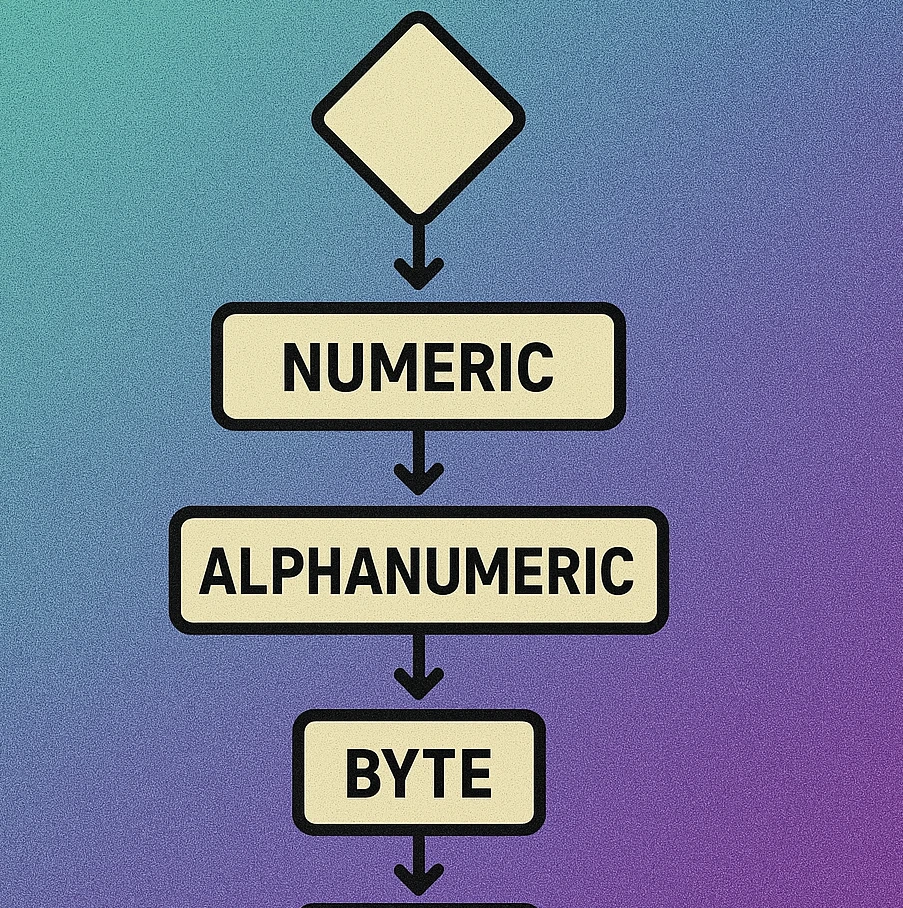
Choosing the correct encoding mode is straightforward if you follow a systematic approach. Most QR code generators handle this automatically, but understanding the logic helps you optimise capacity when designing systems that generate QR codes programmatically.
Mode Selection Decision Process
Are all characters digits (0–9)? If yes, use Numeric mode. This gives you maximum capacity at 3.33 bits per character. Phone numbers (digits only), numeric IDs, and pure digit strings all qualify.
Are all characters in the Alphanumeric set? This includes 0–9, A–Z (uppercase only), space, and the symbols $ % * + - . / :. If yes, use Alphanumeric mode at 5.5 bits per character. Consider converting URLs to uppercase to qualify.
Is the text Japanese in Shift JIS encoding? If your data contains kanji, hiragana, or katakana in Shift JIS, use Kanji mode for those segments at 13 bits per character (cheaper than the 16 bits Byte mode would need for the same double-byte characters).
Does the text contain non-Latin-1 Unicode characters? If you need Cyrillic, Arabic, CJK (non-Shift-JIS), emoji, or mixed scripts, use Byte mode with ECI set to UTF-8 (ECI 000026). Each character costs 8 bits per byte of its UTF-8 representation.
For everything else, use Byte mode. This covers lowercase Latin text, URLs with mixed case, email addresses, JSON payloads, and any general-purpose data. At 8 bits per character, it is the least space-efficient for pure text but the most universally compatible.
Mixed-Mode Encoding
One of the most powerful but least understood features of QR code encoding is mixed-mode (also called multi-segment) encoding. The QR specification allows a single data stream to contain multiple segments, each using a different encoding mode. The decoder processes them sequentially, switching modes whenever it encounters a new mode indicator.
Consider a string like INV-2026-03-00042857. A naive encoder might encode the entire string in Byte mode at 8 bits per character (20 × 8 = 160 bits). A smart encoder recognises that INV-2026-03- qualifies for Alphanumeric mode and 00042857 is pure numeric:
- Segment 1 (Alphanumeric):
INV-2026-03-— 12 characters × 5.5 bits = 66 bits, plus 4-bit mode indicator and character count overhead - Segment 2 (Numeric):
00042857— 8 digits × 3.33 bits = ~27 bits, plus 4-bit mode indicator and character count overhead
Even with the overhead of two mode switches (approximately 25–30 bits total for mode indicators and character counts), the mixed-mode encoding uses roughly 120–125 bits versus 160 bits for pure Byte mode — a saving of about 22%.
When Mixed-Mode Saves Space
Mixed-mode encoding is most beneficial when your data contains long runs of characters that qualify for a more efficient mode. Each mode switch costs between 17 and 30 bits of overhead (4-bit mode indicator plus a character count indicator that varies from 10 to 16 bits depending on QR version and mode). The segment must be long enough for the bit savings to exceed this overhead.
As a rule of thumb:
- A run of 6 or more digits within non-numeric data is worth switching to Numeric mode
- A run of 8 or more uppercase alphanumeric characters within Byte mode data is worth switching to Alphanumeric mode
- For very short runs (fewer than 4–5 characters), the mode switch overhead exceeds the savings, and it is more efficient to encode the entire string in the broader mode
If you are building a QR code generator, implement an optimal segment partitioning algorithm rather than encoding the entire payload in a single mode. The algorithm should find the partition that minimises total bit cost, accounting for mode switch overhead. Annex J of ISO/IEC 18004 provides guidance on this optimisation. Libraries like qrcode (Python) and qrcodegen (multiple languages) implement this automatically.
Mixed-mode encoding is especially valuable for structured data formats. A vCard, for example, contains uppercase field names (BEGIN:VCARD, FN:, TEL:), numeric phone numbers, and mixed-case text values — a perfect candidate for multi-segment encoding. For more on how data structure affects total capacity, read our data capacity guide.
Frequently Asked Questions
QR code generators automatically select the most efficient encoding mode based on the input data. If your data contains only digits (0–9), the encoder uses Numeric mode. If it contains uppercase letters, digits, and a few special characters, it uses Alphanumeric mode. For anything else — lowercase letters, Unicode, or binary data — Byte mode (ISO 8859-1 or UTF-8) is selected. Most modern generators handle this transparently, so you do not need to choose a mode manually.
Numeric mode uses only 3.33 bits per character because it packs three decimal digits into 10 bits, exploiting the fact that there are only 10 possible digit values. Byte mode must allocate a full 8 bits per character to represent any of the 256 possible byte values. Since each numeric character needs fewer bits, more characters can fit into the same QR code version and error correction level.
Yes. The QR code specification supports mixed-mode encoding, where different segments of the data stream use different modes. For example, a string like ABC12345xyz could be encoded as Alphanumeric for ABC, Numeric for 12345, and Byte for xyz. Each mode switch requires a mode indicator (4 bits) and a character count indicator, so mixed-mode encoding is only beneficial when the bit savings from a more compact mode outweigh the overhead of the mode switch.
ECI (Extended Channel Interpretation) mode allows a QR code to explicitly declare the character encoding used in Byte mode segments. Without ECI, decoders assume the data is encoded in ISO 8859-1 (Latin-1). If your data contains characters outside that range — such as Cyrillic, Arabic, Chinese (non-Kanji), or emoji — you need ECI mode to specify UTF-8 (ECI 000026) or another encoding so the scanner decodes the text correctly. Not all scanners support ECI, so test with your target devices.
Start by examining your data. If it contains only digits, Numeric mode gives you maximum capacity. If it contains uppercase letters, digits, and basic punctuation, Alphanumeric mode is optimal. For URLs, email addresses, or any text with lowercase letters, Byte mode is required. For Japanese text in Shift JIS, use Kanji mode. If you need to encode Unicode text (emoji, non-Latin scripts), use Byte mode with ECI set to UTF-8. Most QR generators handle this selection automatically.