Maximum QR Code Data Capacity
Every QR code has a hard upper limit on how much information it can store. That limit is defined by the QR code specification (ISO/IEC 18004) and depends on three variables: the encoding mode used to represent your data, the version (size) of the code, and the error correction level applied.
At the absolute maximum — a Version 40 QR code with the lowest error correction (Level L) — the qr code data capacity breaks down like this:
| Encoding Mode | Max Characters | Character Set | Bits per Char |
|---|---|---|---|
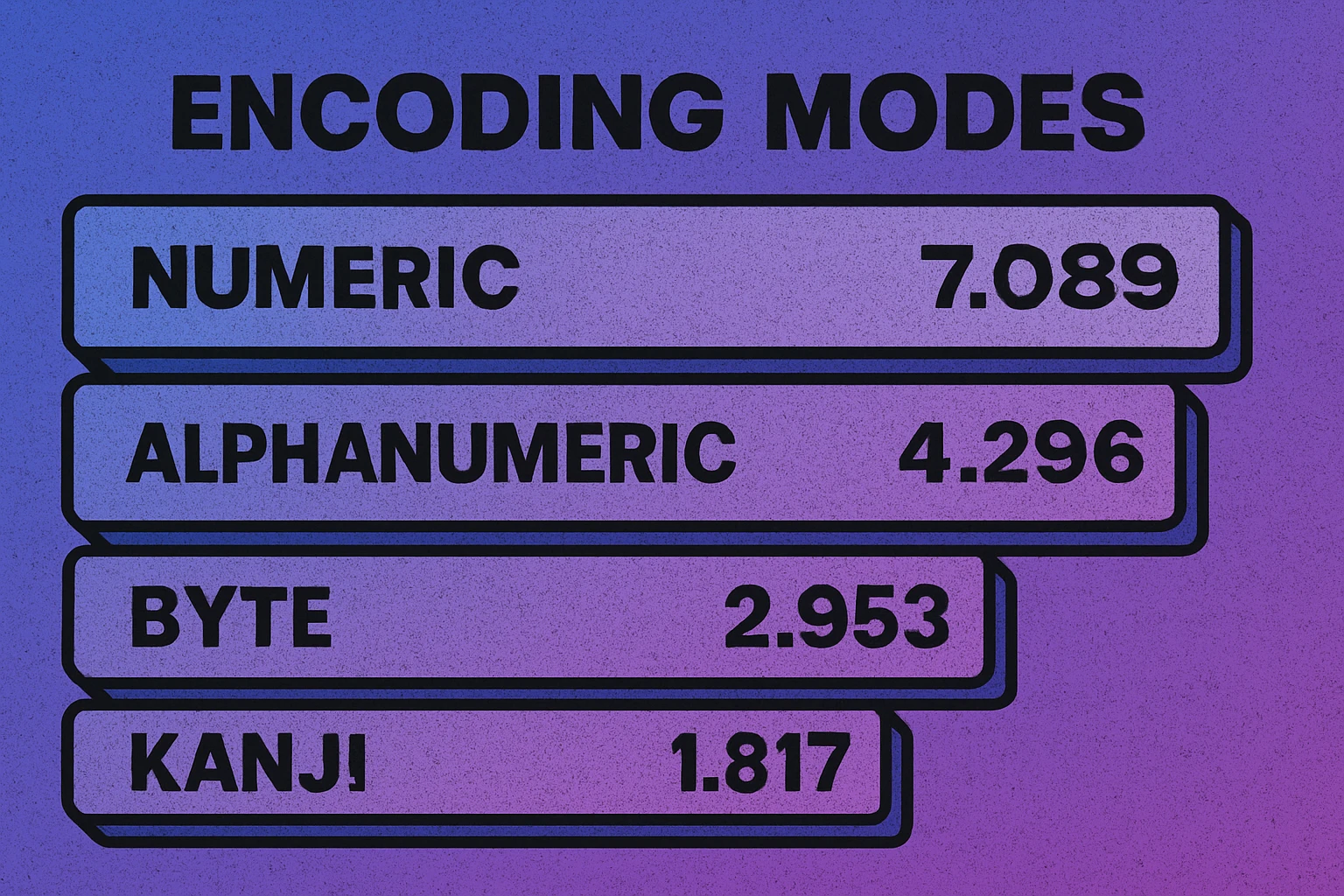
| Numeric | 7,089 | 0–9 | 3.33 |
| Alphanumeric | 4,296 | 0–9, A–Z, space, $%*+-./: | 5.5 |
| Byte (Binary) | 2,953 | ISO 8859-1 / UTF-8 | 8 |
| Kanji | 1,817 | Shift JIS double-byte | 13 |
These numbers represent theoretical maximums. In practice, you will rarely approach them because most real-world QR codes use a modest version (far smaller than Version 40) and a medium or high error correction level. A typical QR code on a business card or poster stores somewhere between 100 and 500 characters — more than enough for a URL, a vCard, or a short block of text.
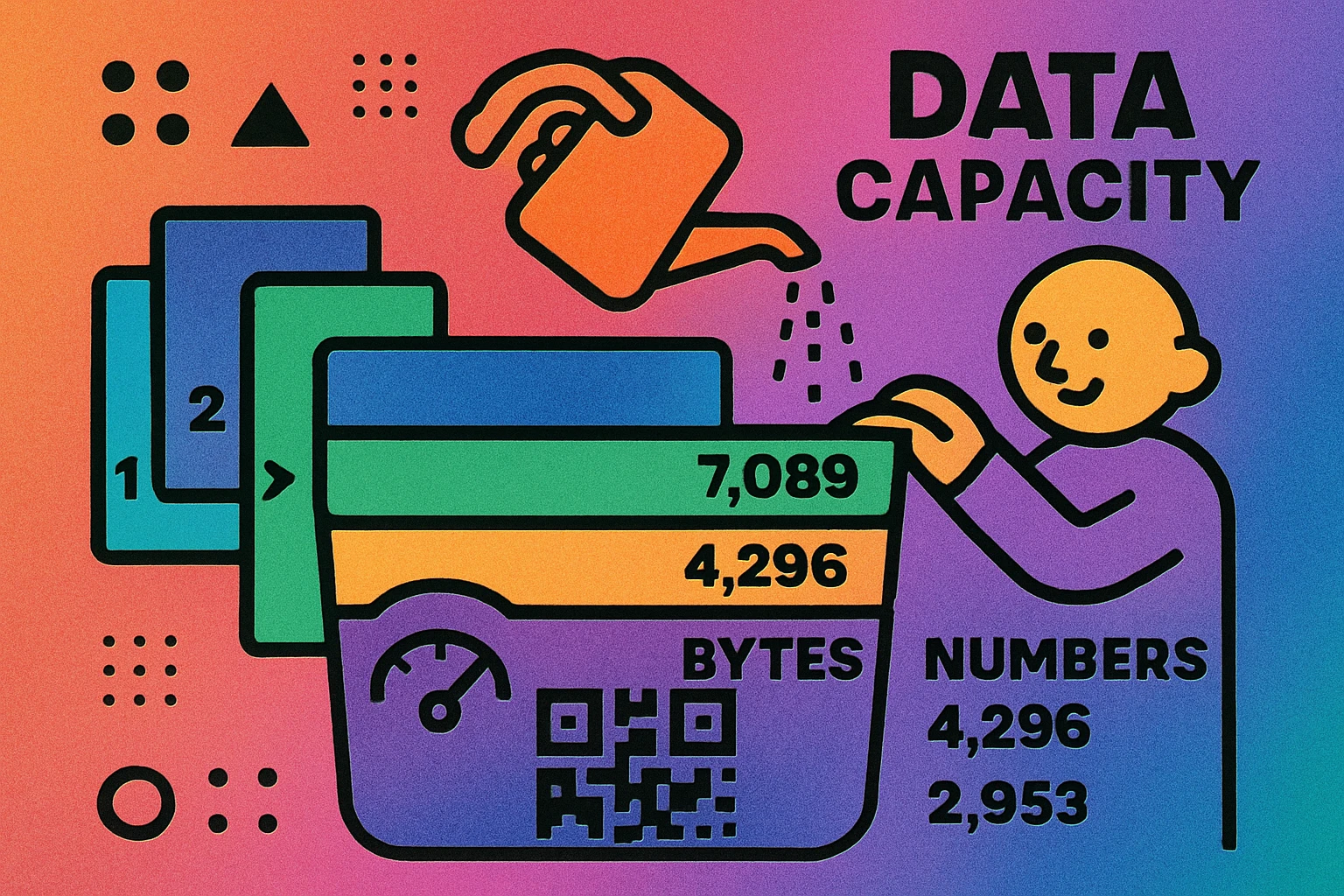
Understanding these limits is important because exceeding them means your content simply cannot be encoded into a single QR code. If you try to stuff too much data in, the generator will either fail or automatically bump up the version — producing a denser, harder-to-scan code. For a broader overview of how QR codes work, see our complete QR code guide.
The maximum QR code data capacity is 7,089 numeric characters, 4,296 alphanumeric characters, or 2,953 bytes of binary data. These are theoretical limits — practical capacity is usually much lower due to error correction and version constraints.
Data Capacity by Encoding Mode and Error Correction Level
The table above shows maximums at Level L. But most QR codes use Level M or higher for better damage protection. Here is how the maximum character count (Version 40) changes as you increase error correction:
| EC Level | Numeric | Alphanumeric | Byte | Kanji |
|---|---|---|---|---|
| L (~7%) | 7,089 | 4,296 | 2,953 | 1,817 |
| M (~15%) | 5,596 | 3,391 | 2,331 | 1,435 |
| Q (~25%) | 3,993 | 2,420 | 1,663 | 1,024 |
| H (~30%) | 3,057 | 1,852 | 1,273 | 784 |
The pattern is clear: moving from Level L to Level H cuts your usable capacity by more than half. A Version 40 QR code at Level L holds 7,089 numeric digits, but at Level H that drops to 3,057 — a 57% reduction. This is the fundamental trade-off in QR code design: more protection means less room for data.
For a deep dive into how error correction works and when to use each level, read our guide to QR code error correction levels.
Encoding Modes Explained
A QR code does not store raw text directly. Instead, your data is first converted into a binary stream using one of four encoding modes, each optimized for a different type of content. The mode determines how efficiently each character is packed into the available bits — and therefore how many characters fit.
Numeric Mode
Numeric mode encodes only the digits 0 through 9. It is the most efficient mode, packing three digits into just 10 bits (about 3.33 bits per character). This is why QR codes can store so many numbers — up to 7,089 digits. If your data is purely numeric (phone numbers, product IDs, ZIP codes), this mode gives you the most capacity.
Alphanumeric Mode
Alphanumeric mode supports 45 characters: digits 0–9, uppercase letters A–Z, the space character, and nine symbols ($, %, *, +, -, ., /, :). It encodes two characters into 11 bits (5.5 bits per character). Note that lowercase letters are not supported in this mode — if your data contains lowercase characters, the encoder will fall back to byte mode, which is less efficient.
This is particularly relevant for URLs. The string HTTPS://EXAMPLE.COM can use alphanumeric mode, but https://example.com forces byte mode. Some QR code generators automatically uppercase URLs to take advantage of this, since web servers treat URLs as case-insensitive for the domain portion.
Byte Mode
Byte mode (also called binary mode) encodes each character as a full 8-bit byte. It supports the entire ISO 8859-1 character set and can also encode UTF-8 data, though multi-byte UTF-8 characters consume more than one byte each. This is the most flexible mode and the one used for most real-world content: URLs with mixed case, plain text, vCards, and any data containing special characters.
Kanji Mode
Kanji mode is optimized for Japanese Shift JIS characters, encoding each double-byte character into 13 bits. This is more efficient than using byte mode (which would require 16 bits per Kanji character). Unless you are encoding Japanese text, you will not encounter this mode.
Most QR code generators select the encoding mode automatically based on your content. To maximize capacity, keep your data as simple as possible: use numbers only when you can, uppercase URLs when appropriate, and avoid unnecessary special characters.
Test Your QR Code Data Capacity
Paste your content into our free generator and see exactly which version and encoding mode it uses.
QR Code Apps for Mac & Safari
Prefer generating codes without opening a browser tab? These two native Apple apps cover both habits — a full generator on the desktop, and a one-click share button inside Safari.


QR Code Versions (1–40)
QR codes come in 40 versions. Version 1 is the smallest, with a 21×21 module grid. Each subsequent version adds 4 modules per side, so Version 2 is 25×25, Version 3 is 29×29, and so on up to Version 40 at 177×177 modules. The version directly determines how much data the code can hold.
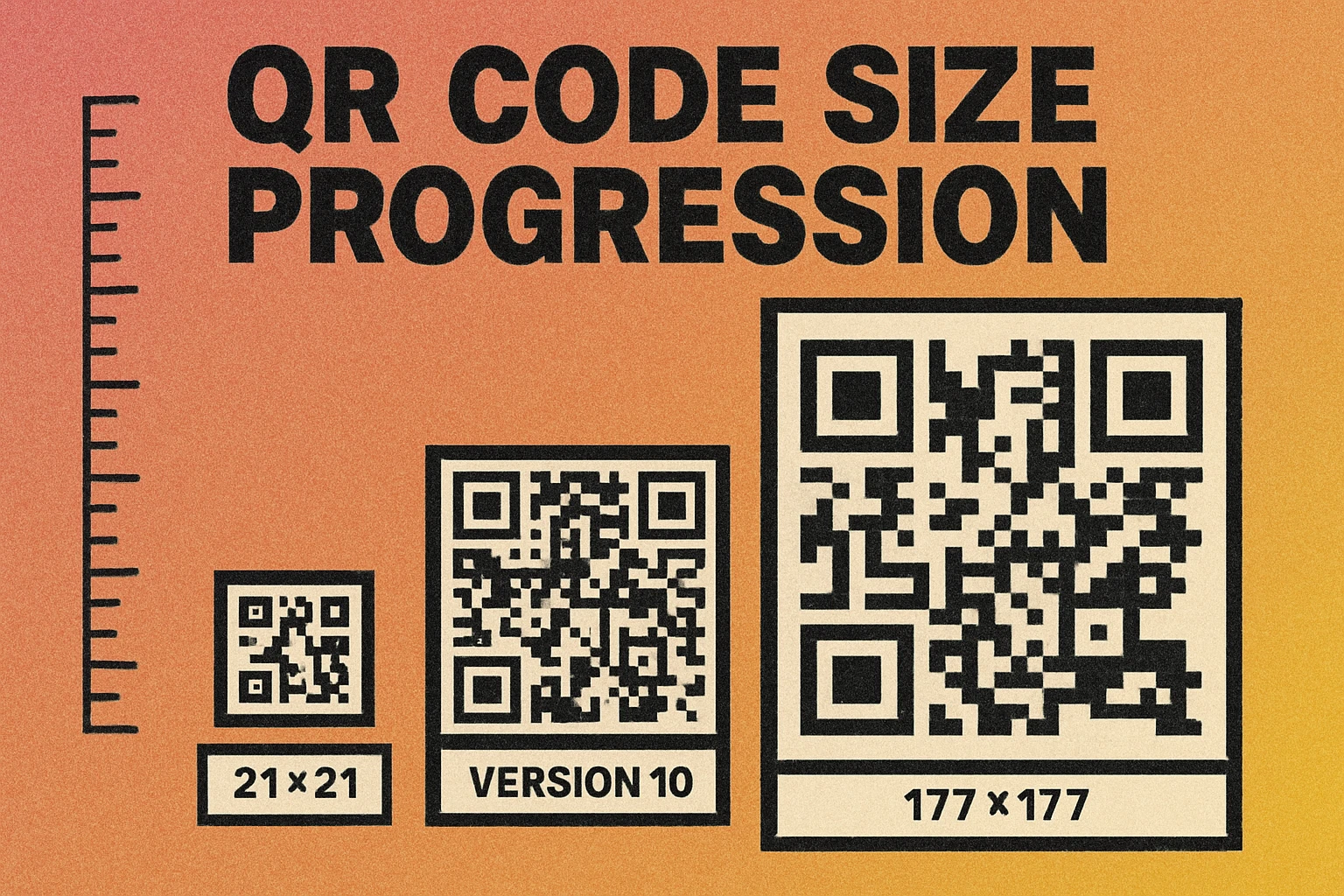
Here are some representative versions to illustrate the progression of qr code data capacity at error correction Level M:
| Version | Grid Size | Numeric (M) | Alphanumeric (M) | Byte (M) |
|---|---|---|---|---|
| 1 | 21 × 21 | 34 | 20 | 14 |
| 5 | 37 × 37 | 202 | 122 | 84 |
| 10 | 57 × 57 | 652 | 395 | 271 |
| 15 | 77 × 77 | 1,101 | 667 | 458 |
| 20 | 97 × 97 | 1,600 | 969 | 666 |
| 30 | 137 × 137 | 3,289 | 1,994 | 1,370 |
| 40 | 177 × 177 | 5,596 | 3,391 | 2,331 |
Most everyday QR codes fall between Version 2 and Version 10. A standard URL like https://example.com/page (about 28 characters) fits comfortably in a Version 3 code at Level M. You only need higher versions when encoding longer content — a full vCard, a paragraph of text, or a complex URL with tracking parameters.
The important thing to understand is that higher versions produce denser codes. A Version 40 QR code contains 31,329 modules — compared to just 441 modules in a Version 1. More modules in the same physical space means each module is smaller, which means the code needs to be printed larger or scanned from closer range. Our QR code size guide covers the minimum physical dimensions for each version.
How Error Correction Affects Capacity
Every QR code dedicates a portion of its total codewords to error correction. The higher the error correction level, the more codewords are used for redundancy — and the fewer are left for your actual data. This is the single biggest factor that reduces practical QR code data capacity below the theoretical maximum.
To put this in concrete terms, consider a Version 10 QR code (57×57 modules). Here is how the data capacity changes across all four error correction levels:
| EC Level | Recovery | Numeric | Alphanumeric | Byte |
|---|---|---|---|---|
| L | ~7% | 652 | 395 | 271 |
| M | ~15% | 513 | 311 | 213 |
| Q | ~25% | 364 | 221 | 151 |
| H | ~30% | 288 | 174 | 119 |
At Level L, a Version 10 code holds 271 bytes. At Level H, that same code holds only 119 bytes — a 56% reduction. The total number of modules in the grid stays exactly the same; the difference is entirely in how those modules are allocated between data and redundancy.
This creates a practical tension. If you need to encode a long URL and also want high error correction (for example, because you are adding a logo), you may need to jump to a higher version — which makes the code denser and harder to scan. The solution is usually to shorten the data rather than increase the version. Use a URL shortener, trim unnecessary parameters, or switch to a dynamic QR code that stores a short redirect URL instead of the full destination.
Error correction Level H cuts your usable data capacity roughly in half compared to Level L. If you need high error correction (for logos or harsh environments), keep your encoded data as short as possible to avoid pushing into unnecessarily high versions.
Practical Limits and Tips for Maximizing Capacity
Knowing the theoretical limits is useful, but what matters in the real world is making your content fit comfortably into a scannable QR code. Here are practical strategies for getting the most out of your QR code data capacity.
Keep URLs Short
URLs are the most common QR code payload, and they can get surprisingly long. A URL with UTM tracking parameters, session IDs, or query strings can easily exceed 200 characters. Every extra character pushes the code to a higher version. Use a URL shortener or remove non-essential parameters before encoding.
Use Uppercase for URLs When Possible
As noted in the encoding modes section, an all-uppercase URL can use alphanumeric mode (5.5 bits per character) instead of byte mode (8 bits per character). For a 50-character URL, that is the difference between 275 bits and 400 bits — potentially enough to drop down an entire version level. Since domain names are case-insensitive, HTTPS://EXAMPLE.COM/PAGE works identically to the lowercase version.
Choose the Right Error Correction Level
Do not default to Level H unless you have a specific reason. Level M handles most printed materials perfectly well and gives you roughly 35% more data capacity than Level H. Reserve Level H for logo overlays and codes that will face physical damage. For digital-only codes (displayed on screens), Level L is perfectly safe and maximizes capacity. Learn more in our error correction guide.
Consider Dynamic QR Codes for Large Content
If the content you want to share exceeds what a QR code can reasonably hold — a full vCard, a product specification sheet, a long paragraph of text — use a dynamic QR code instead. A dynamic code stores only a short redirect URL (typically 20–30 characters), while the actual content lives on a server. This keeps the QR code small, fast to scan, and easy to print, while letting you deliver unlimited content through the landing page.
Avoid Embedding Files Directly
The maximum binary capacity of a QR code is 2,953 bytes — about 2.9 KB. That is far too small for images, PDFs, or any meaningful file. Never try to embed a file directly into a QR code. Instead, host the file online and encode the URL. The QR code becomes a pointer to the content, not a container for it.
Test at the Intended Print Size
A code that works on screen may fail in print if the version is too high for the physical size. After generating your QR code, print a test at the intended dimensions and scan it with at least three different devices. If scanning is unreliable, either shorten your data, reduce the error correction level, or increase the print size. Our QR code size guide provides specific minimum dimensions for reliable scanning.
The golden rule for QR code data capacity: encode the least amount of data necessary. A smaller, simpler QR code is faster to scan, more resilient to damage, easier to print, and works reliably at smaller physical sizes. If you can say it in fewer characters, do so.
Frequently Asked Questions
The maximum QR code data capacity depends on the encoding mode. A Version 40 QR code at error correction Level L can store up to 7,089 numeric digits, 4,296 alphanumeric characters, 2,953 bytes of binary data, or 1,817 Kanji characters. In practice, most QR codes use much smaller versions and higher error correction, so real-world limits are typically a few hundred characters.
Not practically. The maximum binary capacity of a QR code is 2,953 bytes — roughly 2.9 KB. That is far too small for documents, images, or files. For larger content, encode a URL that links to the file instead. Dynamic QR codes are especially useful for this because you can update the destination URL without reprinting the code.
Yes. Higher error correction levels use more of the code's total codewords for redundancy, leaving fewer codewords for your actual data. For example, a Version 10 QR code at Level L can store 652 numeric digits, but the same version at Level H can only store 288 numeric digits — a reduction of more than 55%.
Numeric mode is the most efficient, packing 3.3 bits per character compared to 5.5 bits for alphanumeric and 8 bits for byte mode. If your data is purely numbers (such as a phone number or product ID), numeric mode lets you store the most characters. Most QR code generators select the optimal encoding mode automatically based on the content you provide.