The Core Difference in 30 Seconds
A static QR code stores data directly inside the pattern of black and white squares. When you scan it, your phone reads the information straight from the image. There is no server, no redirect, and no middleman.
A dynamic QR code stores a short redirect URL instead. When you scan it, your phone hits a server first, and that server forwards you to the actual destination. This extra hop is what makes the code editable and trackable — but it also means the code depends on an external service to keep working.
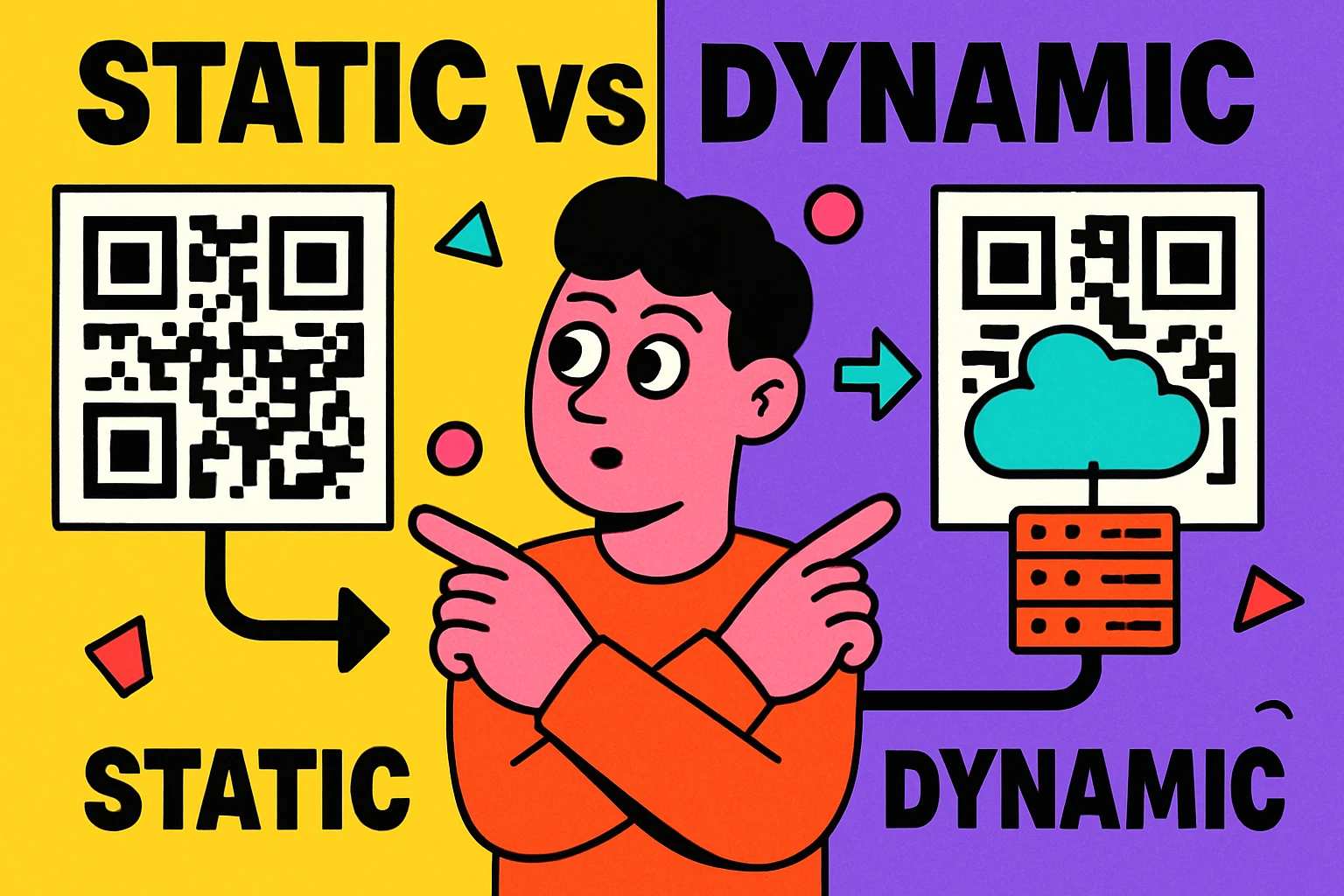
Static = data in the image, no dependencies, permanent. Dynamic = data on a server, editable, but requires an active platform. That single architectural difference drives every other trade-off.
The rest of this guide breaks down exactly how each type works, compares them across every factor that matters, and gives you clear advice on when to choose one over the other. If you're already familiar with QR basics, our complete QR code guide provides broader context.
How Static QR Codes Work
When you type a URL into a static QR code generator, the tool converts that text into a binary sequence and encodes it into the grid of modules (the black and white squares). The data becomes physically part of the image.
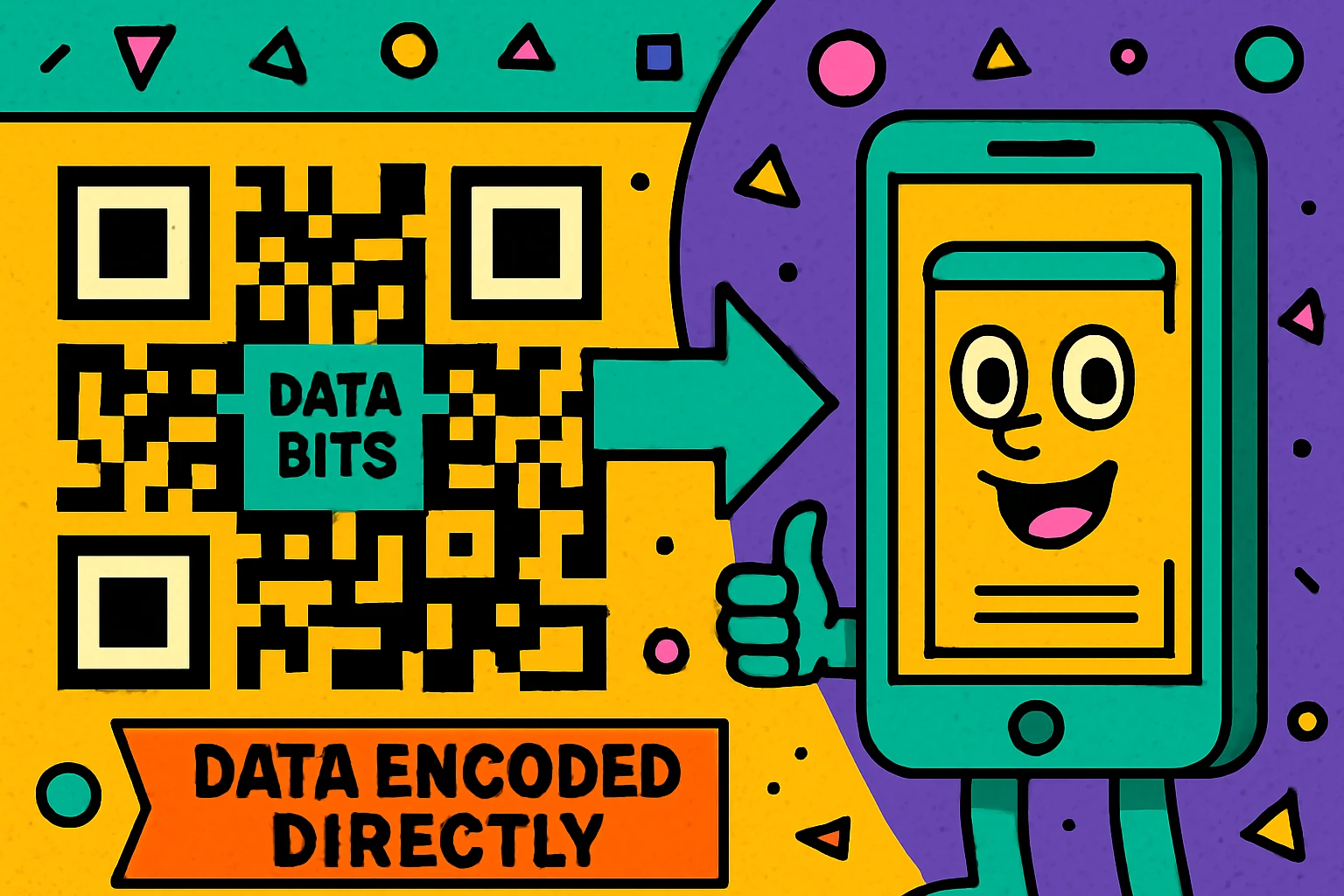
When someone scans the code, their device's camera captures the image, reads the pattern, decodes the binary data, and extracts the URL (or text, or Wi-Fi credentials, or whatever data was encoded). The entire process happens locally on the device. No internet connection is needed for the decode step itself — though you'll obviously need internet to load a website.
Advantages of Static QR Codes
Why Static Codes Are Powerful
They never expire. There is no subscription, no server to maintain, and no scan limit. A static QR code printed today will scan identically in 50 years, as long as the physical code is intact and the destination content is still live.
They're completely free. Static codes cost nothing to generate and nothing to maintain. There is no hosting cost because there is no hosting. Tools like GenerateOnlineQR.com let you create unlimited static codes with no account required.
They're faster. Because there's no redirect hop through a third-party server, the user reaches your content slightly faster. This also eliminates a potential point of failure — if the redirect server is slow or down, a dynamic code feels broken even when the destination is fine.
They're more private. No third party sees or logs the scan. With a dynamic code, the redirect platform knows who scanned what, when, and where. Static codes keep that data between the user and your server. Our article on QR code privacy explains why this matters more than most people think.
Limitations of Static Codes
The trade-off is inflexibility. Once a static QR code is generated and printed, the data inside it is locked. You cannot change the destination URL, you cannot add tracking, and you cannot run analytics on who scanned it. If the URL changes, you need to generate and print a new code.
Static codes also tend to be slightly more complex (more modules in the grid) because they encode the full destination URL. A long URL produces a denser, harder-to-scan code. Dynamic codes avoid this by always encoding a short redirect URL, regardless of how long the final destination is.
How Dynamic QR Codes Work
A dynamic QR code also encodes a URL into the pattern — but instead of encoding your final destination, it encodes a short URL controlled by the QR platform. Something like qr.example.com/a8f3x.
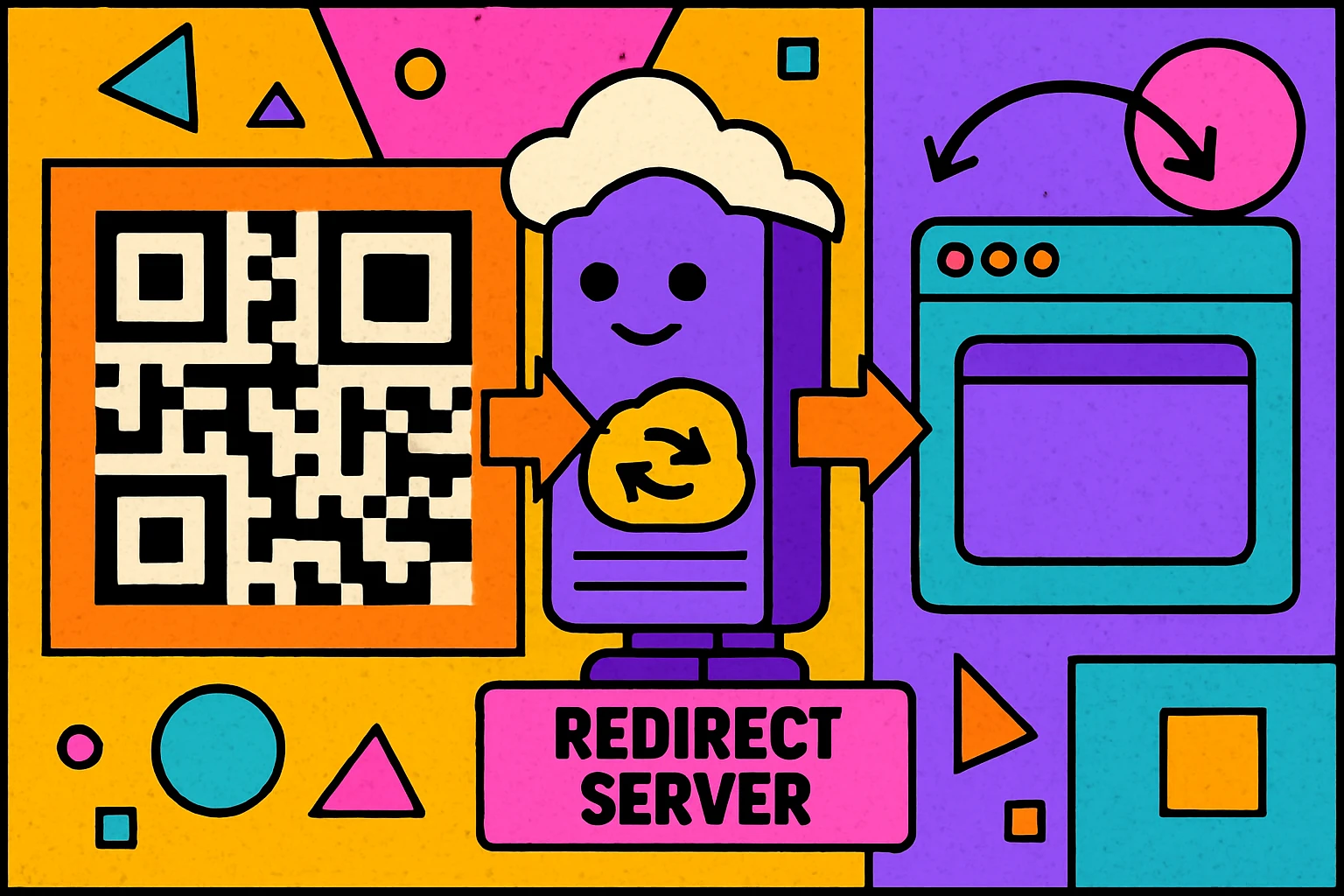
When someone scans the code, their phone opens that short URL. The platform's server receives the request, logs the scan data (time, location, device type), and then redirects the user to whatever final URL you've configured in the dashboard. Because the redirect mapping lives on the server, you can change it at any time without touching the printed code.
Advantages of Dynamic QR Codes
Why Dynamic Codes Are Useful
Editable after printing. Launched a campaign and the landing page URL changed? With a dynamic code, you update the redirect in your dashboard and the same printed code now points to the new page. No reprinting necessary.
Scan analytics. Dynamic platforms log every scan: timestamp, approximate location, device type, browser. This data is invaluable for marketing campaigns where you need to measure engagement. Learn more in our guide on how to track QR code scans.
Shorter URLs = simpler codes. Because the encoded URL is always a short redirect (typically under 30 characters), dynamic QR codes have fewer modules and are less dense. This makes them easier to scan at small sizes or from a distance.
A/B testing. Some platforms let you split traffic between multiple destinations to test which landing page converts better — all from the same printed code.
Risks of Dynamic Codes
The redirect server is a single point of failure. If the platform goes down, your subscription lapses, or the company shuts down entirely, every dynamic QR code you've ever created through that platform stops working. The codes still scan — they just lead to error pages.
Dynamic codes also cost money. Most platforms charge monthly or annual fees, and free tiers typically impose scan limits or watermarks. For a deeper look at what happens when codes stop working, read our article on whether QR codes expire.
Create a Free Static QR Code
No signup. No expiration. No scan limits. Paste a URL and download instantly.
QR Code Apps for Mac & Safari
Prefer generating codes without opening a browser tab? These two native Apple apps cover both habits — a full generator on the desktop, and a one-click share button inside Safari.


Full Comparison: Static vs Dynamic QR Codes
Here's every factor that matters, side by side:
| Factor | Static QR Code | Dynamic QR Code |
|---|---|---|
| Data storage | Encoded in the image | Stored on redirect server |
| Editable after print | No | Yes |
| Scan analytics | No | Yes |
| Expires | Never | If platform lapses |
| Cost | Free | Subscription |
| Privacy | No third-party tracking | Platform logs scans |
| URL length impact | Long URL = dense code | Always short & simple |
| Scan speed | Direct (fastest) | One redirect hop |
| Internet needed to decode | No | No |
| Internet needed for content | If URL-based | Always |
| Best for | Permanent links, Wi-Fi, vCards | Campaigns, marketing, A/B tests |
When to Use Each Type
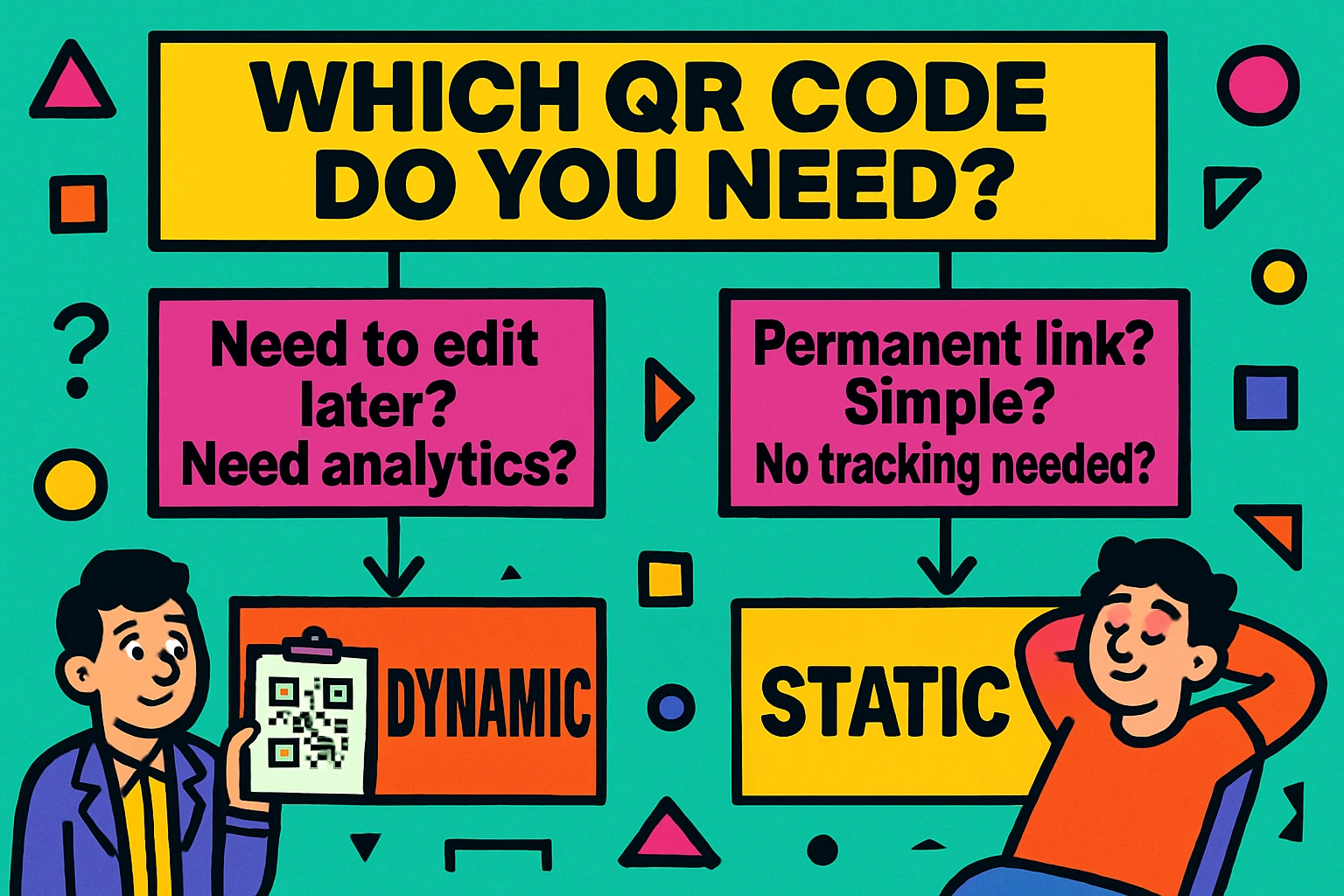
Choose Static When...
The destination will never change. Business cards with your portfolio URL, a Wi-Fi password QR code for your office, a vCard with your contact details, or a link to a Google Maps location. If the content is stable, static is simpler and more reliable.
You want zero ongoing cost. Static codes have no hosting fees, no subscription, and no scan caps. Generate once, use forever.
Privacy matters. If you don't want a third party logging every scan (especially relevant for internal company use, healthcare, or education), static codes keep the interaction between the scanner and your server.
Choose Dynamic When...
You need to update the destination after printing. Seasonal promotions, event links that change each year, or product pages that might move during a website redesign. Dynamic codes let you swap the destination without reprinting.
You need scan analytics. If you're running a marketing campaign and need to know how many people scanned, when, and where, dynamic codes provide that data. See our QR code marketing strategy guide for how to use this effectively.
The destination URL is very long. A 200-character URL creates a very dense static QR code that's harder to scan. A dynamic code keeps the pattern simple by encoding a short redirect URL instead.
Not sure? Start with static. You can always create a dynamic code later if you need editing or analytics. But if you start with dynamic and the platform disappears, your printed codes die with it.
Common Mistakes to Avoid
After seeing thousands of QR codes in the wild, these are the mistakes we see most often when people choose between static and dynamic:
5 Mistakes That Waste Time and Money
Using dynamic when static would do. If your URL won't change and you don't need analytics, paying for a dynamic code platform is money wasted. Worse, it introduces a dependency that can break your code later.
Using a free-tier dynamic code for print. Many platforms let you create dynamic codes on a free trial. People print thousands of flyers, the trial expires, and every code goes dead. If you use dynamic, pay for a real plan.
Encoding a long URL as static without shortening it. A 300-character URL creates a very dense QR code that fails to scan at small sizes. Either shorten the URL first (using your own domain's redirect), or use a dynamic code.
Forgetting to renew the dynamic platform subscription. Set a calendar reminder. Your codes will silently break the day your subscription lapses, and you might not notice for weeks.
Not testing the code before printing. Regardless of type, always scan your code on at least two devices before sending it to print. Our QR code not scanning troubleshooting guide covers what to check.
Frequently Asked Questions
A static QR code encodes data directly into the pattern — scanning it reads the data straight from the image. A dynamic QR code encodes a short redirect URL instead; scanning it hits a server that forwards you to the actual destination. Dynamic codes can be edited after printing; static codes cannot.
No. The data in a static QR code is permanently baked into the pattern. To point to a different URL, you must generate a new QR code. However, if you own the domain, you can set up a server-side redirect on the original URL to forward visitors to the new page.
Most dynamic QR code services charge a monthly or annual subscription because they must maintain the redirect server and analytics infrastructure. Some offer limited free tiers, but these often come with scan caps or branding restrictions.
Static QR codes last indefinitely because they have no dependency on an external server. Dynamic QR codes last only as long as the redirect platform remains active and your subscription is current. For maximum longevity, choose static codes pointed at URLs you own.
Use dynamic QR codes when you need to change the destination after printing, track scan analytics, run A/B tests, or manage large-scale campaigns where URLs may change. If none of these apply, a static code is simpler and more reliable.
No. The type is determined at generation time and is part of the code's structure. To switch from static to dynamic, you need to create a new QR code. This is why it's worth thinking about your needs before printing.