What Is Quishing? Understanding QR Code Phishing
Quishing — short for "QR phishing" — is a type of social engineering attack where criminals use QR codes to direct victims to malicious websites. Instead of sending you a suspicious link in an email (traditional phishing), attackers embed the malicious URL inside a QR code, making it invisible to the human eye until after you scan it.
The term first gained traction in cybersecurity circles around 2022, but the threat has grown dramatically since then. As businesses and governments adopted QR codes during and after the pandemic, criminals followed. The qr code security landscape has shifted from a theoretical concern to a real, everyday risk.
What makes quishing particularly dangerous is that QR codes are opaque by design. When you see a hyperlink in an email, you can at least hover over it and check the URL. With a QR code, you have no idea where it leads until your phone processes it. That opacity is exactly what attackers exploit. For a broader understanding of how QR codes work, see our complete QR code guide.
Quishing works because QR codes hide their destination. You cannot read a URL from a pattern of black and white squares — and attackers count on that blindness.
How QR Code Scams Work
Understanding the mechanics of QR code scams is the first step toward defending against them. There are three primary attack methods criminals use:
1. Overlay Attacks (Sticker Swaps)
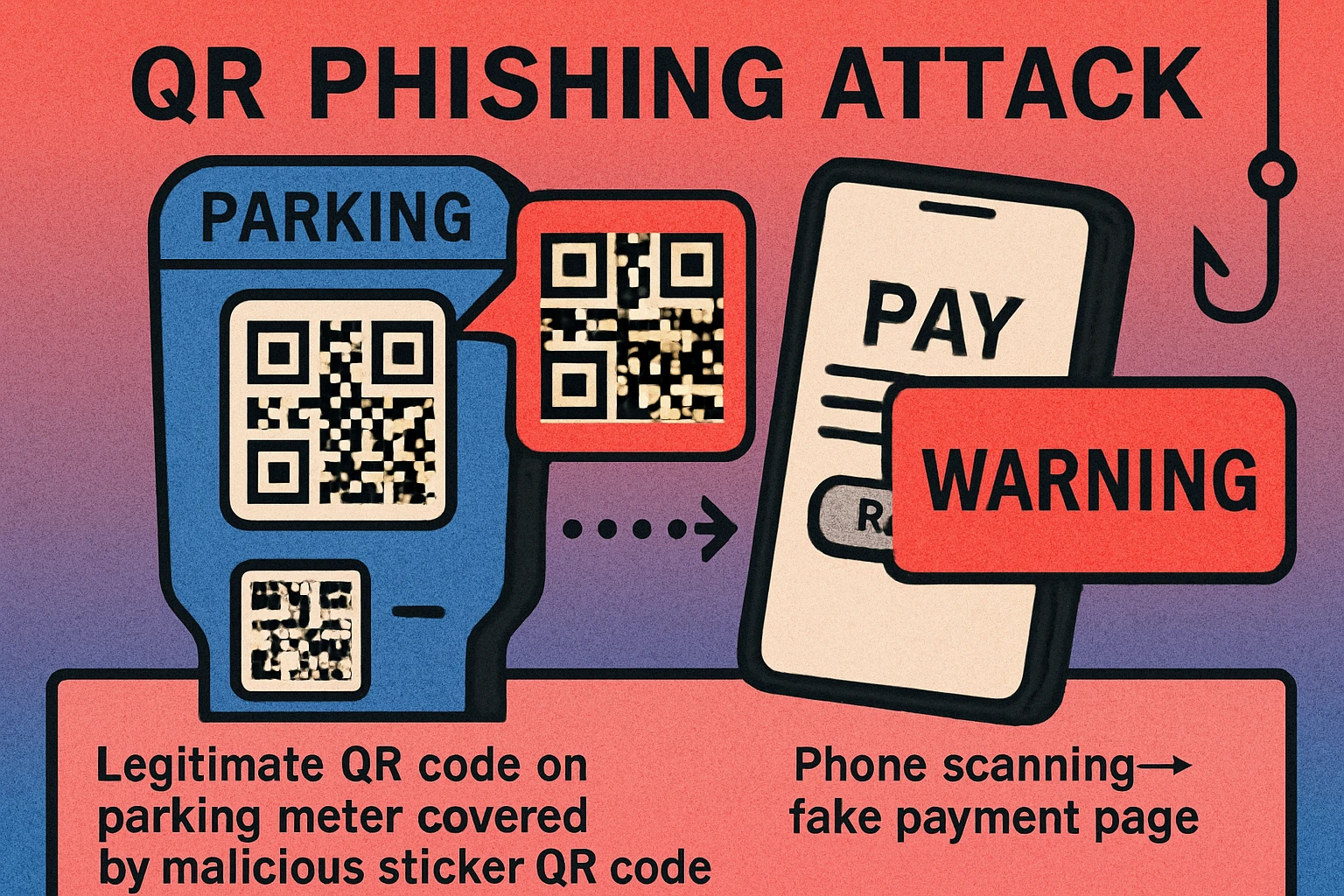
The most common physical attack is deceptively simple: a criminal prints a sticker containing a malicious QR code and places it over a legitimate one. This works on parking meters, restaurant table tents, public transit signs, and any other surface where QR codes appear in the real world. The original code still exists underneath, but your phone scans the sticker on top.
These overlays are alarmingly effective because they exploit existing trust. You see a QR code on a parking meter and assume the city put it there. You see one on a restaurant table and assume the restaurant printed it. The sticker looks identical to a legitimate code, and there is no visual cue that something is wrong unless you physically inspect the surface.
2. Phishing URLs
The QR code directs your phone to a website that looks identical to a legitimate service — your bank, a payment portal, a login page — but is actually controlled by the attacker. When you enter your credentials, credit card number, or personal information, the attacker captures it in real time. These fake sites often use domain names that look similar to the real thing, like paypa1.com instead of paypal.com.
3. Malicious Redirects and Downloads
Some QR codes trigger automatic downloads of malicious apps or redirect through a chain of URLs designed to confuse and evade security tools. On Android devices, a scanned code might prompt the user to install an APK file (an app package) outside the official app store. On any device, the redirect chain might ultimately land on a page that exploits browser vulnerabilities.
Common QR Code Scam Scenarios
Quishing attacks show up in predictable places. Knowing these scenarios helps you stay alert:
These scenarios are based on documented attacks reported by law enforcement and cybersecurity firms. They are not hypothetical.
- Parking meters: Criminals place stickers with fake payment QR codes over legitimate ones on municipal parking meters. Victims scan, land on a convincing fake payment page, and enter their credit card details. Multiple cities in the US, UK, and Europe have reported this attack.
- Restaurant menus: A small sticker placed over the restaurant's legitimate table QR code redirects diners to a phishing site that mimics the restaurant's ordering system — collecting payment information in the process.
- Fake package delivery notices: A card left at your door or in your mailbox says a package could not be delivered and asks you to scan a QR code to reschedule. The code leads to a phishing site that asks for personal details and sometimes a small "redelivery fee" via credit card.
- Email QR codes: Phishing emails now embed QR codes instead of clickable links, specifically to bypass email security filters that scan URLs but cannot read QR code images. The email urges you to "scan to verify your account" or "scan to view your invoice."
Other documented scenarios include fake QR codes on cryptocurrency ATMs, compromised codes in shared office spaces, fraudulent codes placed on electric vehicle charging stations, and codes embedded in fake government correspondence. The common thread is always the same: the QR code appears in a context where you would naturally trust it.
Warning Signs of a Malicious QR Code
Not every QR code scam is detectable, but many leave clues. Train yourself to watch for these red flags:
- Physical tampering: A sticker placed on top of another code, misaligned edges, a different material or print quality than the surrounding surface, or residue from a removed original code.
- Unusual URL after scanning: The URL contains misspellings, extra characters, a suspicious domain (like
bank-secure-login.xyz), or an IP address instead of a domain name. - Immediate request for sensitive data: The page asks for login credentials, credit card details, or personal information right after scanning — especially if you did not initiate a transaction.
- Urgency language: "Your account will be suspended," "Act now to claim your reward," "Verify immediately" — pressure tactics designed to override your caution.
- No HTTPS: Legitimate payment and login pages use HTTPS (the padlock icon). A page asking for sensitive data over plain HTTP is a strong warning sign.
- Unexpected app install prompts: If scanning a QR code triggers a prompt to install an application, stop immediately. Legitimate QR codes for menus, payments, or information should never require app installation.
If you encounter even one of these signs, do not proceed. Close the browser tab, do not enter any information, and if possible, report the suspicious code to the establishment or local authorities. If you are having trouble with a QR code for other reasons, our QR code not scanning troubleshooting guide can help distinguish between a broken code and a suspicious one.
Generate Trustworthy QR Codes
Static codes with no redirect servers. Your URL encoded directly — no middleman, no tracking.
QR Code Apps for Mac & Safari
Prefer generating codes without opening a browser tab? These two native Apple apps cover both habits — a full generator on the desktop, and a one-click share button inside Safari.


How to Protect Yourself: 8 Practical Tips
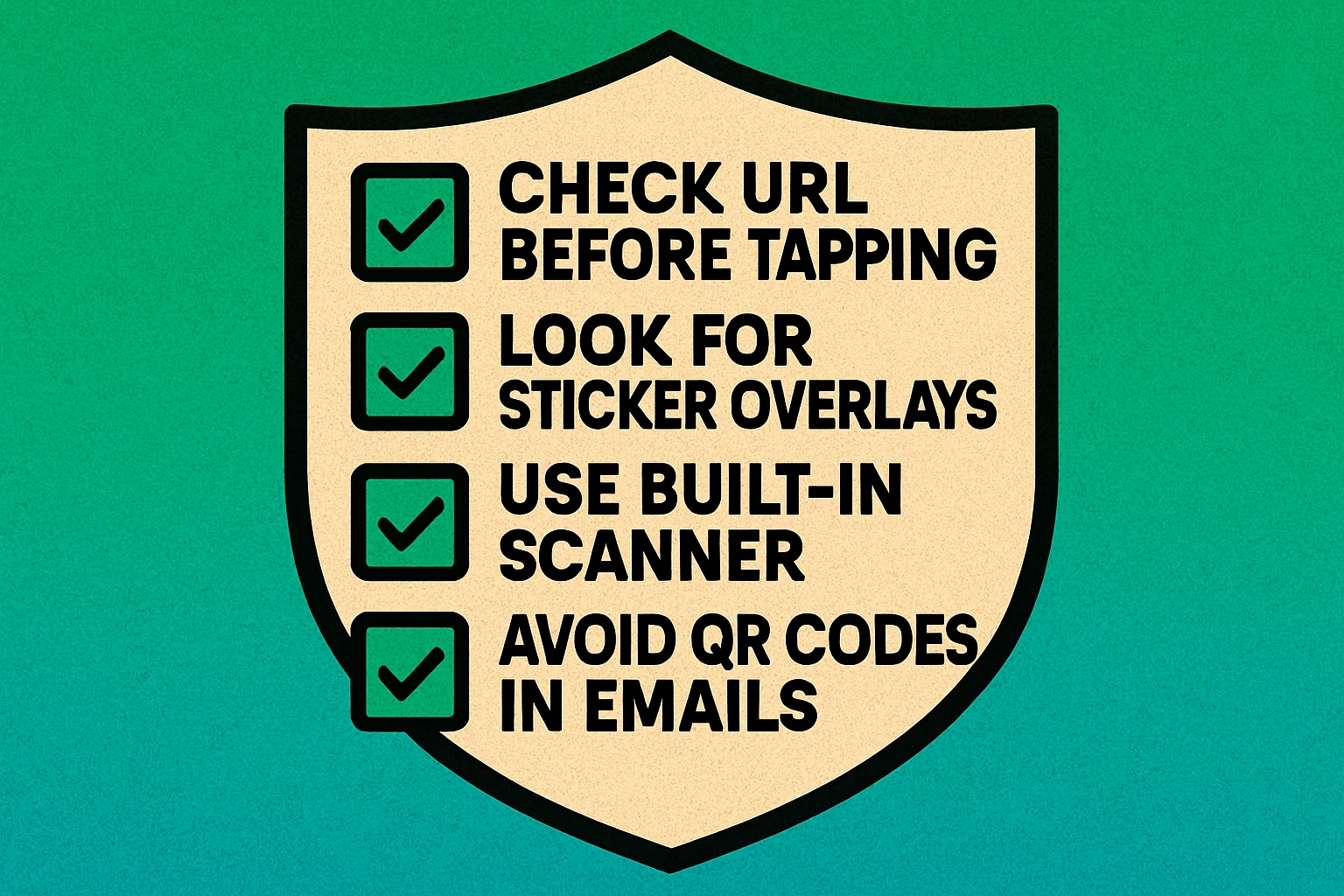
QR code security does not require technical expertise. These eight habits will protect you from the vast majority of quishing attacks:
8 Steps to Stay Safe When Scanning QR Codes
Preview the URL before opening it. Most modern smartphones show a URL preview when you point your camera at a QR code. Read the domain carefully before tapping. Look for misspellings, strange subdomains, or unfamiliar top-level domains. If it looks off, do not open it.
Use your phone's built-in camera app. The native camera apps on iOS and Android include QR scanning with URL preview. Avoid third-party QR scanner apps — many are ad-supported, some are outright malicious, and none offer better security than the built-in option. Our how to scan a QR code guide walks through this for every device.
Check for physical tampering. Before scanning any public QR code, look at the surface. Is there a sticker on top of a printed code? Do the edges look misaligned? Is the print quality different from the rest of the sign? If something looks off, do not scan it.
Never enter credentials or payment info from a QR scan. If a QR code leads you to a login page or payment form, stop. Navigate to that service directly by typing the URL in your browser instead. Legitimate services will not break if you access them through the front door rather than through a QR code.
Be skeptical of QR codes in email. A QR code in an email is almost always a red flag. Legitimate companies send clickable links, not QR codes. If a company emails you a QR code, go directly to their website by typing the URL manually.
Keep your phone's OS and browser updated. Software updates patch security vulnerabilities that malicious websites might exploit. An up-to-date phone is significantly harder to compromise through a malicious link.
Do not install apps from QR codes. If scanning a code prompts you to download or install an application, decline. Legitimate apps are distributed through the Apple App Store or Google Play Store, not through QR codes on random surfaces.
Report suspicious codes. If you spot a QR code that looks tampered with or leads to a suspicious URL, report it. Tell the business whose surface was compromised. File a report with your local consumer protection agency. The more reports, the faster these scams get shut down.
Treat every QR code the same way you treat a link from a stranger. Preview it, verify it, and never enter sensitive information on a page you reached by scanning a code you did not create yourself.
QR Code Security for Businesses
If you publish QR codes for your customers, you have a responsibility to make them as safe and trustworthy as possible. Here is how to protect your audience:
Use Your Own Domain
Encode URLs that point to your own domain, not a third-party shortener. Customers who preview the URL before opening will see yourbrand.com/menu instead of bit.ly/a3xk9. Your domain is your trust signal. If the URL does not look like it belongs to you, security-conscious customers will not tap it.
Use Static Codes for Fixed Content
For content that will not change — menus, contact information, Wi-Fi passwords, location links — use static QR codes. Static codes encode the URL directly in the pattern. There is no redirect server that could be compromised or reassigned. The destination is permanent and verifiable.
Print Codes Directly on Materials
Avoid using stickers for QR codes whenever possible. Print codes directly onto menus, signage, packaging, and other surfaces. When customers see a QR code that is printed as part of the material (not stuck on top), they can be more confident it was placed by you and not tampered with.
Monitor and Test Regularly
Periodically scan your own public QR codes to verify they still work and lead to the correct destination. If you use dynamic codes, ensure your subscription is active and the redirect has not been changed. Check physical codes for tampering, especially in publicly accessible locations. To understand what happens if codes break, read our guide on whether QR codes expire.
Educate Your Customers
Add a short line of text near your QR code telling customers where the code will take them: "Scan for our menu at yourbrand.com/menu." This lets people verify the destination after scanning and gives them confidence before they tap.
Static vs Dynamic: Security Considerations
The choice between static and dynamic QR codes has direct security implications that many people overlook:
Static QR Codes: More Tamper-Resistant
A static QR code encodes the destination URL directly in the pattern. Nobody can change where the code points without physically replacing it. This makes static codes inherently more secure from a digital standpoint — the only attack vector is physical replacement (the sticker swap). As long as you verify the code has not been covered, you know the destination is the one that was originally encoded.
Dynamic QR Codes: Additional Attack Surface
A dynamic QR code routes through a redirect server. This introduces additional security risks: the redirect platform could be compromised, the account holder's credentials could be stolen, or a lapsed subscription could leave the redirect URL available for takeover. If an attacker gains access to the redirect, they can reroute every printed code to a malicious destination without touching the physical codes.
For maximum QR code security, use static codes pointed at URLs on domains you control. This eliminates the redirect server as an attack surface and gives scanners a recognizable, trustworthy domain to verify before tapping. Reserve dynamic codes only for situations where you genuinely need to change the destination after printing.
Neither type protects against physical replacement attacks. Whether your code is static or dynamic, a criminal can still place a sticker over it. The defense against physical attacks is printing codes directly onto surfaces and conducting regular inspections.
Frequently Asked Questions
A QR code itself cannot contain a virus. However, scanning a malicious QR code can direct you to a website that downloads malware, prompts you to install a harmful app, or tricks you into entering personal information on a phishing page. The danger is not in the code — it is in the destination.
Quishing (QR phishing) is a social engineering attack where criminals replace legitimate QR codes with malicious ones, or distribute fake QR codes that direct victims to phishing websites. The goal is to steal login credentials, financial information, or install malware on the victim's device.
Check for physical tampering like stickers placed over original codes. After scanning, preview the URL before opening it — look for misspellings, unusual domains, or suspicious characters. Use your phone's built-in camera app rather than third-party scanner apps, and never enter passwords or payment information on a page reached through an unfamiliar QR code.
Static QR codes have a fixed destination that cannot be changed after creation, which means they cannot be redirected to a malicious URL after printing. Dynamic QR codes route through a server that can be compromised or reassigned. From a pure security standpoint, static codes are more tamper-resistant because the destination is permanently encoded in the pattern itself.