QR codes are everywhere in 2026. They are on restaurant tables, product packaging, business cards, event tickets, billboards, and even gravestones. What started as an inventory tracking tool in a Japanese auto factory has become the default bridge between the physical world and the digital one.
But despite being ubiquitous, QR codes are widely misunderstood. Most people know how to scan one but have no idea how the technology actually works, what the different types are, or how to create codes that are reliable, secure, and long-lasting. This qr code guide covers all of it — from first principles to the practical details that matter when you create and deploy QR codes in the real world.
What Is a QR Code?
A QR code (Quick Response code) is a two-dimensional matrix barcode that stores data in a grid of black and white square modules. Unlike the one-dimensional barcodes you see on grocery items — which store data in a single horizontal line — QR codes encode information both horizontally and vertically, allowing them to hold significantly more data in the same amount of space.
QR codes were invented in 1994 by Masahiro Hara and his team at Denso Wave, a subsidiary of Toyota. The original goal was practical: track automotive parts as they moved through the manufacturing process. Traditional barcodes could only hold about 20 characters, which was insufficient for complex part numbers and batch data. The QR code solved this by supporting up to 7,089 numeric characters or 4,296 alphanumeric characters in a single image.
The "Quick Response" name was intentional. The code was designed from the ground up for high-speed scanning by industrial readers on factory floors. Today, the same design principles — fast readability, high data density, and built-in error tolerance — make QR codes ideal for consumer use with smartphone cameras.
A QR code is a two-dimensional barcode that encodes data in a pattern of black and white squares. It was invented in 1994 for automotive manufacturing and is now used globally across every industry. For a deeper look at the history and anatomy, read our full article on what is a QR code.
Every QR code contains several structural elements that make it scannable: three large finder patterns in the corners (the distinctive squares-within-squares), alignment patterns for larger codes, timing patterns that help the scanner determine module size, and the data region itself. A quiet zone — a margin of blank space around the code — ensures scanners can distinguish the code from its surroundings.
How QR Codes Work
Understanding how QR codes work demystifies the entire technology. The process from data to scannable image involves several layers of encoding, error protection, and layout.
Encoding the Data
When you generate a QR code, the first step is encoding your input data — a URL, a block of text, a phone number, Wi-Fi credentials — into a binary bitstream. The QR standard supports four encoding modes optimized for different content types:
- Numeric mode: digits 0-9 only, the most compact (3.3 bits per character)
- Alphanumeric mode: digits, uppercase letters, and a few symbols (5.5 bits per character)
- Byte mode: any 8-bit data including URLs, UTF-8 text, and binary content
- Kanji mode: double-byte characters for Japanese text (13 bits per character)
The encoder automatically selects the most efficient mode for your input. Shorter data produces simpler, easier-to-scan codes. This is why a QR code for a 30-character URL looks cleaner than one for a 500-character paragraph.
Error Correction
After encoding, the system adds redundancy using Reed-Solomon error correction. This is the same mathematical technique used in CDs, DVDs, and deep-space communication. It allows the QR code to be partially damaged or obscured and still decode correctly.
There are four error correction levels — L (7%), M (15%), Q (25%), and H (30%) — each representing the percentage of the code that can be lost while remaining readable. Higher correction means more resilience but a denser pattern. We cover this in detail in our QR code error correction guide.
Module Layout and Masking
The encoded data plus error correction codewords are arranged into the QR code grid according to a specific placement algorithm. The data flows in a zig-zag pattern from the bottom-right corner upward. After placement, the system applies one of eight masking patterns to balance the ratio of light and dark modules, which prevents large uniform areas that could confuse scanners.
Finally, format information (error correction level, mask pattern) is embedded near the finder patterns so scanners know how to decode the image before processing the data region.
Scanning and Decoding
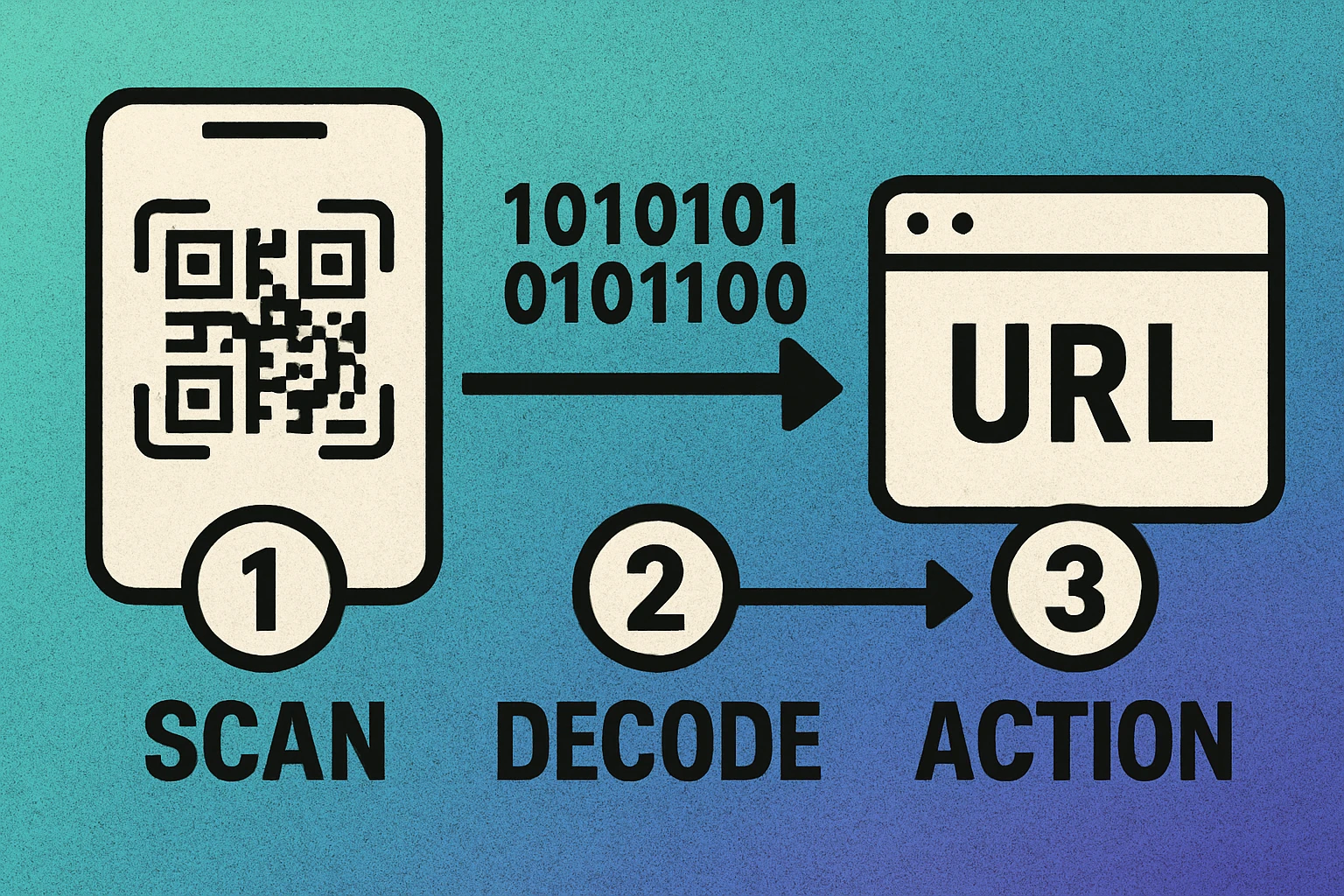
When a smartphone camera or dedicated scanner captures a QR code image, the software first locates the three finder patterns to determine the code's position, orientation, and size. It then reads the format information, applies the inverse mask, extracts the data bits, runs error correction to fix any damaged modules, and outputs the decoded content — typically opening a URL in the browser.
The entire process happens in milliseconds, which is why QR codes feel instantaneous.
Static vs Dynamic QR Codes
This is the single most important distinction in the QR code world, and the one that causes the most confusion. Every QR code you encounter is either static or dynamic, and the difference affects lifespan, editability, tracking, and cost.
Static QR Codes
A static QR code encodes the destination data — a URL, text, Wi-Fi password, vCard — directly into the pattern of modules. When someone scans it, their device reads the data straight from the image. There is no server, no redirect, and no middleman.
The advantages are significant: static codes are free to create, never expire, have no scan limits, require no account or subscription, and work even if the generating service goes offline. The trade-off is that once printed, the content cannot be changed. If the URL moves, you need a new code.
Dynamic QR Codes
A dynamic QR code encodes a short redirect URL instead of the final destination. When scanned, the user's device hits the QR platform's server, which then forwards them to the actual content. This redirect layer enables powerful features: you can change the destination without reprinting, track scan analytics (location, time, device), set expiration dates, and run A/B tests.
The downside is dependency. If the platform goes down, your subscription lapses, or scan limits are reached, the code stops working — even though the image itself is perfectly valid.
| Feature | Static QR Code | Dynamic QR Code |
|---|---|---|
| Data storage | In the code itself | On a redirect server |
| Editable after print | No | Yes |
| Scan analytics | No | Yes |
| Requires subscription | No | Usually |
| Can expire | No | Yes (if service stops) |
| Scan limits | None | Depends on plan |
| Best for | Permanent links, offline data | Campaigns, changing content |
For a complete breakdown of when to use each type, read our dedicated static vs dynamic QR code comparison.
Types of QR Codes
Beyond the static/dynamic split, QR codes can encode many different content types. The QR standard itself is format-agnostic — it stores raw data — but conventions have emerged for specific use cases that smartphones recognize and handle automatically.
URL QR Codes
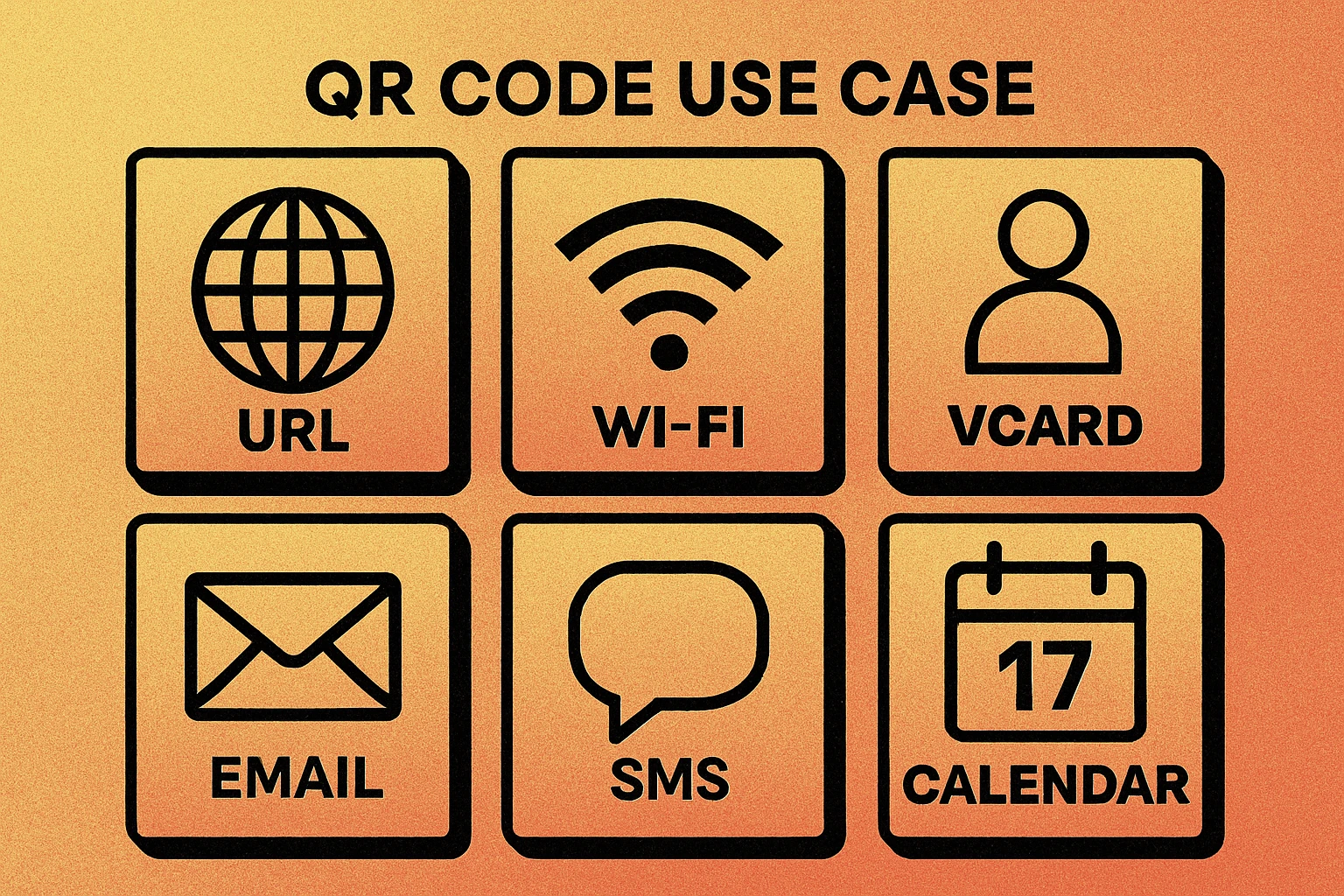
The most common type. The code encodes a web address, and scanning opens that URL in the device's default browser. This is what most marketing, packaging, and informational QR codes use.
Wi-Fi QR Codes
Encodes a Wi-Fi network name (SSID), password, and encryption type in a special format. When scanned on a modern smartphone, the device automatically connects to the network — no manual password entry required. Perfect for homes, offices, cafes, and hotels.
vCard / Contact QR Codes
Encodes a contact card with name, phone number, email, company, address, and more. Scanning adds the contact directly to the phone's address book. Widely used on business cards and conference badges.
Email and SMS QR Codes
Pre-fills an email or text message with the recipient, subject line, and body text. The user just taps send. Useful for customer support, feedback forms, and event RSVPs.
Plain Text QR Codes
Stores raw text with no action trigger. The scanner displays the text on screen. Used for serial numbers, instructions, authentication codes, and any scenario where you need to convey information without an internet connection.
Other Types
The ecosystem also includes geolocation codes (open a map to a specific pin), calendar event codes (add an event to a calendar app), phone call codes (dial a number), and cryptocurrency payment codes. For a comprehensive overview, see our upcoming guide on types of QR codes.
Ready to Create Your QR Code?
Free, instant, no signup. Generate URL, Wi-Fi, vCard, and text QR codes in seconds.
QR Code Apps for Mac & Safari
Prefer generating codes without opening a browser tab? These two native Apple apps cover both habits — a full generator on the desktop, and a one-click share button inside Safari.


How to Create a QR Code
With the right tool, creating a QR code takes less than 30 seconds. The four steps below work for every content type — only what you type in step two changes. If you already know you want a code that opens a web page, our dedicated walkthrough on how to create a QR code for a link goes deeper on URLs, tracking parameters and redirects.
4 Steps to a Working QR Code
Choose the content type. Decide whether you're encoding a URL, Wi-Fi credentials, a vCard contact, plain text, or another format. Each type has its own input fields.
Enter your data. Paste your URL, type your Wi-Fi password, or fill in the contact fields. Keep the data as short as possible — shorter data means a simpler, more scannable code.
Customize (optional). Adjust the error correction level, module size, and colors if needed. For most uses, the defaults work perfectly. Avoid low-contrast color combinations that make the code hard to scan.
Download and test. Export as PNG for digital use or SVG for print. Always scan your code with at least two different devices before deploying it. This catches encoding errors, contrast issues, and size problems before they reach your audience.
The QR codes you generate on GenerateOnlineQR.com are fully static — the data is encoded directly in the image with no redirect server, no tracking, and no expiration. They are free, unlimited, and yours to keep forever.
Step one is where most mistakes happen. Encoding a web address? Follow how to create a QR code for a link. Sharing network access? Use a Wi-Fi QR code instead of writing the password as plain text. Not sure what exists? The overview of every type of QR code lists them all with the exact data format each one expects.
Once the code exists, the last mile matters more than the generator you used. Check it against the QR code size guide before it goes to print, and if a code comes back blank when you scan it, the fixes are collected in why your QR code is not scanning.
QR Code Size and Printing
A QR code that's too small won't scan. A code with poor contrast will fail in bright sunlight. Getting the physical dimensions right is just as important as the data inside the code — especially for print materials like business cards, flyers, posters, and packaging.
Minimum Size Rules
The general rule is that each module (individual square in the grid) should be at least 0.75 mm wide for close-range scanning (within arm's reach). For a typical Version 3 QR code with 29 modules per side, this means a minimum print size of about 2 cm x 2 cm (0.8 in x 0.8 in). For codes scanned from further away — on posters, banners, or storefronts — you need proportionally larger sizes.
The 10:1 Distance Rule
A practical formula: divide the expected scanning distance by 10 to get the minimum QR code width. If someone will scan from 1 meter away, the code should be at least 10 cm wide. From 5 meters, at least 50 cm. This accounts for camera resolution, focus distance, and ambient light conditions.
Contrast and Quiet Zone
QR codes require high contrast to scan reliably. Black modules on a white background is the gold standard. If you use custom colors, ensure a contrast ratio of at least 4:1 between the dark modules and the light background. Never invert the colors (light modules on dark background) — most scanners expect dark-on-light.
The quiet zone — the blank margin around the code — should be at least 4 modules wide on all sides. Without it, scanners may not detect the code boundaries.
Print QR codes at a minimum of 2 cm x 2 cm for close-range scanning. Use the 10:1 distance rule for larger deployments. Always maintain high contrast and a 4-module quiet zone. For detailed size recommendations by use case, read our QR code size guide.
File Format for Print
Always use SVG (Scalable Vector Graphics) for printed materials. SVG files are resolution-independent — they scale to any size without pixelation. PNG works for digital screens but can become blurry if enlarged for large-format printing. Our generator offers both formats.
Error Correction
One of the most remarkable features of QR codes is their built-in resilience. Thanks to Reed-Solomon error correction, a QR code can lose a significant portion of its modules and still be decoded correctly. This is what makes QR codes work on crumpled receipts, partially covered posters, and even damaged product labels.
The Four Levels
| Level | Recovery Capacity | Best For |
|---|---|---|
| L (Low) | ~7% of data | Clean digital environments, minimal data |
| M (Medium) | ~15% of data | General purpose, most common default |
| Q (Quartile) | ~25% of data | Industrial use, outdoor signage |
| H (High) | ~30% of data | Codes with logos overlaid, harsh environments |
Higher error correction means more redundant data, which means a denser code (more modules). Level M is the standard default for most generators and strikes the best balance between resilience and scannability. Level H is necessary if you plan to place a logo or image over the center of the code — a common branding technique.
For a complete technical breakdown of how error correction works and when to use each level, read our QR code error correction guide.
Do QR Codes Expire?
This is one of the most frequently asked questions about QR codes, and the answer depends entirely on the type of code.
Static QR codes do not expire. The data is encoded directly in the image — there is no server, no subscription, and no expiration mechanism. A static code you print today will scan identically in 10, 20, or 50 years, as long as the image is intact and the linked content (if it's a URL) remains online.
Dynamic QR codes can stop working if the redirect service behind them goes offline, the subscription lapses, or scan limits are reached. The code image itself is still valid, but the short URL it encodes leads nowhere.
The practical implication is clear: if you need permanence, use static codes and point them to URLs you control. If you need the flexibility of dynamic codes, choose a reliable platform and keep your subscription active.
Static QR codes last forever. Dynamic QR codes last as long as the platform behind them stays active. For the complete breakdown, read Do QR Codes Expire?
QR Code Security
QR codes themselves are not inherently dangerous — they are just data containers, like text files or links in an email. But like any technology that moves users to a destination, they can be exploited by bad actors. Understanding the risks is essential for both creators and scanners.
Common QR Code Threats
Quishing (QR phishing): Attackers place fraudulent QR codes over legitimate ones — on parking meters, restaurant tables, or public posters — to redirect users to fake login pages that harvest credentials. This is the QR equivalent of a phishing email.
Malware delivery: A malicious QR code can link to a page that triggers a drive-by download or prompts the user to install a compromised app. While modern smartphones have safeguards, social engineering can bypass them.
Tracking and data harvesting: Dynamic QR codes can collect metadata about every scan — device type, location, time, IP address. While this is useful for legitimate analytics, it can also be used for surveillance or profiling without consent.
How to Stay Safe
- Preview before visiting. Most smartphone QR scanners show the URL before opening it. Always check the domain — look for misspellings, unusual domains, and HTTP (instead of HTTPS).
- Avoid scanning QR codes that look tampered with. If a sticker appears to be placed over another code, treat it as suspicious.
- Don't enter credentials on QR-linked pages. If a QR code takes you to a login page, navigate to the site directly through your browser instead.
- Use static codes when possible. Static codes encode the real destination, making it harder for attackers to insert a redirect layer.
- For creators: generate codes on trusted tools. Some free generators inject their own tracking or redirect URLs. Use tools like GenerateOnlineQR.com that create clean, static codes with no intermediary.
For a deep dive into QR code threats and how to protect yourself, read our complete QR code security guide.
Create Secure, Static QR Codes
No tracking. No redirects. No account required. Your data stays in the code.
Frequently Asked Questions
Pick the content type you want to encode (a link, Wi-Fi credentials, a contact card or plain text), enter the data in a QR code generator, adjust the error correction level and colours if you need to, then download the finished code as PNG for screens or SVG for print. Always scan the result on two different phones before you publish or print it. A static code created this way needs no account and never expires.
The QR code standard itself is open and royalty-free, so any static QR code you generate is free to create and free to use commercially. Web generators such as GenerateOnlineQR.com produce static codes with no account, no scan limit and no expiry date. Costs only appear when you choose a dynamic QR code, because those depend on a hosted redirect service that usually charges for editing and analytics.
QR stands for Quick Response. The name reflects the code's ability to be scanned and decoded rapidly — much faster than traditional one-dimensional barcodes. QR codes were invented in 1994 by Denso Wave, a subsidiary of Toyota, to track automotive parts on the assembly line.
Yes. The QR code standard is open and royalty-free. Anyone can create and use QR codes without paying a licensing fee. Free tools like GenerateOnlineQR.com let you generate static QR codes with no account, no subscription, and no scan limits. Dynamic QR codes from some platforms may require a paid plan for analytics and redirect features.
A single QR code can store up to 7,089 numeric characters, 4,296 alphanumeric characters, or 2,953 bytes of binary data. In practice, most QR codes encode a URL of 50 to 200 characters. The more data you encode, the denser and harder to scan the code becomes, so shorter content is always better.
Yes. QR codes can be scanned from any surface that displays them clearly — phone screens, computer monitors, tablets, printed paper, packaging, billboards, and more. The scanner reads the contrast pattern regardless of the medium, as long as the code is large enough and has sufficient contrast.
It depends on the content type. QR codes that encode plain text, Wi-Fi credentials, or contact cards (vCard) can be scanned and used completely offline. QR codes that encode a URL require an internet connection to load the destination webpage after scanning.