What Is a QR Code?
A QR code (Quick Response code) is a two-dimensional barcode that stores information in a grid of black and white squares called modules. Unlike traditional barcodes that hold data in a single horizontal line, QR codes encode data both horizontally and vertically, which allows them to store significantly more information in a smaller space.
QR codes were invented in 1994 by Masahiro Hara and his team at Denso Wave, a subsidiary of Toyota. The original purpose was practical: Toyota needed a faster way to track vehicle parts and components on assembly lines. Traditional barcodes were too slow and held too little data, so the team designed a code that could be scanned rapidly from any angle — hence the name "Quick Response."
Denso Wave made a crucial decision: they released the QR code specification publicly and chose not to enforce their patent rights. This open approach is the single biggest reason QR codes became a global standard. Anyone can generate and use QR codes without paying licensing fees.
Today, QR codes are used for everything from sharing website URLs and Wi-Fi passwords to processing mobile payments and verifying event tickets. According to recent data, QR code usage continues to grow year over year, with billions of scans happening globally each month. For a broader overview of QR code technology and best practices, see our complete QR code guide.
A QR code is a two-dimensional barcode that stores data in a pattern of black and white squares. Invented in 1994 for automotive manufacturing, it became a global standard because its creators made the technology free for everyone to use.
Anatomy of a QR Code
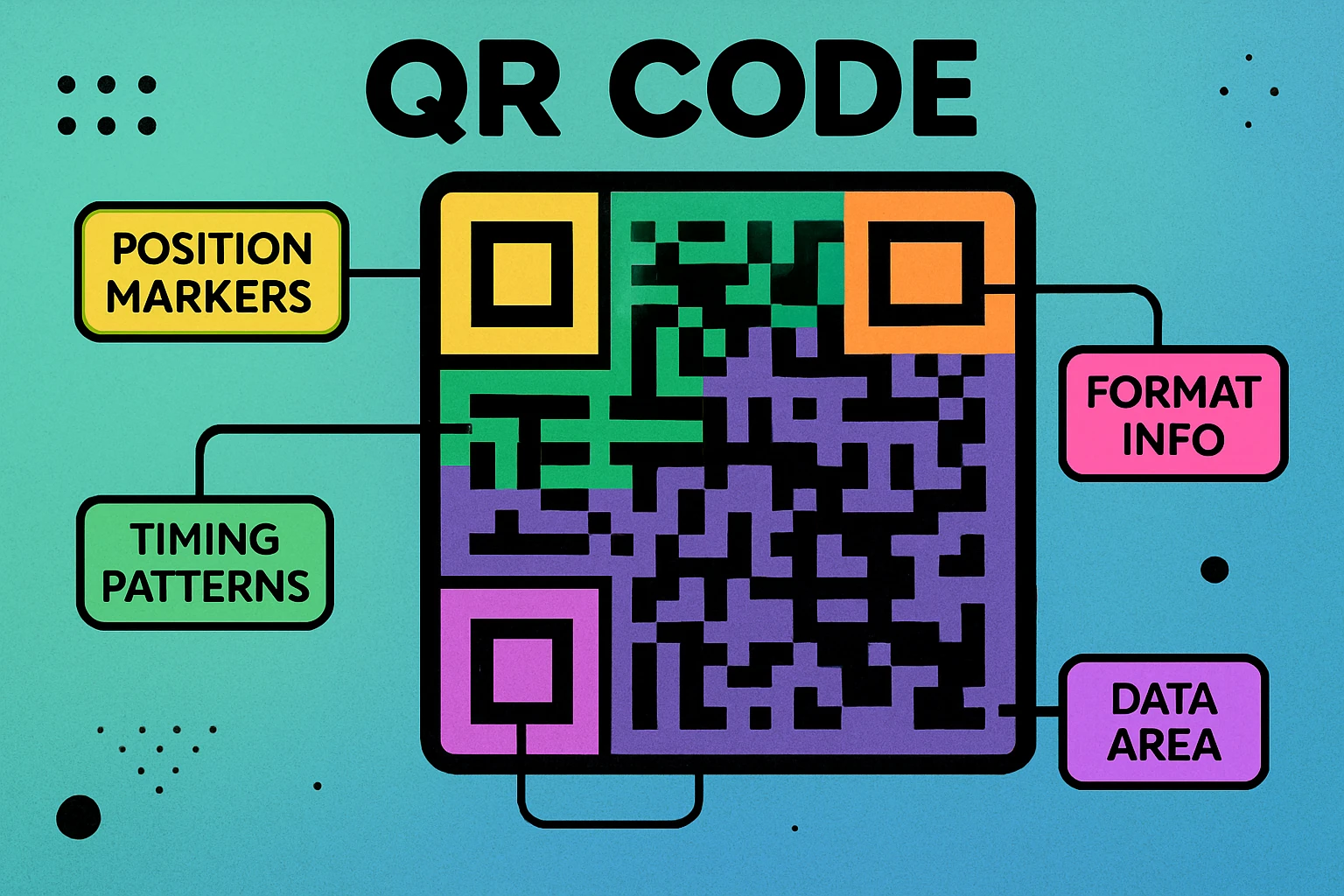
Every QR code, no matter what data it contains, shares the same structural components. Understanding these parts helps explain why QR codes are so reliable and why they can be scanned from any orientation.
Finder Patterns
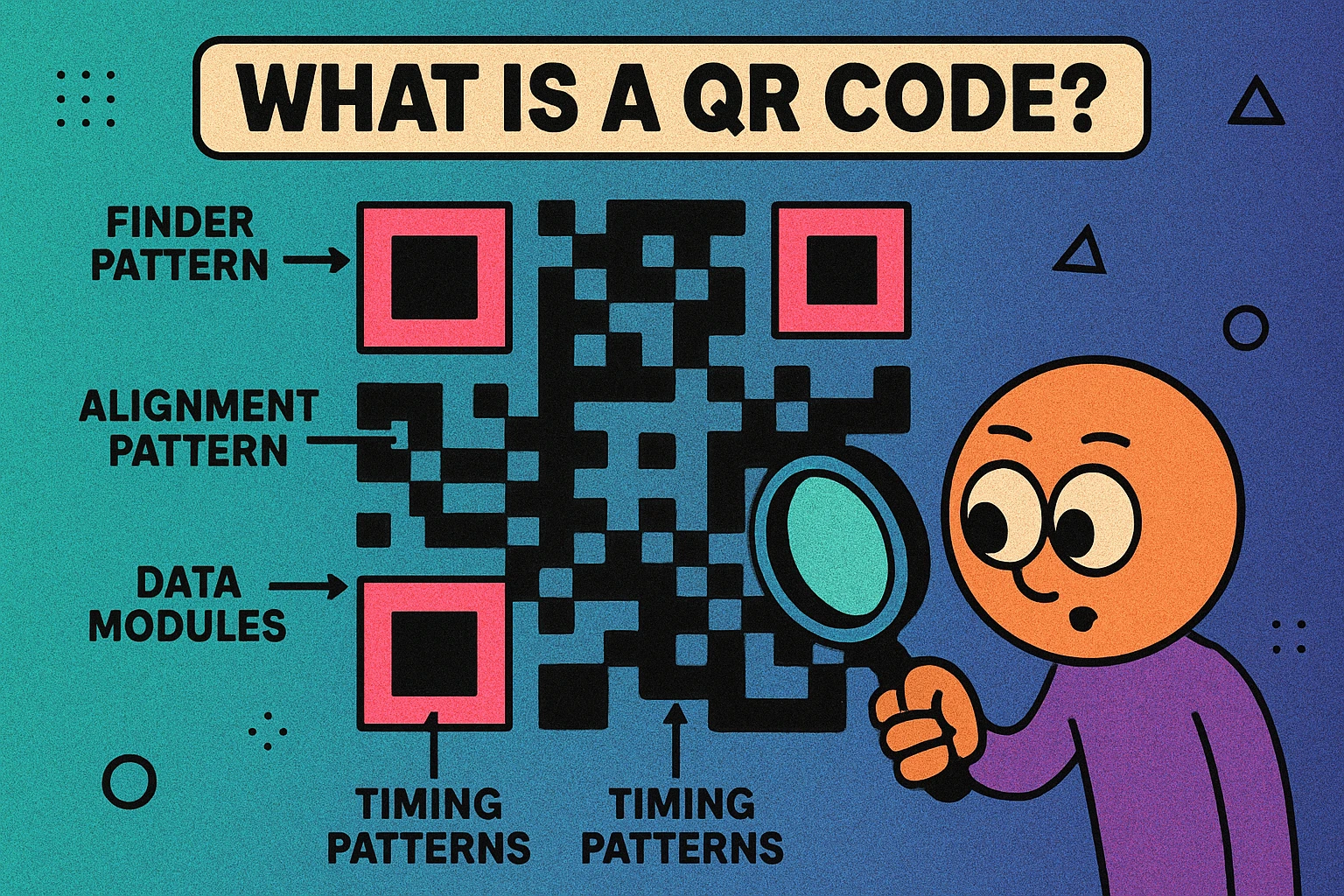
The three large squares in the corners (top-left, top-right, and bottom-left) are called finder patterns. These are the most recognizable part of any QR code. Their job is to help the scanner quickly locate the code and determine its orientation. No matter how the code is rotated — 90 degrees, 180 degrees, even upside down — the scanner uses these three squares to figure out which way is up and where the data grid begins.
Alignment Patterns
Larger QR codes (Version 2 and above) include smaller square patterns within the grid called alignment patterns. These help the scanner correct for distortion — for example, if you're scanning a code printed on a curved surface or photographing it from a steep angle. The number of alignment patterns increases with the size of the code.
Timing Patterns
The alternating black-and-white lines running between the finder patterns are timing patterns. These let the scanner determine the width and height of the data grid and establish the coordinate system for reading individual modules. Think of them as the ruler that tells the scanner how big each square is.
Data and Error Correction Modules
Everything else in the QR code — the seemingly random arrangement of black and white squares — is where the actual data lives, along with error correction information. The data modules encode your URL, text, or other content. The error correction modules contain redundant information that allows the code to be read correctly even if up to 30% of it is damaged or obscured.
Quiet Zone
The blank white border surrounding the entire QR code is the quiet zone. It must be at least four modules wide. Without this margin, the scanner cannot reliably distinguish the code from its surroundings. Cropping a QR code too tightly is one of the most common reasons codes fail to scan.
How QR Codes Store Data
QR codes convert your content into a binary sequence (ones and zeros), then represent that binary data as black and white modules in the grid. A black module represents a 1, and a white module represents a 0. But the process of converting your data into that binary sequence depends on the encoding mode being used.
Four Encoding Modes
The QR code specification defines four primary encoding modes, each optimized for a different type of content:
| Mode | Characters | Max Capacity | Best For |
|---|---|---|---|
| Numeric | 0–9 | 7,089 characters | Phone numbers, IDs |
| Alphanumeric | 0–9, A–Z, symbols | 4,296 characters | Short URLs, codes |
| Byte | Full ASCII / UTF-8 | 2,953 bytes | URLs, text, emails |
| Kanji | Japanese characters | 1,817 characters | Japanese text |
Numeric mode is the most efficient. Because digits only require 3.33 bits each (versus 8 bits for a byte-mode character), purely numeric data produces the smallest, simplest QR codes. Alphanumeric mode handles uppercase letters and a handful of symbols, using 5.5 bits per character. Byte mode is the most common for URLs and general text, encoding each character as a full 8-bit byte. Kanji mode was built specifically for double-byte Japanese characters.
Most QR code generators automatically select the most efficient mode for your content. If you type a URL, it uses byte mode. If you enter only numbers, it switches to numeric mode. This automatic optimization is one reason QR codes are so space-efficient.
Error Correction Levels
Every QR code also includes error correction data based on Reed-Solomon algorithms. This redundancy means the code can still be read even if part of the image is damaged, dirty, or obscured. There are four levels:
- Level L (Low): recovers up to 7% damage
- Level M (Medium): recovers up to 15% damage
- Level Q (Quartile): recovers up to 25% damage
- Level H (High): recovers up to 30% damage
Higher error correction means more redundant data, which means more modules, which means a denser code. Most generators default to Level M as a practical balance. For a deep dive into this topic, read our article on QR code error correction levels explained.
QR Code Apps for Mac & Safari
Prefer generating codes without opening a browser tab? These two native Apple apps cover both habits — a full generator on the desktop, and a one-click share button inside Safari.


How Scanning Works
When you point your phone's camera at a QR code, a multi-step process happens in milliseconds:
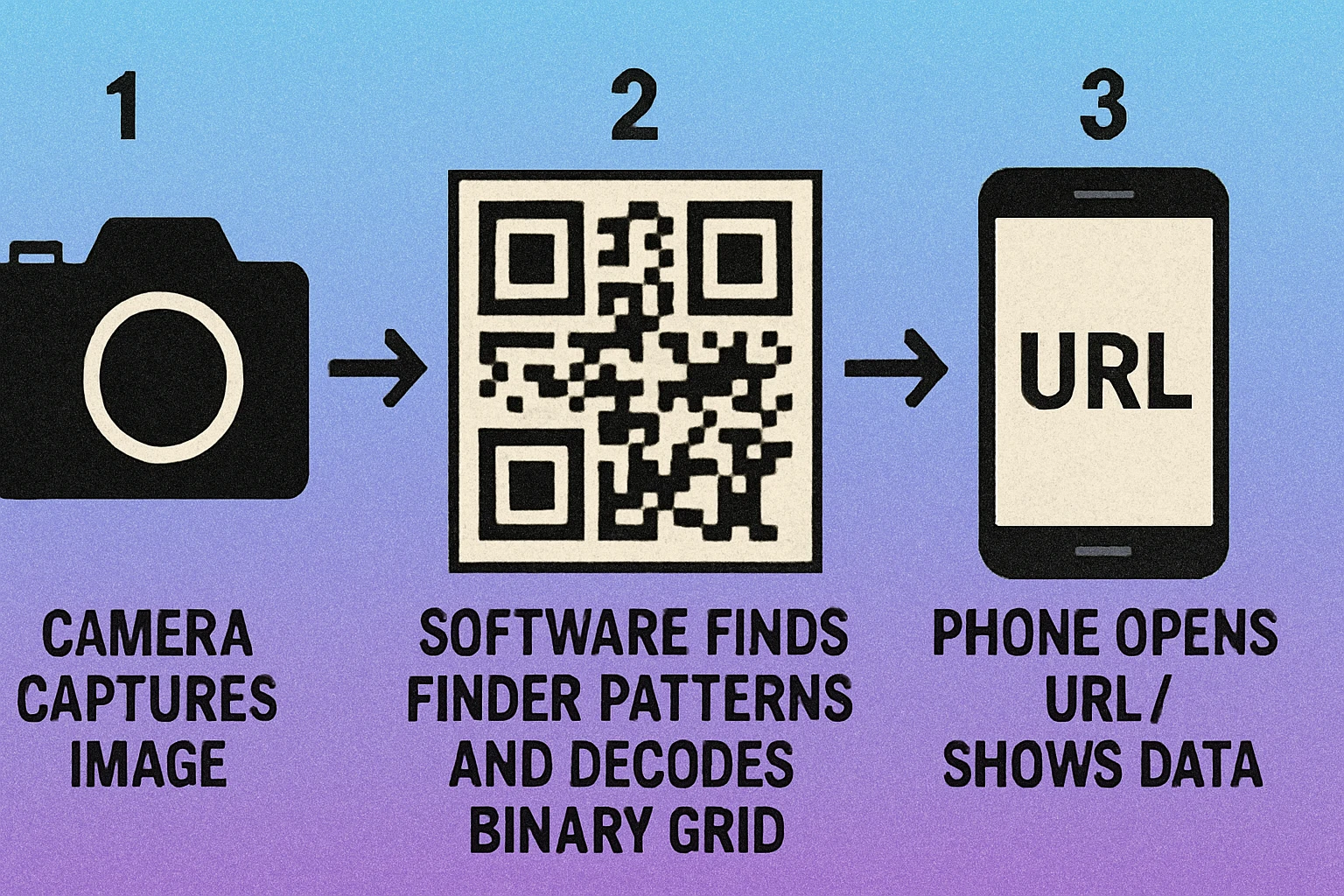
The QR Code Scanning Process
Image capture. Your phone's camera captures a frame containing the QR code. Modern smartphones continuously analyze the camera feed for QR codes in real time — you don't need a separate app on most devices manufactured after 2017.
Pattern detection. The software locates the three finder patterns in the corners of the code. These distinctive squares tell the decoder exactly where the QR code is in the image and how it's oriented. This is why QR codes can be scanned at any angle.
Grid sampling. Using the finder and timing patterns as reference points, the decoder establishes a coordinate grid and determines the value (black or white) of every module in the code. Alignment patterns help correct for perspective distortion.
Data extraction and error correction. The binary data is read from the modules, the encoding mode is identified, and the Reed-Solomon error correction algorithm repairs any corrupted modules. The binary stream is then decoded back into readable text, a URL, or whatever content was originally encoded.
Action. Your phone interprets the decoded data and takes the appropriate action: opening a URL in the browser, connecting to a Wi-Fi network, adding a contact to your address book, or simply displaying text. The entire process — from image capture to action — typically takes less than one second.
The entire decode step happens locally on your device. No internet connection is needed to read the data from the code itself. You only need internet if the decoded data is a URL that points to a webpage.
Try It Yourself — Create a Free QR Code
See how quickly a QR code is generated. Paste any URL, text, or Wi-Fi details and download instantly.
QR Codes vs Traditional Barcodes
If QR codes are "two-dimensional barcodes," how do they actually compare to the traditional one-dimensional barcodes you see on grocery products? The differences are significant:
| Feature | Traditional Barcode | QR Code |
|---|---|---|
| Dimensions | 1D (horizontal lines) | 2D (grid of squares) |
| Data capacity | ~25 characters | Up to 7,089 characters |
| Data types | Numbers only (most formats) | Numbers, text, URLs, binary |
| Scan angle | Must be horizontal | Any angle (360°) |
| Error correction | None or minimal | Up to 30% |
| Scan speed | Fast | Very fast |
| Phone scannable | Some apps | Built-in camera |
Traditional barcodes are not obsolete — they remain the standard for retail product identification (UPC/EAN codes) because the infrastructure is already in place and the data requirements are simple. But for consumer-facing applications where you need to share URLs, contact info, or any data beyond a short number, QR codes are the clear choice.
For a more detailed comparison including use cases and when each format makes sense, read our full article on QR codes vs barcodes.
Common Uses for QR Codes
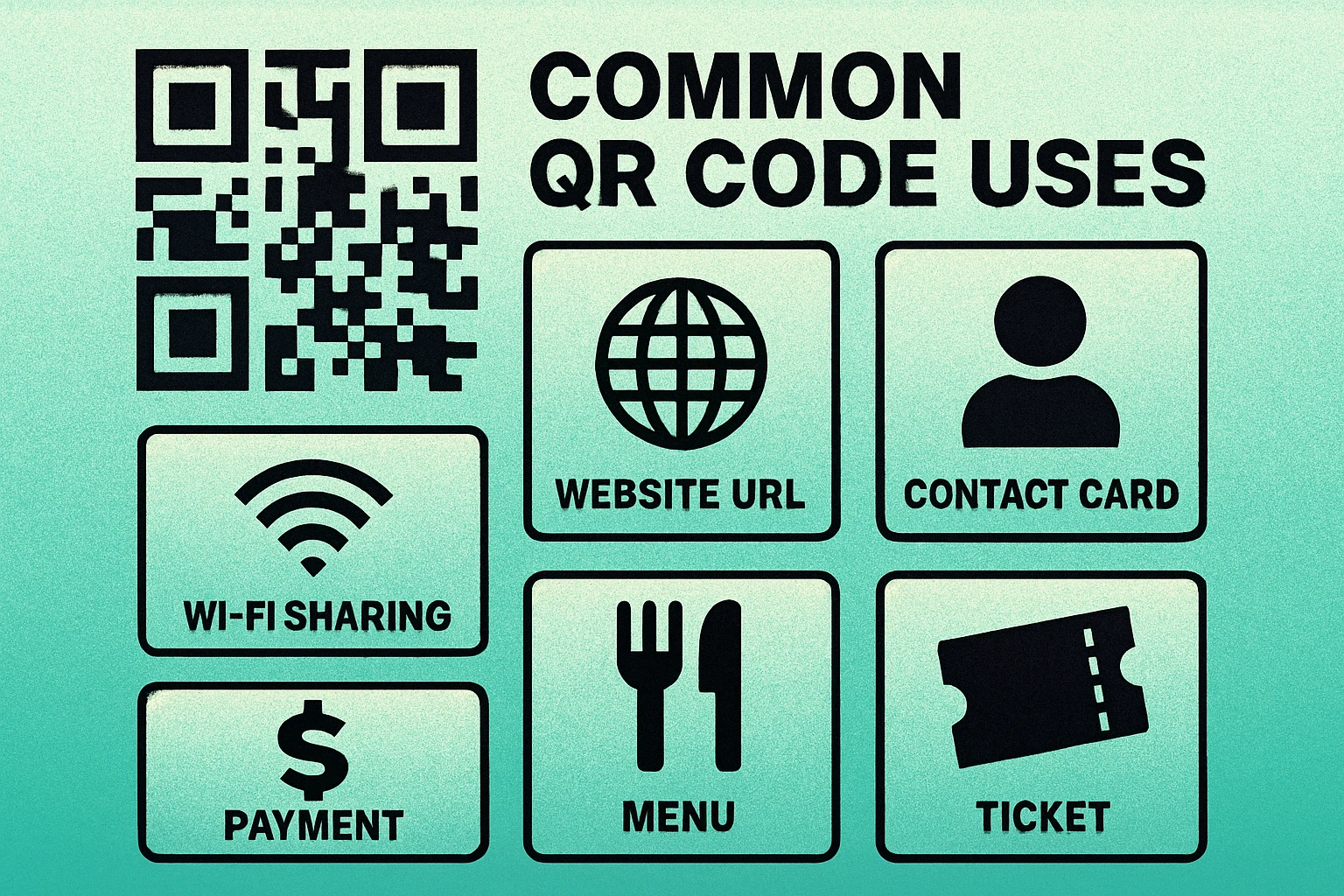
The versatility of QR codes comes from the fact that they can encode virtually any type of text data. Here are the most common applications you'll encounter:
URLs and Websites
The most popular use case by far. A QR code on a poster, business card, or product links directly to a website, landing page, or app download. This eliminates the need for people to type long URLs manually. You can choose between static and dynamic QR codes depending on whether you need to change the destination later.
Wi-Fi Network Sharing
A QR code can encode your network name, password, and encryption type. When scanned, the phone automatically connects to the Wi-Fi network — no typing required. This is especially popular in hotels, cafes, co-working spaces, and offices.
Contact Information (vCards)
Instead of exchanging business cards, a QR code can encode a full vCard with your name, phone number, email, company, and address. Scanning it adds the contact directly to the phone's address book.
Mobile Payments
Payment platforms like Alipay, WeChat Pay, and many banking apps use QR codes to initiate transactions. The merchant displays a QR code, the customer scans it, and the payment processes instantly. This has become the dominant payment method in several Asian markets.
Authentication and Tickets
Event tickets, boarding passes, loyalty programs, and two-factor authentication apps all use QR codes to verify identity or grant access. The code typically contains a unique token that the scanning system validates against a database.
QR codes can encode any text-based data: URLs, plain text, Wi-Fi credentials, contact cards, GPS coordinates, email addresses, and more. The format you choose depends on what action you want the scanner's phone to take.
Frequently Asked Questions
QR stands for Quick Response. The name reflects the code's original design goal: to be decoded rapidly by scanning equipment on automotive assembly lines. Denso Wave, a subsidiary of Toyota, invented the QR code in 1994 to track vehicle parts during manufacturing.
A single QR code can store up to 7,089 numeric characters, 4,296 alphanumeric characters, or 2,953 bytes of binary data. In practice, most QR codes encode far less — a typical URL is 50–150 characters. The more data you encode, the denser and harder to scan the code becomes.
The decoding step — reading the pattern and extracting the data — happens entirely on your device and requires no internet connection. However, if the encoded data is a URL, you will need internet access to load the linked webpage. QR codes that contain plain text, Wi-Fi credentials, or vCard contact info can be fully used offline.
Scanning a QR code itself is safe — it simply reads data from an image. The risk comes from what the code links to. A malicious QR code could direct you to a phishing site or trigger an unwanted download. Always check the URL preview on your phone before opening a link from an unknown QR code, and avoid scanning codes that appear tampered with or placed over existing ones.