What Is a Barcode?
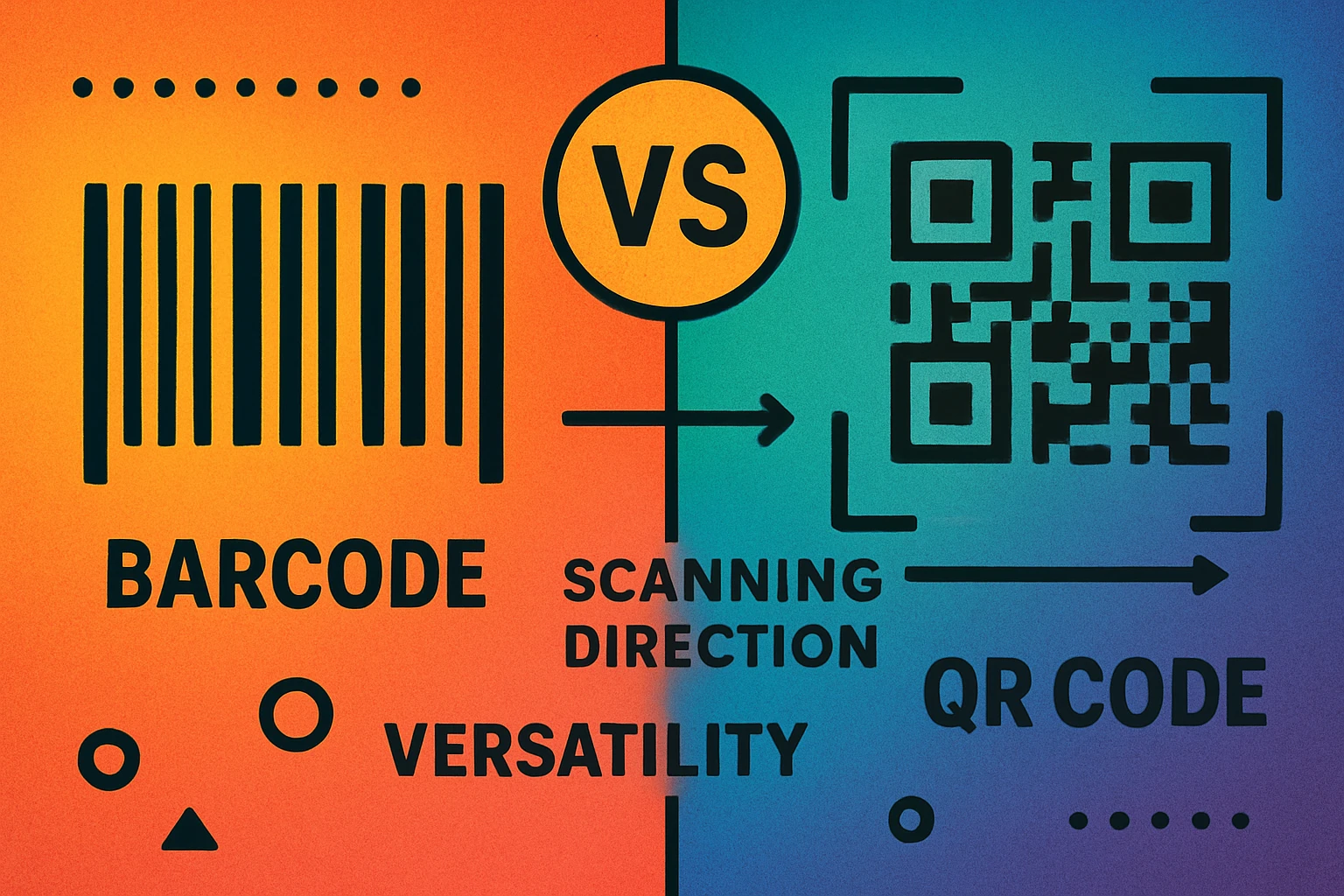
A barcode — specifically a traditional 1D barcode — is a one-dimensional pattern of parallel vertical lines of varying widths and spacings that represent data. A scanner reads the pattern by shining a laser or LED across the lines in a single horizontal direction, interpreting the light and dark stripes as a sequence of numbers or characters.
The most common barcode formats you encounter daily include UPC-A (the 12-digit code on virtually every retail product in North America), EAN-13 (the 13-digit European equivalent), and Code 128 (used in shipping and logistics for alphanumeric data). All of these are linear — they store information in just one direction.
Barcodes were first commercially used in 1974 when a pack of Wrigley's chewing gum was scanned at a supermarket in Ohio. Since then, they have become the backbone of global retail and logistics. The GS1 system — the organization behind UPC and EAN standards — manages over one billion barcode numbers worldwide.
Despite their age, 1D barcodes remain remarkably effective for what they were designed to do: quickly identify a product using a short numeric code. Their simplicity is their strength. But that simplicity also imposes hard limits on what they can store and how they can be used.
What Is a QR Code?
A QR code (Quick Response code) is a two-dimensional matrix barcode that stores data in a grid of black and white squares arranged in both horizontal and vertical directions. Unlike a traditional barcode that encodes data in one axis, a QR code uses both axes — which is why it can hold dramatically more information in the same physical space.
QR codes were invented in 1994 by Denso Wave, a subsidiary of Toyota, to track automotive parts during manufacturing. The history of QR codes traces their evolution from factory floors to becoming the most widely scanned 2D code in the world. If you are new to QR codes, our beginner's guide to QR codes covers the fundamentals in detail.
Every QR code contains several structural elements: finder patterns (the three large squares in the corners that help scanners orient the code), alignment patterns (smaller squares that correct for distortion), timing patterns (alternating modules that help the scanner determine grid size), and the data and error correction modules that contain the actual encoded information.
The fundamental difference is dimensionality. Barcodes are 1D — data in one direction. QR codes are 2D — data in two directions. This single architectural difference drives every other advantage QR codes have in data capacity, error correction, and versatility.
QR codes can encode URLs, plain text, Wi-Fi credentials, vCards, email addresses, phone numbers, and even binary data. They are readable by virtually every modern smartphone camera without any additional app, which has made them the default bridge between physical objects and digital content.
Key Differences: QR Code vs Barcode
Here is a comprehensive comparison across every factor that matters when choosing between a QR code and a traditional barcode:
| Factor | Traditional Barcode (1D) | QR Code (2D) |
|---|---|---|
| Dimensions | One-dimensional (1D) — horizontal lines only | Two-dimensional (2D) — matrix grid of squares |
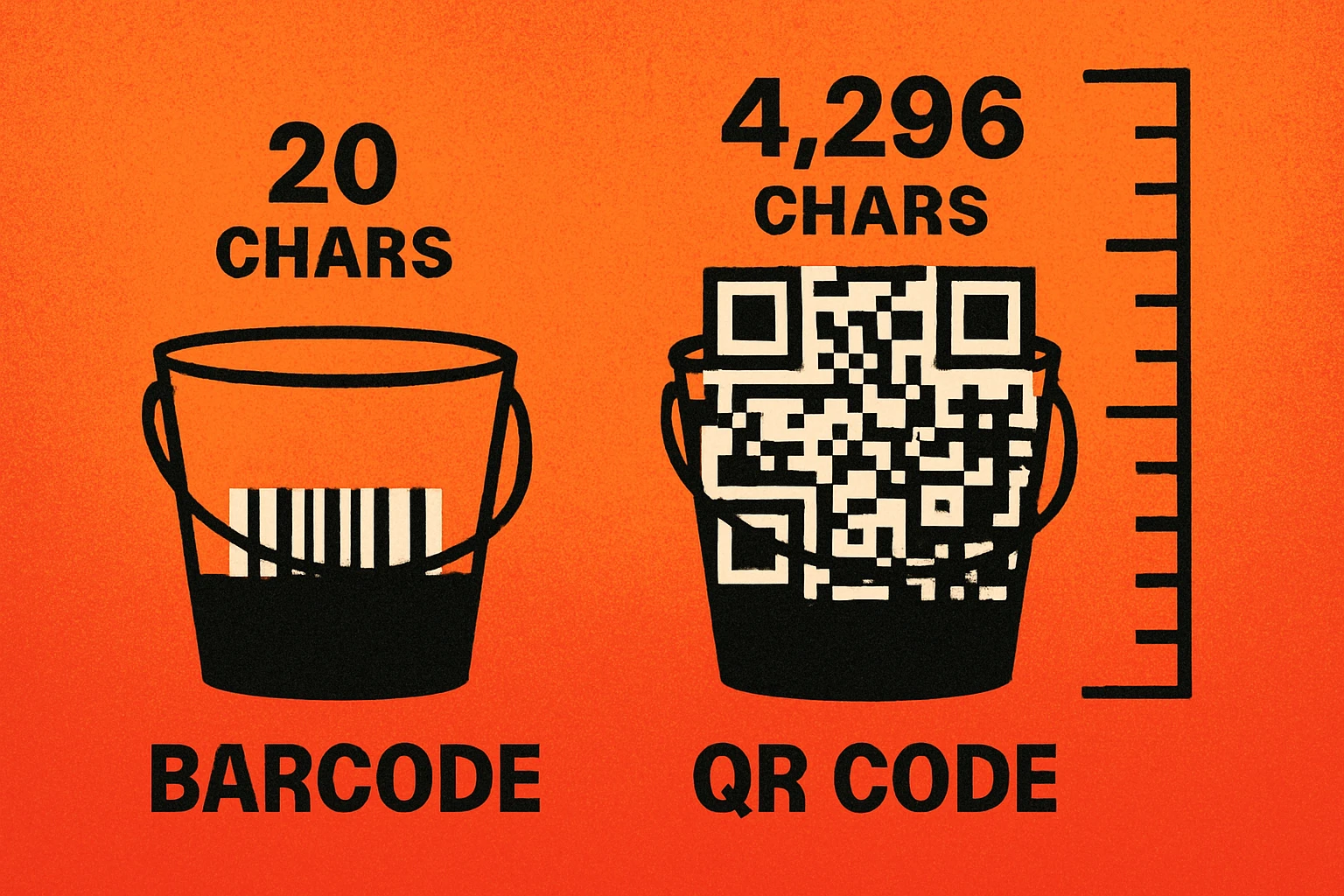
| Data Capacity | ~20–25 numeric characters (UPC/EAN) | Up to 7,089 numeric or 4,296 alphanumeric characters |
| Data Types | Numbers only (most formats); alphanumeric (Code 128) | Numeric, alphanumeric, binary, Kanji, URLs, vCards, Wi-Fi |
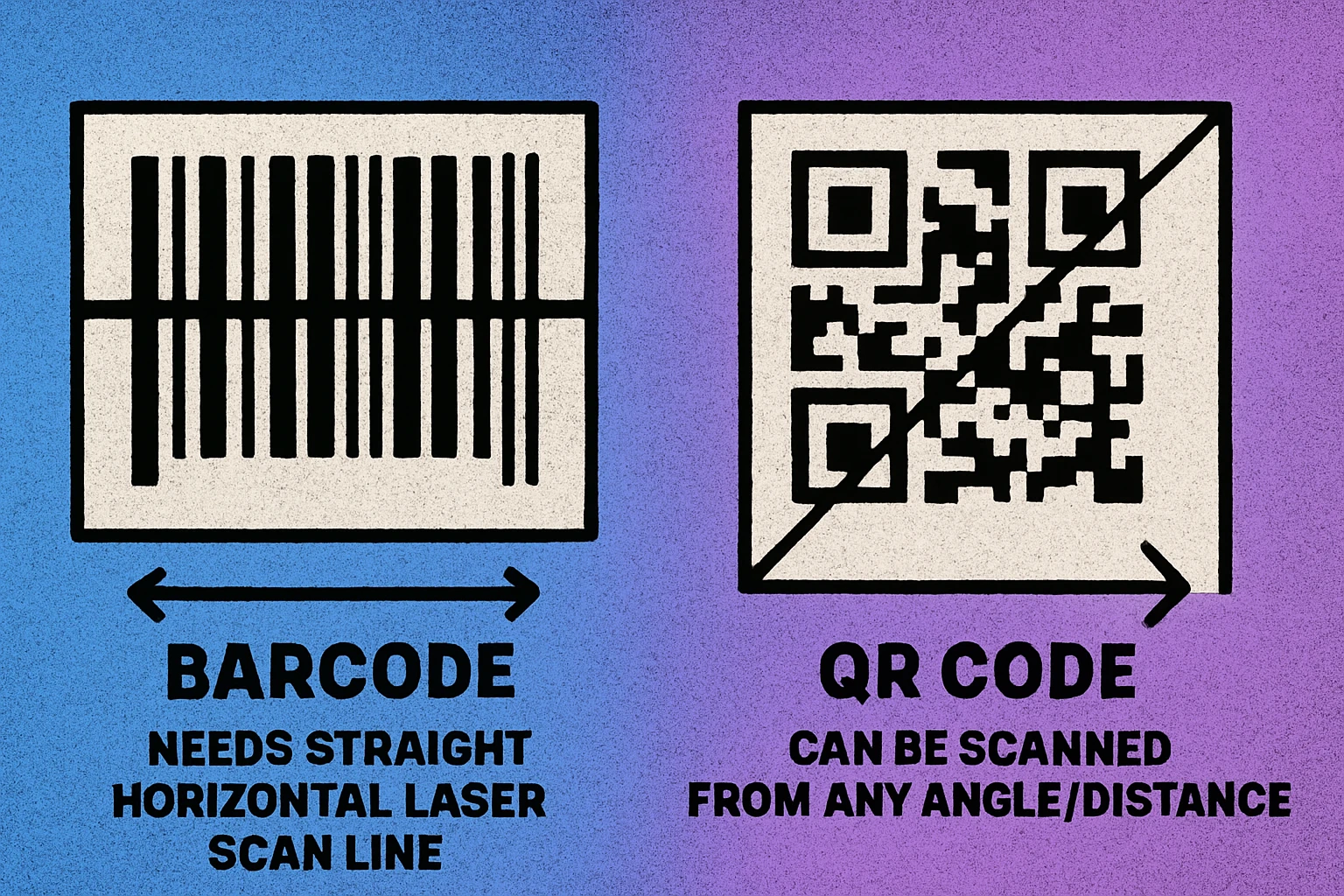
| Scanning Direction | Single direction — must be aligned horizontally | Omnidirectional — scan from any angle or orientation |
| Error Correction | None | Reed-Solomon (recovers up to 30%) |
| Size Flexibility | Width must scale with data length; fixed height required | Compact square; scales uniformly in both dimensions |
| Phone Scannable | Requires app in most cases | Native camera support |
| Scanner Hardware | Laser or CCD scanner (fast, dedicated) | Camera-based (phone, tablet, or imager) |
| Speed at POS | Faster with dedicated scanner | Slightly slower |
| Damage Tolerance | Low — any scratch across lines breaks the scan | High — error correction recovers damaged areas |
| Primary Use Cases | Retail POS, supply chain, inventory, shipping labels | Marketing, payments, menus, tickets, authentication, vCards |
| Global Standard | GS1 (UPC, EAN, GS1-128) | ISO/IEC 18004 |
Data Capacity: The Biggest Gap
The difference in data capacity between barcodes and QR codes is not incremental — it is orders of magnitude. This is the single most important technical distinction, and it drives most of the practical differences between the two formats.
Barcode Data Limits
A standard UPC-A barcode holds exactly 12 digits. An EAN-13 holds 13 digits. Code 128, one of the most flexible 1D formats, can encode alphanumeric data, but in practice is limited to roughly 20–25 characters before the barcode becomes too wide to print and scan reliably. This is because every additional character adds more lines, making the barcode physically longer in one direction.
This is fine for product identification, where a short numeric code maps to a database entry. But it makes barcodes completely unsuitable for encoding URLs, contact information, or any other rich data directly.
QR Code Data Limits
A QR code at its maximum capacity (Version 40, the largest specification) can hold 7,089 numeric characters, 4,296 alphanumeric characters, or 2,953 bytes of binary data. In practice, most QR codes use much less — a typical URL is 50–100 characters — but the headroom is there when you need it. For a deeper dive, see our article on QR code data capacity.
A QR code can store roughly 350 times more numeric data than a UPC barcode. That is the difference between storing a product ID number and storing an entire paragraph of text, a full URL, or a complete Wi-Fi configuration — all in a single scannable image.
This capacity advantage is what makes QR codes viable for use cases barcodes cannot touch: encoding full URLs for marketing campaigns, embedding vCard contact details, storing Wi-Fi network credentials, or linking to app downloads. The data lives inside the code itself, not in an external database that the scanner must query.
QR Code Apps for Mac & Safari
Prefer generating codes without opening a browser tab? These two native Apple apps cover both habits — a full generator on the desktop, and a one-click share button inside Safari.


Error Correction: Built-in Resilience
Error correction is where QR codes have a decisive, structural advantage over traditional barcodes. It is not a feature that can be added to 1D barcodes — it is a fundamental property of the 2D matrix format.
Barcodes: No Error Correction
Traditional 1D barcodes have no built-in error correction. The scanner reads the pattern of lines from left to right, and if any part of that pattern is obscured, scratched, smudged, or damaged, the scan fails. A single vertical scratch across a UPC barcode can render it unreadable. This is why barcodes on products are often printed with a protective laminate and placed in locations less prone to wear.
Some barcode systems use check digits (a final digit calculated from the others) to detect if a scan was misread, but this only catches errors — it cannot correct them. The barcode still needs to be fully intact to produce a successful scan.
QR Codes: Reed-Solomon Error Correction
QR codes use Reed-Solomon error correction, the same mathematical algorithm used in CDs, DVDs, and deep-space communication. This allows a QR code to remain fully scannable even when a significant portion of the code is damaged or missing. Our detailed guide on QR code error correction levels explains the four levels:
- Level L (Low): Recovers up to 7% damage
- Level M (Medium): Recovers up to 15% damage
- Level Q (Quartile): Recovers up to 25% damage
- Level H (High): Recovers up to 30% damage
This is why you can place a logo in the center of a QR code and it still scans. The error correction compensates for the obscured modules. It is also why QR codes printed on outdoor signage, product packaging, and construction sites remain functional even after significant weathering.
Create a Free QR Code
No signup. No expiration. No scan limits. Paste a URL and download instantly.
When to Use Barcodes
Despite the clear technical advantages of QR codes, traditional barcodes are not going away. In many contexts, they remain the better choice. Here is when you should stick with 1D barcodes:
Barcodes Are Best For
Retail point-of-sale (POS). Supermarkets, convenience stores, and retail chains scan millions of barcodes daily using dedicated laser scanners. These scanners read 1D barcodes faster than camera-based QR scanners, and the entire global retail infrastructure — from product databases to checkout systems — is built around UPC and EAN codes.
Supply chain and logistics. Shipping labels, warehouse inventory, and package tracking systems rely on barcodes like Code 128 and GS1-128. The data needed is a short identifier that maps to a database record — exactly what barcodes excel at. Scanning speed matters in high-volume warehouses, and dedicated 1D scanners are faster and cheaper.
Simple inventory management. If you need to track items with a numeric ID and look up details in a database, a barcode is simpler to generate, cheaper to print (less ink), and faster to scan with handheld devices. Libraries, hospitals, and small warehouses often have no reason to switch to QR codes for internal tracking.
Cost-sensitive high-volume printing. Barcodes use less ink than QR codes because they contain fewer dark areas. When printing millions of labels, the difference in ink consumption is measurable. The simpler pattern also tolerates lower print resolutions better.
The common thread: barcodes win when you need a short numeric identifier scanned at high speed with dedicated hardware in a system already built for 1D codes. Replacing barcodes with QR codes in these scenarios adds complexity without adding value.
When to Use QR Codes
QR codes excel in every scenario where barcodes fall short — and they have created entirely new use cases that barcodes could never serve. Here is when you should choose a QR code:
QR Codes Are Best For
Marketing and advertising. Print ads, posters, business cards, flyers, and product packaging that need to link to a website, landing page, video, or app download. QR codes bridge the physical-digital gap in ways barcodes cannot. See our complete QR code guide for best practices.
Contactless experiences. Restaurant menus, event check-ins, Wi-Fi access, digital payments (Venmo, PayPal, WeChat Pay), and boarding passes. The pandemic accelerated QR code adoption for touch-free interactions, and the behavior has stuck.
Rich data encoding. When you need to embed a full URL, vCard contact details, Wi-Fi credentials, or multi-field data directly in the code — not just a database lookup ID — QR codes are the only option. A barcode physically cannot hold this much data.
Consumer-facing scanning. If the person scanning the code is using a smartphone (not a dedicated scanner), QR codes are the clear choice. Every modern iPhone and Android device scans QR codes natively through the camera. Scanning a 1D barcode with a phone typically requires downloading a third-party app.
Environments with wear and damage risk. Outdoor signage, construction sites, industrial equipment, and product packaging exposed to the elements. QR code error correction means your code keeps working even when partially damaged, dirty, or faded.
If the scanner is a person with a phone, use a QR code. If the scanner is a dedicated device in a controlled system, a barcode may be more efficient. If the data is more than 20 characters, a QR code is your only realistic option.
Can QR Codes and Barcodes Work Together?
Absolutely — and they often do. Many products already carry both a 1D barcode (for POS scanning at checkout) and a QR code (linking to product information, nutritional details, or a promotional landing page). The two formats serve different purposes and different audiences, so combining them is a common and practical approach.
For example, a food product might have a UPC barcode on the back for the supermarket's checkout system, and a QR code next to it that links to recipes, sourcing information, or allergen details. The barcode serves the retailer's infrastructure; the QR code serves the consumer's curiosity.
In logistics, GS1 is actively rolling out GS1 Digital Link, a standard that encodes a product's GS1 identifier inside a QR code alongside a URL. This allows the same QR code to function as both a product identifier (for POS systems) and a web link (for consumers). It is a bridge between the legacy barcode world and the QR-powered future.
The key principle: do not think of QR codes and barcodes as competitors that must replace each other. Think of them as tools optimized for different jobs. Use the right tool for each specific task — and use both when your product or system needs to serve multiple audiences.
Frequently Asked Questions
The main difference is dimensionality. A traditional barcode is one-dimensional (1D) — it stores data in a single row of vertical lines read left to right. A QR code is two-dimensional (2D) — it stores data in a grid of squares read both horizontally and vertically. This gives QR codes dramatically more data capacity: up to 7,089 numeric characters versus roughly 20 for a standard barcode.
Most modern smartphone cameras can scan QR codes natively, but scanning traditional 1D barcodes usually requires a dedicated barcode scanner app. This is because phone cameras are optimized for 2D pattern recognition, and 1D barcodes require precise line-by-line reading that dedicated hardware handles better.
Not entirely. QR codes are expanding into areas barcodes cannot serve well — marketing, contactless payments, digital menus, and event tickets. But traditional barcodes remain dominant in retail POS, supply chain logistics, and inventory management because they are faster to scan with dedicated hardware, cheaper to print at scale, and deeply embedded in existing infrastructure like the GS1 system.
Yes. QR codes use Reed-Solomon error correction, which allows them to remain scannable even when up to 30% of the code is damaged or obscured. Traditional 1D barcodes have no built-in error correction — if part of the barcode is scratched, torn, or covered, the scan will fail. This makes QR codes significantly more durable in real-world conditions.