The Free-vs-Paid Landscape
The QR code generator market is crowded. A quick search returns dozens of tools, most of them claiming to be free. Some genuinely are. Others use "free" as a hook to push you toward a subscription before you can download a usable file. The confusion is understandable, because the line between free and paid features shifts from tool to tool and often from month to month.
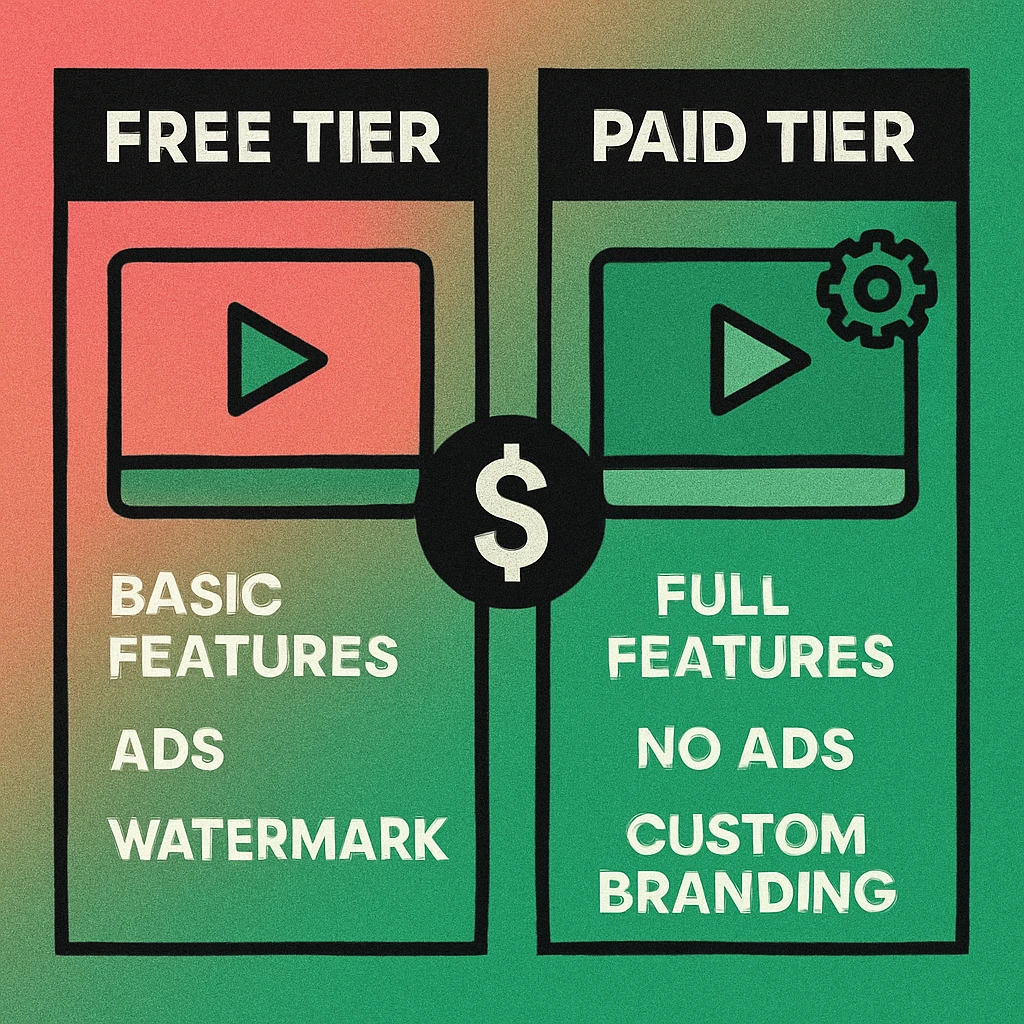
At a high level, the distinction is straightforward. Free generators produce static QR codes — the destination URL or data is encoded directly in the pattern. Once created, the code cannot be edited, tracked, or modified. Paid generators add dynamic QR codes, where the pattern points to a redirect URL that you control through a dashboard. This redirect enables editing, analytics, and advanced campaign management.
But the difference goes deeper than static versus dynamic. Free tools also tend to limit file format options, design controls, scan volume, and export resolution. Paid plans lift those limits and add features like API access, bulk generation, team collaboration, and white-label branding. The question is whether those extras are worth the cost for your specific use case.
For a broader comparison of the top tools available in 2026, see our comprehensive QR code generator comparison. This article focuses specifically on the free-vs-paid feature divide so you can make a clear-eyed decision without marketing fluff.
Static QR codes encode data directly in the pattern and never expire. Dynamic QR codes point to a redirect URL you can update anytime, with scan tracking built in. Most free tools only offer static; most paid tools unlock dynamic. For a deep dive into this distinction, see our guide on static vs dynamic QR codes.
What Free QR Code Generators Limit
Free doesn't mean featureless, but it does mean constrained. Here are the most common limitations you'll encounter across free-tier QR code generators, and why each one matters.
Static Codes Only
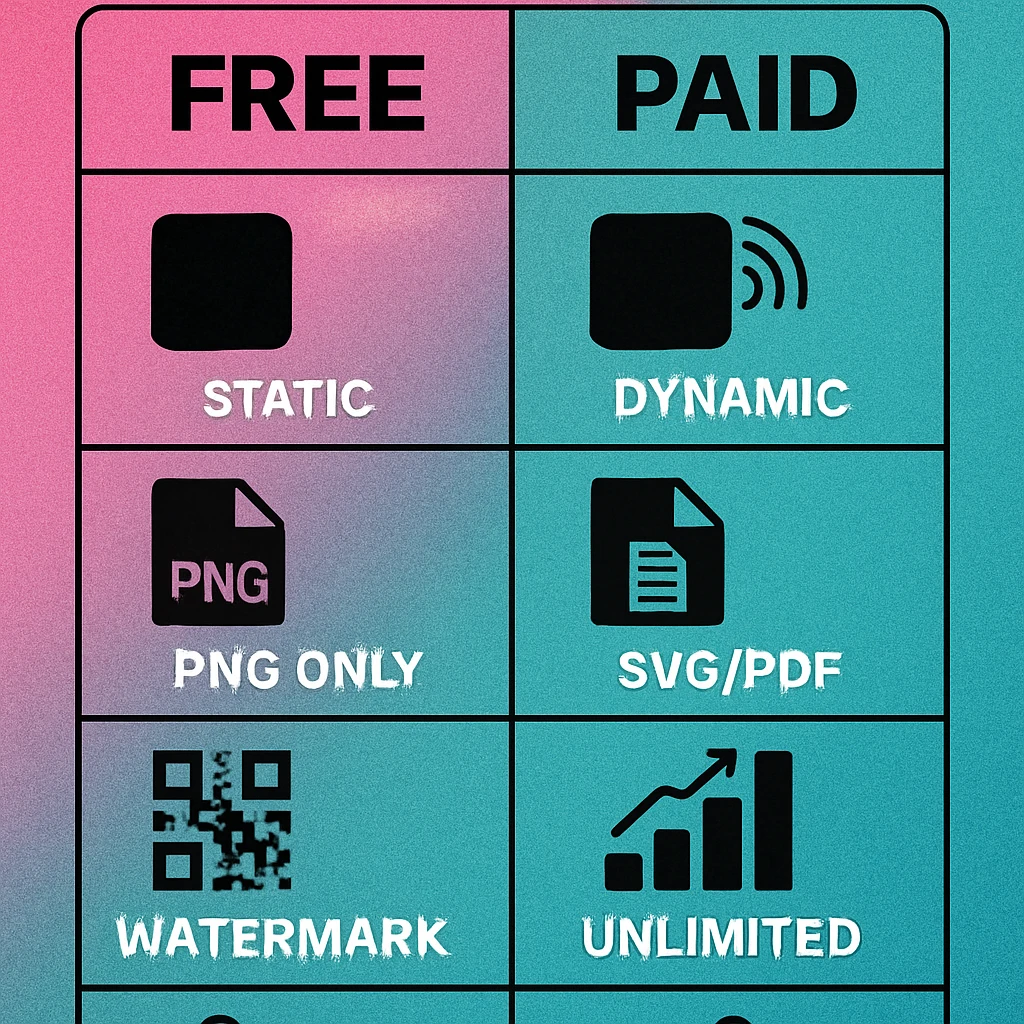
The single biggest limitation. Free generators almost universally restrict you to static QR codes. The URL or data you enter at creation time is permanently baked into the QR pattern. If the destination changes — you update a landing page URL, move to a new domain, or need to redirect to a seasonal campaign — you must generate and reprint an entirely new code. For a one-off personal project this is fine. For business materials with a six-month shelf life, it's a liability.
Watermarks and Branding
Many free tools overlay the generator's logo or a "powered by" watermark on the QR code image. Some place the watermark visually (on the image file) while others embed a branded redirect — so users see the generator's domain briefly before reaching your destination. Either approach undermines your brand and can look unprofessional on printed materials. If branding matters, check the fine print before downloading. Tools that offer QR code generation with no subscription and no watermarks do exist, but you have to look for them specifically.
PNG Only (No Vector Exports)
Free tiers typically export QR codes as PNG images at a fixed resolution (often 300×300 or 500×500 pixels). This works for digital use — websites, social media, email — but falls short for print. A 500-pixel PNG will look blurry on a poster, banner, or large-format sign. Paid tools unlock SVG and PDF exports, which are vector formats that scale to any size without losing sharpness. If you're printing at anything larger than a business card, you need vectors.
Limited or No Scan Analytics
Free static codes have no tracking capability. The code points directly to the destination URL, so there's no intermediary to count scans, record geographic data, or identify device types. You can add UTM parameters to the URL to capture some data in Google Analytics, but you won't get scan-specific metrics like unique scan count, time of day distribution, or repeat scan detection. For campaign measurement, this is a significant gap.
Restricted Design Options
Some free generators limit colour choices, module styles, or logo embedding to paid tiers. You might be able to generate a basic black-and-white code for free but need to upgrade to change colours, add a brand logo, or select dot or rounded module styles. Others offer full design controls on the free tier but restrict the download resolution. Check what's gated and what isn't before committing to a tool.
Scan Caps and Expiration
A handful of free generators that do offer dynamic codes impose scan limits (e.g., 100 scans per month) or expiration dates. After the cap is reached, the redirect stops working and anyone scanning the code gets an error page. This is arguably worse than having no dynamic codes at all, because you may discover the limit only after printing thousands of flyers. Always confirm whether a free dynamic code has usage restrictions.
What Paid Plans Unlock
Paid QR code generators typically charge between five and thirty dollars per month, depending on the feature set and usage volume. Here's what that investment usually includes.
Dynamic QR Codes
The headline feature. Dynamic codes let you change the destination URL at any time without reprinting the physical code. Launched a campaign that links to the wrong page? Fix it in the dashboard in seconds. Need to rotate seasonal promotions through the same printed menu QR code? Dynamic makes it trivial. This alone justifies the cost for any business printing QR codes on physical materials with a lifespan beyond a single event.
SVG and PDF Export
Vector formats ensure your QR code looks crisp at any size — from a tiny label to a building-side banner. SVG files are ideal for web and design tools (Figma, Illustrator, Canva); PDF is preferred for print-ready files sent directly to printers. Most paid plans include both formats as standard.
Custom Branding (No Watermarks)
Paid plans remove all generator branding from your codes. Many also offer white-label options: custom short domains for your redirect URLs, branded scan pages, and the ability to add your own logo to the centre of the QR code without third-party branding interfering. This is essential for client-facing work, agencies, and any brand that cares about visual consistency.
Scan Analytics and Reporting
Every scan is logged with timestamp, geographic location (city/country), device type (iOS/Android/desktop), and browser. Most dashboards provide charts for scan trends over time, top-performing codes, and geographic heat maps. Some offer CSV exports and integration with Google Analytics or other reporting tools. This data is indispensable for measuring campaign ROI and optimising placement strategies.
API Access
Developers and teams with large-scale QR needs can generate codes programmatically through a REST API. This enables integration with CRM systems, e-commerce platforms, event management tools, and custom applications. API access is typically available on mid-tier or enterprise plans and is the only practical way to generate hundreds or thousands of unique codes automatically.
Bulk Generation
Need 500 unique QR codes for a product line, each linking to a different URL? Paid tools offer bulk upload via CSV, generating and exporting all codes in a single batch. Free tools require you to create each code manually, one at a time. For anything beyond a dozen codes, bulk generation saves hours of repetitive work.
Create QR Codes Without Limits
Generate unlimited static QR codes with full design controls. No watermarks, no sign-up, no hidden fees.
Feature Comparison Table
The table below summarises the typical feature split between free and paid QR code generators. Individual tools vary, but this represents the most common pattern across the market.
| Feature | Free Tier | Paid Plan |
|---|---|---|
| Static QR codes | Yes | Yes |
| Dynamic QR codes | No | Yes |
| Edit destination URL | No | Yes |
| Scan analytics | No | Yes |
| Export PNG | Yes | Yes |
| Export SVG / PDF | No | Yes |
| Custom colours | Limited | Full |
| Logo embedding | Sometimes | Yes |
| No watermarks | Varies | Guaranteed |
| Bulk generation | No | Yes |
| API access | No | Yes |
| Custom short domain | No | Yes |
| Scan limit | May apply | Unlimited |
| Team collaboration | No | Yes |
QR Code Apps for Mac & Safari
Prefer generating codes without opening a browser tab? These two native Apple apps cover both habits — a full generator on the desktop, and a one-click share button inside Safari.


Decision Matrix: Which Tier Fits Your Use Case
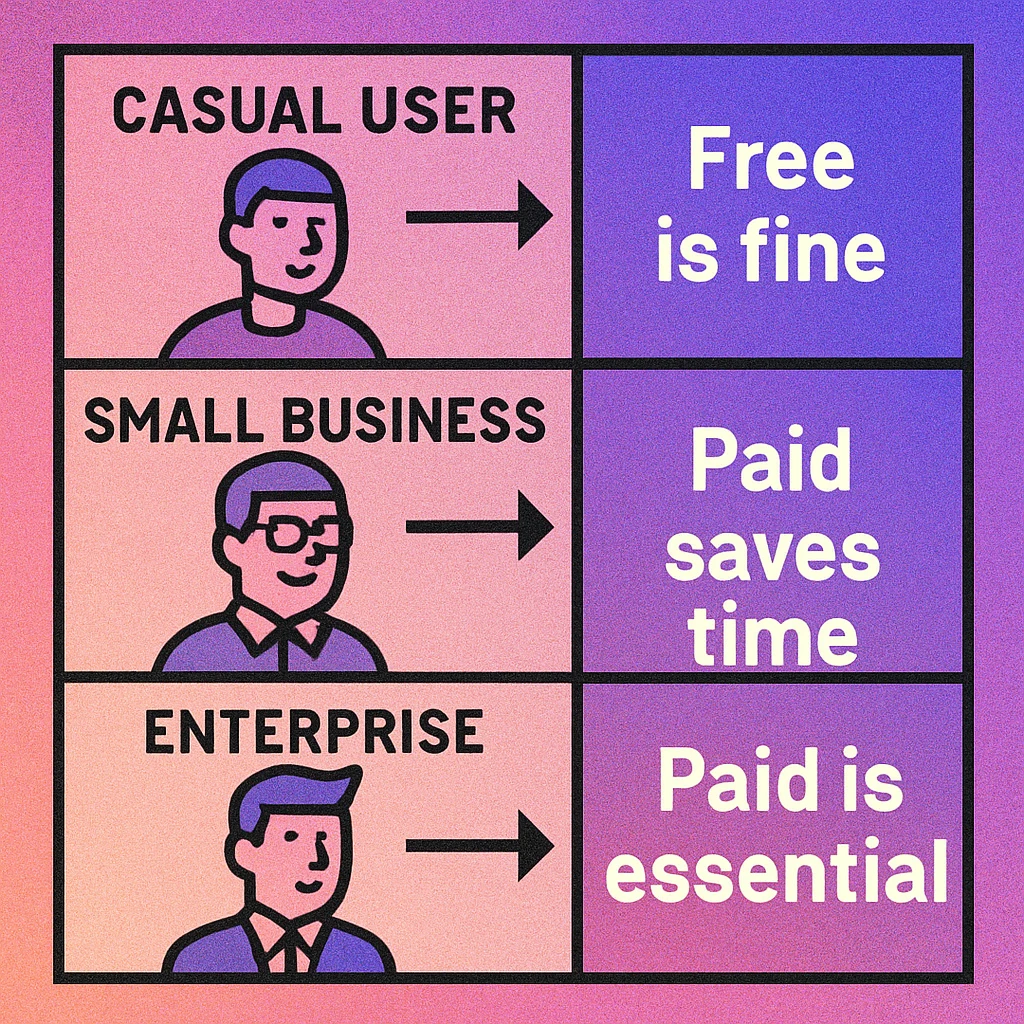
The right choice depends entirely on what you're building and how long it needs to last. Use the decision matrix below to match your profile to the right tier.
Who Should Use Free
Personal projects. Sharing a Wi-Fi password, linking to a personal website, or creating a QR code for a wedding invitation. The destination won't change and you don't need analytics. A free static code is all you need.
One-off events. A single conference, pop-up shop, or community event with printed materials that will be used once and discarded. Static codes work perfectly for short-lived use cases where there's no need to update the link later.
Students and hobbyists. Learning about QR codes, experimenting with design, or building a prototype. Free generators let you explore without any financial commitment.
Digital-only use. If the QR code lives on a screen — a website, email signature, or social media post — and can be replaced easily, the inability to edit after creation is less of an issue. PNG resolution is also sufficient for screen display.
Who Should Use Paid
Marketing teams and agencies. Running campaigns across multiple channels with printed QR codes that must be trackable and updatable. Scan analytics justify the cost by providing campaign performance data. Dynamic codes prevent the nightmare of reprinting materials when a URL changes.
Product packaging and retail. QR codes on physical products ship with a lifespan of months or years. Dynamic codes let you update the linked page (warranty registration, product manual, support portal) without recalling inventory.
Restaurants and hospitality. Digital menus linked via QR codes on tables need to be updated regularly (seasonal menus, daily specials, price changes). Dynamic codes make this seamless. Reprinting table stickers every time the menu changes is wasteful and slow.
Developers and platforms. Any application that generates QR codes programmatically needs API access and bulk generation. These features are exclusively available on paid plans and are non-negotiable for technical integrations.
Enterprise and brand-sensitive organisations. White-label branding, custom short domains, team collaboration, and guaranteed uptime SLAs are enterprise requirements that no free tool provides.
The Hidden Costs of "Free"
Free tools carry costs that don't show up on a pricing page. Understanding them helps you make a fully informed decision.
- Reprinting costs. If a URL changes and your static code points to a dead page, you need to regenerate the code and reprint all materials. For a restaurant with 50 table stickers or a retailer with 10,000 product inserts, the reprint cost dwarfs any subscription fee.
- Lost data. Without scan analytics, you're flying blind on campaign performance. You can't tell which QR code placements drive the most engagement, which cities scan the most, or whether anyone scans your codes at all. That missing data has a real opportunity cost.
- Brand damage. Watermarks and third-party redirect pages signal to users that your business used the cheapest option available. For consumer-facing brands, the perception cost is real even if hard to quantify.
- Time cost. Creating codes one at a time, manually exporting files, and managing a spreadsheet of URLs is viable for five codes. For fifty or five hundred, the manual workflow becomes a significant time sink that a paid tool's bulk features would eliminate.
The cheapest paid plans (around five to ten dollars per month) often deliver 90% of the features that most small businesses need: dynamic codes, basic analytics, SVG export, and no watermarks. You don't need the enterprise tier unless you need API access, SSO, or white-label domains.
The Middle Ground: Quality Free Tools
Not all free generators are created equal. Some genuinely useful free tools exist that avoid the worst limitations. The best free QR generators offer full static code creation with custom colours, no watermarks, and at least PNG export at reasonable resolution. Our own free generator falls into this category, and you can find others in our roundup of QR code generators that require no subscription.
The smart approach for most users is to start with a quality free tool for static codes and upgrade to a paid plan only when you hit a genuine limit: you need dynamic codes, vector exports, scan tracking, or bulk generation. Don't pay for features you won't use, and don't struggle without features you actually need.
For a detailed side-by-side evaluation of specific tools across both free and paid tiers, see our QR code generator comparison pillar article, which ranks generators on feature depth, pricing, ease of use, and export quality.
Free generators are perfect for static, one-off, and personal-use codes. Paid plans are worth it the moment you need editability, analytics, vector exports, or scale. The deciding factor isn't budget — most paid plans cost less than a coffee per week — it's whether your use case demands features that static codes simply cannot provide. Match the tool to the task, not the price tag.
Frequently Asked Questions
Most reputable free QR code generators are safe, but exercise caution. Some free tools insert tracking redirects between the scan and the destination, which can slow load times and expose user data to third parties. Others may inject watermarks or branding into your code. Choose a free generator from a known provider, check whether it adds intermediary redirects, and read the privacy policy before generating codes that will handle sensitive URLs.
Yes, but with limitations. Free generators typically produce static QR codes that cannot be edited after creation. For a one-off flyer or a personal project, that is fine. For ongoing business use where you need to update destinations, track scan analytics, or maintain brand consistency across dozens of codes, a paid plan will save time and reduce errors. If your business only needs a handful of static codes with no tracking, a quality free tool is perfectly adequate.
The core difference is static versus dynamic QR codes. Free generators almost always produce static codes: the destination URL is baked directly into the QR pattern and cannot be changed after creation. Paid generators offer dynamic codes where the QR pattern points to a short redirect URL that you control. This lets you change the destination at any time, track scan counts, locations, and devices, and run A/B tests without reprinting the physical code.
Static QR codes generated by free tools do not expire. The data is encoded directly in the pattern, so the code will work as long as the destination URL remains active. However, some free generators that offer dynamic codes on a trial basis may deactivate the redirect after a certain period or scan limit. Always confirm whether a free dynamic code has an expiration policy before printing it on permanent materials.
It depends on your use case. If you need dynamic codes (editable destinations), scan analytics, custom branding with no watermarks, bulk generation, API access, or high-resolution vector exports, a paid plan is worth the investment. Most paid plans cost between five and thirty dollars per month and quickly pay for themselves in time saved and campaign flexibility. For simple one-time static codes, a free generator is all you need.