Why Subscription Fatigue Is Pushing Users Away
Over the past five years, a quiet shift has taken place in software pricing. Tools that once sold for a one-time fee — image editors, note-taking apps, file converters — have migrated almost universally to monthly or annual subscriptions. QR code generators followed suit. Today, the majority of popular web-based QR platforms gate their most useful features behind recurring paywalls: high-resolution exports, custom colours, bulk generation, SVG downloads, and even the ability to remove branding.
The result is what researchers call subscription fatigue: a growing reluctance among consumers and small businesses to add yet another monthly line item to their budget. A $7 QR subscription feels trivial in isolation, but when stacked alongside streaming services, SaaS productivity tools, cloud storage, and design platforms, the cumulative monthly spend becomes significant and often invisible.
The good news is that alternatives exist, and many of them are genuinely excellent. Whether you want a completely free browser-based tool, a one-time purchase desktop app, or an open-source solution you can self-host, the no-subscription QR code ecosystem is richer than most people realise. This guide curates the best options, compares their real costs and capabilities, and helps you pick the right fit for your workflow.
A $9/month QR code subscription costs $108 per year and $216 over two years — for a category of tool whose core technology has not materially changed. A one-time purchase app in the $15–25 range delivers the same core functionality for a fraction of that lifetime cost.
For a deeper dive into the one-time purchase model specifically and how it compares mathematically to subscriptions, see our companion article on QR code app one-time purchase vs subscription pricing. This article broadens the scope to include free tools and open-source options alongside paid one-time apps, giving you the complete picture.
The Three No-Subscription Categories Explained
Not all no-subscription QR code tools are the same. Before comparing specific products, it helps to understand the three distinct categories available and what trade-offs each one carries.
1. Completely Free Web Tools (No Account Required)
These are browser-based generators you can use immediately without signing up, paying, or installing anything. They generate static QR codes on-demand and let you download the result. The best ones offer PNG and SVG exports, basic colour customisation, and support for multiple QR types (URL, Wi-Fi, vCard, text).
The trade-offs: free web tools typically require an internet connection, may display advertising, and usually do not support dynamic QR codes (where the destination URL can be changed after printing). Export resolution can also vary. That said, for occasional use or simple URL QR codes, a free no-signup tool is often all you need.
2. One-Time Purchase Desktop Apps
These are native applications you download and install on your computer — most commonly on Mac via the Mac App Store. You pay once and own the app with no further payment required. Native apps work fully offline, integrate with your operating system, and typically offer higher export quality than browser tools.
One-time purchase apps are the strongest option for users who generate QR codes regularly and want a reliable, fast, no-hassle workflow. They do require a macOS or Windows device and an initial purchase, but that purchase is the only cost you'll ever incur.
3. Open-Source and Self-Hosted Tools
For technically minded users or organisations with specific privacy requirements, open-source QR libraries and self-hosted tools offer complete control over the generation stack. Libraries like qrcode.js, python-qrcode, and ZXing can be embedded directly in your own applications or deployed as internal tools. Self-hosted options like QR-Code-Generator by Nayuki allow you to run a private generator on your own server with no third-party involvement whatsoever.
The trade-off is setup effort: open-source tools require technical knowledge to configure, deploy, and maintain. For non-technical users, a free web tool or one-time purchase app will be far more practical.
Use a free web tool if you generate QR codes occasionally and don't need offline access. Choose a one-time purchase app if you're on Mac, generate codes regularly, and want speed, quality, and offline capability. Consider open-source only if you have technical resources and specific self-hosting requirements.
Top No-Subscription QR Code Tools Reviewed
The following picks represent the best options in each category, selected based on feature quality, export capabilities, ease of use, and — critically — the absence of any ongoing subscription requirement.
Gen QR — QR Code Maker (Mac, One-Time Purchase) ⭐ Top Pick
Gen QR is a native macOS application available on the Mac App Store as a one-time purchase with no subscription and no recurring fees. It generates QR codes for URLs, plain text, Wi-Fi credentials, contact cards (vCard), email, phone numbers, and SMS. Export options include high-resolution PNG (up to print quality) and SVG for fully scalable vector output.
The app works entirely offline, integrates with macOS share sheets, and requires no account or login. All features are unlocked from the moment of purchase — there's no feature gating or upselling. For Mac users, Gen QR is the definitive no-subscription QR code solution. Read our full QR code generator for Mac overview for a broader landscape comparison.
GenerateOnlineQR.com (Free, No Sign-Up)
The web tool at generateonlineqr.com generates QR codes directly in your browser with no account, no email, and no payment. It supports URL, Wi-Fi, vCard, and plain text QR types with download options including PNG. It's the fastest path to a working QR code for one-off needs.
QR Code Monkey (Free Web, Optional Account)
QR Code Monkey is one of the more fully featured free web generators available without a mandatory subscription. The free tier offers colour customisation, logo embedding, and high-resolution PNG downloads without requiring a paid account. A registered (free) account unlocks SVG export and saved QR code history. The tool runs in-browser and doesn't require installation.
goqr.me (Free Web, No Account)
goqr.me is a straightforward no-frills generator that works without an account and outputs QR codes in multiple formats including SVG. It supports a wide range of QR types: URL, text, phone, SMS, email, vCard, geo-location, and calendar events. The interface is utilitarian but functional, and the tool has been reliably available for many years.
QRious (Open-Source JavaScript Library)
For developers who want to embed QR generation directly into a web project, QRious is a lightweight JavaScript library that generates QR codes entirely client-side with no server calls. It's free, open-source, and can be bundled into any web application. Output is to an HTML canvas element, which can be exported as PNG. No API keys, no subscription, no backend required.
python-qrcode (Open-Source Python Library)
For automation workflows, python-qrcode is the standard library for generating QR codes from Python scripts. It supports PNG and SVG output, error correction levels, custom colours, and embedded logos via the qrcode[pil] extra. Ideal for batch generation scripts, build pipelines, or back-end services that need to produce QR codes programmatically without any subscription cost.
Side-by-Side Comparison of No-Subscription Options
The table below compares the key attributes of each no-subscription option to help you make a direct decision based on what matters most for your use case.
| Tool | Price Model | Offline | SVG Export | No Account | QR Types |
|---|---|---|---|---|---|
| Gen QR (Mac) | One-Time | Full | Yes | No Account | 8+ types |
| GenerateOnlineQR | Free | Online | PNG only | No Account | 4 types |
| QR Code Monkey | Free | Online | Free account | Optional | 10+ types |
| goqr.me | Free | Online | Yes | No Account | 10+ types |
| QRious (JS) | Open-Source | Client-side | Canvas/PNG | No Account | URL/Text |
| python-qrcode | Open-Source | Local | Yes | No Account | All (custom) |
A few observations stand out from this comparison. Gen QR is the only option that combines offline capability, SVG export, a wide range of QR types, and zero account requirement in a single polished native app. Free web tools cover most casual use cases well, but none of them work offline and most limit SVG output to registered accounts. Open-source tools are the most flexible but require technical setup that puts them out of reach for most non-developer users.
For a broader discussion of the free vs paid decision framework, see our article on free vs paid QR code generators which explores the full feature trade-off landscape beyond just the subscription question.
QR Code Apps for Mac & Safari
Prefer generating codes without opening a browser tab? These two native Apple apps cover both habits — a full generator on the desktop, and a one-click share button inside Safari.


Real Cost Savings Over 12 and 24 Months
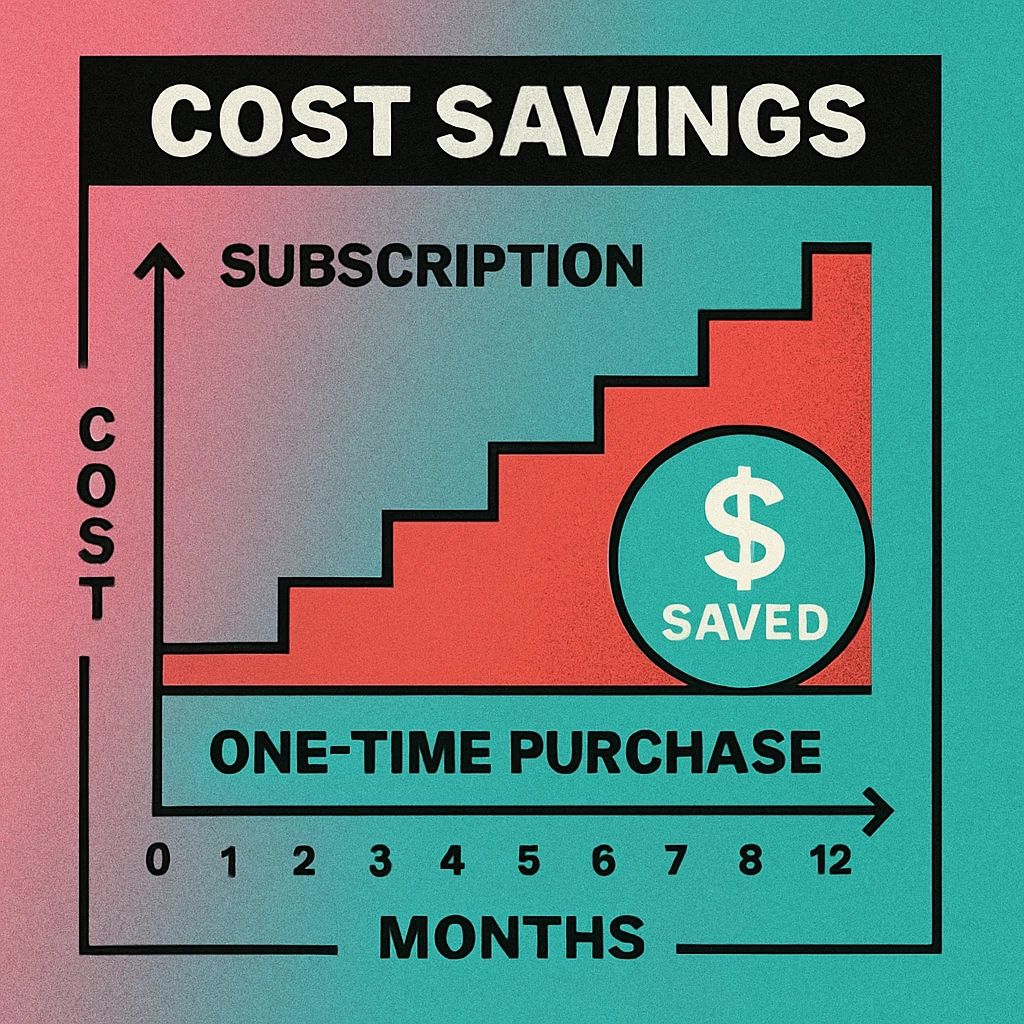
Numbers tell the story most clearly. The table below calculates the total cumulative cost of several subscription pricing tiers compared to a one-time purchase app and a free tool, over both a 12-month and 24-month horizon.
| Pricing Model | Month 1 Cost | 12-Month Total | 24-Month Total | Saving vs $12/mo (24 mo) |
|---|---|---|---|---|
| Free Web Tool | $0 | $0 | $0 | +$288 |
| One-Time App (~$20) | $20 | $20 | $20 | +$268 |
| Subscription $7/mo | $7 | $84 | $168 | +$120 |
| Subscription $9/mo | $9 | $108 | $216 | +$72 |
| Subscription $12/mo | $12 | $144 | $288 | — (baseline) |
| Subscription $15/mo | $15 | $180 | $360 | −$72 |
The savings from avoiding a mid-tier subscription ($12/month) over two years are dramatic: a free tool saves $288, a one-time purchase app saves $268, and even a budget $7/month subscription costs $148 more than a one-time app over 24 months. For small businesses that have historically used mid-to-premium subscription tiers, the switch to a one-time purchase or free tool represents a meaningful reclaim of operating budget.
Over two years, a one-time purchase app (~$20) costs 93% less than a $12/month subscription ($288 vs $20). If you're currently on any paid subscription plan, switching to a one-time purchase app pays back its cost in under two months and saves hundreds of dollars per year indefinitely.
It's worth noting that these savings assume you continue using the tool. The break-even for a one-time purchase versus a $9/month subscription occurs at just 2.2 months — meaning if you use your QR code tool for longer than a single project, the one-time purchase is already ahead. Our dedicated article on one-time purchase vs subscription pricing walks through the break-even formula in detail.
Which No-Subscription Option Is Right for You
The right choice depends on how often you generate QR codes, what device you're on, and what features you actually need. Here's a straightforward decision guide:
Decision Guide: Matching Tool to Use Case
Occasional, one-off QR codes (monthly or less): Use a free web tool like GenerateOnlineQR or goqr.me. No installation, no cost, no account. Generate, download, done.
Regular generation on Mac (weekly or more): Get Gen QR — QR Code Maker from the Mac App Store. One payment, full offline capability, SVG export, and fast native performance every time you open it.
Small business with ongoing QR needs: A one-time purchase Mac app or a solid free tool covers almost all small business use cases. See our guide on best QR code generators for small businesses for a tailored breakdown.
Developer or technical team: Use python-qrcode for batch/server-side generation or QRious for client-side JavaScript embedding. Both are free, open-source, and infinitely scriptable.
Privacy-sensitive use cases: For QR codes encoding confidential URLs, Wi-Fi credentials, or internal data, a native one-time purchase app or local open-source library keeps all data on your device — never sent to a third-party server.
One scenario where a subscription tool might still make sense: dynamic QR codes with real-time redirect editing and scan analytics. If your workflow depends on changing the URL behind a printed QR code after distribution, or on tracking scan volume by location or campaign, a subscription platform that provides a managed redirect service may be the only viable path. But for the vast majority of users creating static QR codes for websites, menus, business cards, and event check-ins, a no-subscription tool is fully sufficient.
To understand the broader feature landscape and what you actually need in a QR tool, our QR code generator features checklist is a useful companion resource. And for those comparing web-based tools against native desktop apps in general, the web vs desktop QR code generator comparison covers the full range of trade-offs.
Spotlight: Gen QR — QR Code Maker for Mac
Among all the no-subscription options surveyed in this guide, Gen QR — QR Code Maker occupies a unique position: it's the strongest overall solution for Mac users who generate QR codes with any regularity. Here's why it earns the top pick status in the one-time purchase category.
What Gen QR Does Well
Native macOS performance. Unlike browser-based tools that run inside a web engine, Gen QR is a purpose-built Mac app. It launches in seconds, renders QR codes instantly as you type, and integrates with macOS-native features like the share sheet, Finder Quick Look, and keyboard shortcuts. If you've ever found a web QR generator sluggish, the difference is immediately obvious.
Comprehensive QR type support. Gen QR handles URL, plain text, Wi-Fi (WPA2/WPA3), vCard contact, email, phone, SMS, and more — covering the full range of use cases without requiring a premium tier or separate app for different types.
Professional export quality. PNG exports are available at high resolution suitable for print, and SVG export provides true vector output that scales to any size without pixelation. This is the export standard you'd typically need a paid subscription to unlock on web platforms — and it's included from day one with a single purchase.
Zero data transmission. All QR generation happens locally on your device. The URLs, Wi-Fi passwords, contact details, and other data you encode are never uploaded to any server. For users working with business-sensitive or personally identifiable information, this is a meaningful privacy advantage over any cloud-based subscription tool.
No feature gating. There are no "pro" or "business" upsells within the app. Every feature available in Gen QR is available from the moment you complete the purchase — no in-app purchases, no locked export formats, no watermarks on the free tier.
Who It's Best For
Gen QR is ideal for freelancers, consultants, designers, small business owners, and any Mac user who reaches for a QR generator more than a handful of times a month. It's also an excellent choice for educators and event organisers who need reliable offline capability — trade show floors, conference venues, and school networks are notorious for unreliable internet, and a native app ensures your workflow continues without interruption.
For a full feature review, see our dedicated QR code generator for Mac guide which covers Gen QR alongside the broader Mac QR tool landscape.
Skip the Subscription. Pay Once. Own It Forever.
Gen QR — QR Code Maker for Mac. One-time purchase on the Mac App Store. No monthly fee, no account required, full offline capability, SVG export included.
Frequently Asked Questions
Yes. Several high-quality options exist across two main categories: completely free tools (like QR Code Monkey, goqr.me, and the web tool at generateonlineqr.com) that charge nothing at all, and one-time purchase desktop apps (like Gen QR — QR Code Maker for Mac) that charge a single upfront fee with no recurring costs. Both categories deliver professional QR codes without monthly billing.
Gen QR — QR Code Maker is the top one-time purchase QR code app for Mac. Available on the Mac App Store, it generates QR codes for URLs, Wi-Fi networks, contacts, plain text, and more. It exports high-resolution PNG and SVG files, works fully offline, and requires no account or recurring payment. A single purchase covers all features with no feature gating.
At a typical entry-level subscription rate of $9/month, two years of use costs $216. A one-time purchase app costing around $20 saves you roughly $196 over the same period. At $15/month subscriptions, the two-year saving exceeds $340. Even a mid-tier subscription at $12/month means you pay $288 over two years versus a one-time $20 purchase — a saving of $268.
Not all of them. Several free QR code generators work without any account creation. Tools like generateonlineqr.com, goqr.me, and QR Code Monkey generate static QR codes directly in the browser without requiring an email address or registration. Dynamic QR codes with tracking and redirect editing do typically require an account regardless of the tool.
Free web-based QR code generators are browser tools you use on-demand without any payment or installation. They work on any device but require an internet connection and may have limited export quality or customisation on free tiers. One-time purchase apps are installed natively on your device (e.g., Mac), work fully offline, integrate with your operating system, and typically offer higher export quality and more customisation — all for a single purchase price with no ongoing cost.