Why the Right Tool Matters for Small Business
A bakery, a barbershop, a yoga studio, a plumbing contractor — all have fundamentally different QR code needs from a marketing agency running thousands of campaigns. Yet most QR code tool comparisons focus on enterprise features: bulk generation, team dashboards, API access, and advanced analytics. For a small business owner, those features are noise.
What actually matters is: Does it generate the code type I need, in a format I can print, for a cost that makes sense? For the majority of small businesses, the answer lives in a handful of tools — some free, some low-cost — that handle a few core use cases extremely well.
For a broader look at how QR generators stack up across all categories, see our full QR code generator comparison. This article narrows the lens to what small businesses specifically need.
If you need a single free QR code right now — for a URL, Wi-Fi network, vCard, or social link — GenerateOnlineQR generates and downloads it in seconds with no account required. Come back to this article when you're evaluating tools for ongoing use.
The Five QR Code Use Cases Small Businesses Actually Need
Before comparing tools, it helps to be clear about what a small business actually needs from QR codes. Five use cases cover the vast majority of real-world deployments.
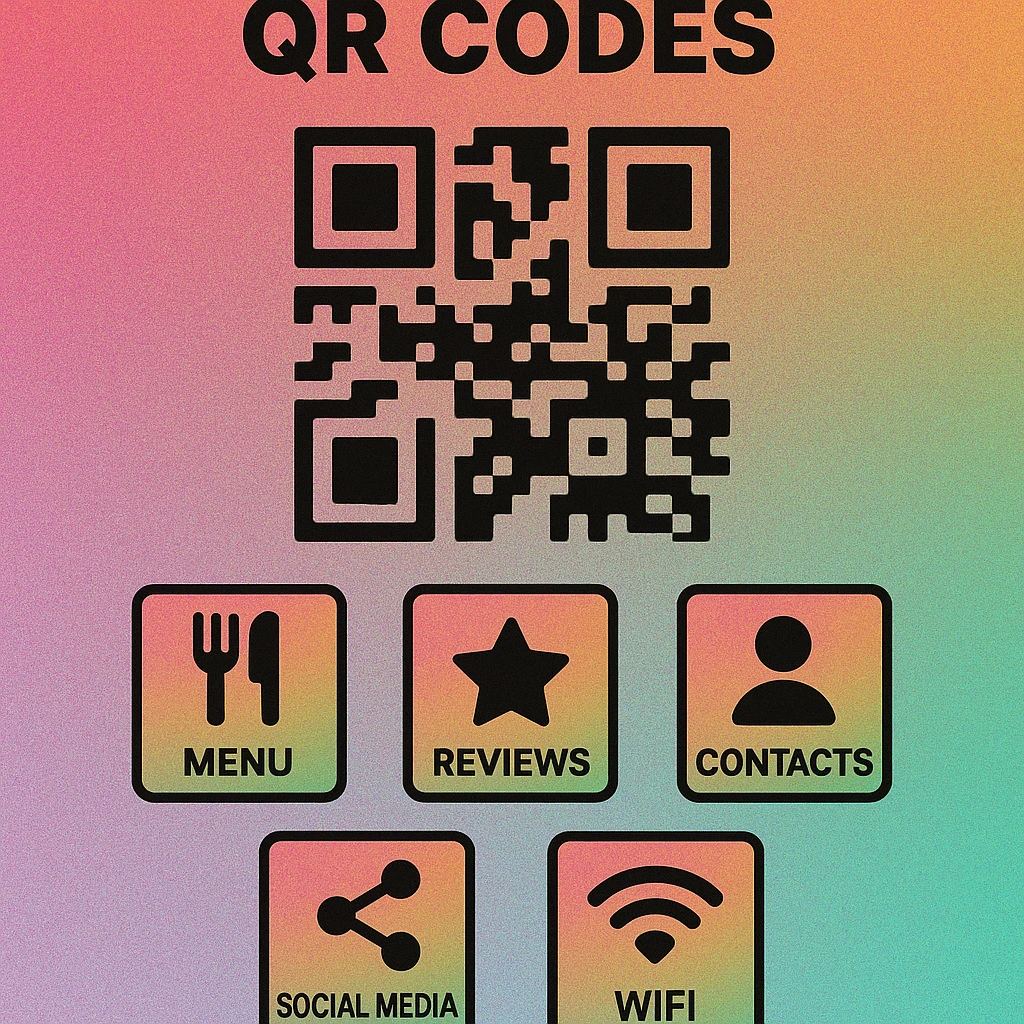
1. Digital Menu
Restaurants, cafes, food trucks, and pop-ups use QR codes to replace or supplement printed menus. Customers scan and view the menu on their phone. The QR code links to a PDF, a Google Doc, a hosted menu platform, or a simple web page. For a step-by-step guide, see our QR code restaurant menu guide. Any URL-type QR code generator handles this — the question is whether you need the destination to be editable after printing (dynamic) or fixed (static).
2. Google Review Prompt
Getting customers to leave a Google review is one of the highest-ROI activities a local business can do. A QR code on a receipt, counter card, or business card that links directly to the Google review prompt removes nearly all friction. Our QR code for Google reviews guide explains how to find the correct review URL and set it up correctly. Again, a standard URL QR code is all that is needed.
3. Contact Card (vCard)
A QR code on a business card or invoice that, when scanned, opens a contact card with the business name, phone, email, and address pre-filled is far more useful than typing contact details manually. Most QR generators support the vCard format natively. Look for generators that let you include all standard vCard fields: name, organisation, phone, email, address, and website.
4. Social Media Links
Directing customers from physical signage to an Instagram, Facebook, TikTok, or LinkedIn profile — or to a Linktree-style landing page — is a common use case for retail, hospitality, and service businesses. A URL QR code pointing to the social profile or link-in-bio page is all that is needed. Some tools also generate dedicated social-aggregator codes.
5. Wi-Fi Access
Cafes, waiting rooms, co-working spaces, and hotels regularly use QR codes to let guests connect to Wi-Fi without reading out a password. A Wi-Fi QR code encodes the network name (SSID), password, and security type directly into the code. When scanned on iOS 11+ or Android 10+, the phone offers to join the network automatically. Not all generators support Wi-Fi QR codes — verify this before choosing a tool.
Four of the five use cases above (menu, review, social, contact) need nothing more than a URL or vCard QR code. Only the Wi-Fi use case needs a specialist code type. This means a free tool that generates URL and Wi-Fi codes will cover most small businesses completely.
Top 5 QR Code Generators for Small Business
These five tools were evaluated on: ease of use, support for the use cases above, free tier generosity, export quality (minimum 300 dpi PNG or SVG for print), and the absence of compulsory watermarks on free-tier codes.
GenerateOnlineQR
Generates URL, Wi-Fi, vCard, email, SMS, phone, and social QR codes with full colour and logo customisation. No sign-up required, no watermarks, and downloads are high-resolution PNG. The generator runs entirely in the browser and is especially well suited to businesses that need a few well-designed codes quickly. Free for all use cases.
QR Code Generator (qr-code-generator.com)
The go-to option when you need dynamic QR codes — codes whose destination you can change after printing. The free tier includes one dynamic code with limited scans; paid plans from ~$5/month unlock unlimited dynamic codes and scan analytics. Valuable for businesses that update menus seasonally or run rotating promotions.
Canva QR Code Generator
Canva's built-in QR code tool is ideal if you're already designing menus, flyers, or business cards in Canva. It generates a URL QR code that drops directly into your design at any size. The limitation is that it only supports URL codes and offers no download of the code as a standalone file without a Pro subscription. Best for businesses already on the Canva ecosystem.
Bitly QR Codes
Bitly's QR code feature is built on top of its link-shortening and analytics platform. Every scan is tracked with location, device, and time data. The free tier is limited; the Starter plan at ~$8/month unlocks more branded codes and analytics. Good for businesses that want to measure which codes drive the most foot traffic or engagement.
Gen — QR Code Maker (Mac App Store)
A native macOS app that generates QR codes offline, directly on your desktop. Supports URL, Wi-Fi, vCard, email, phone, and text codes with colour and logo customisation. Ideal for business owners who work primarily on a Mac and want a fast, no-browser workflow when creating print assets. Available on the Mac App Store.
| Tool | Free Tier | Wi-Fi Code | Dynamic Codes | Analytics | Best For |
|---|---|---|---|---|---|
| GenerateOnlineQR | Full | Yes | No | No | Free static codes, all types |
| QR-Code-Generator | Limited | Yes | Paid | Paid | Dynamic & editable codes |
| Canva | URL only | No | No | No | In-design workflow |
| Bitly | Limited | No | Paid | Paid | Scan tracking & analytics |
| Gen — QR Code Maker | Full | Yes | No | No | Mac desktop workflow |
QR Code Apps for Mac & Safari
Prefer generating codes without opening a browser tab? These two native Apple apps cover both habits — a full generator on the desktop, and a one-click share button inside Safari.


Budget Considerations: Free vs. Paid
The single most important budget decision is whether you need dynamic QR codes. If yes, you will need a paid tool. If no, you can operate entirely on free tools indefinitely.
When free is enough: You're creating a handful of QR codes that point to stable destinations — a permanent menu URL, a fixed Google review link, your Wi-Fi password, or your contact card. These codes will not change. A free static generator like GenerateOnlineQR is the right choice. Download the PNG, print it, and you're done.
When to consider paying: You update your menu seasonally and don't want to reprint QR codes every time. You're running multiple promotions with different destinations and want to track which performs better. You need team members to manage codes collaboratively. In these cases, a paid plan from $5–$15/month for a dynamic code platform is a reasonable business expense.
What to avoid: Paying for analytics you won't actually check. Most small businesses that purchase QR analytics plans log in once and never return. Be honest about whether scan-count data will change any decision you make. If not, save the cost.
If you have five or fewer QR code use cases and none of the destinations changes more than once a year, you have no reason to pay for a QR code tool. Free static generators cover this scenario completely and print at full quality.
Generate Your Business QR Codes Now
URL, Wi-Fi, vCard, social — all code types, all free, no account needed. Download high-resolution PNG for print.
Quick Pick: Mac Desktop App for Small Business Owners
If you work on a Mac and regularly create print materials — menus, flyers, business cards, signage — a native desktop QR code app removes the friction of opening a browser, navigating to a generator, and managing downloads from multiple sessions. Gen — QR Code Maker is the standout option for this workflow.
It runs natively on macOS, supports all the code types a small business needs (URL, Wi-Fi, vCard, email, phone, text), allows full colour and logo customisation, and exports at print-ready resolution. There is no subscription and no internet connection required once installed.
Download Gen — QR Code Maker on the Mac App Store →
Frequently Asked Questions
GenerateOnlineQR is an excellent free option: it generates static QR codes for URLs, Wi-Fi, contact cards, and more with no account required, supports colour customisation and logo embedding, and lets you download high-resolution PNG files instantly. For businesses that only need static codes, a free generator is entirely sufficient.
Not always. Dynamic QR codes let you edit the destination URL after printing, and they provide scan analytics. They are most valuable when the destination changes frequently (e.g., a rotating menu or seasonal offer) or when you need to track campaign performance. For permanent use cases like a Wi-Fi code on a sign or a fixed contact card, free static QR codes work perfectly.
Yes. Gen — QR Code Maker is a native Mac app available on the Mac App Store that lets you generate, customise, and save QR codes directly from your desktop without a browser. It is ideal for business owners who regularly create printed materials and want a fast offline workflow.
Start with a free generator if you only need static codes for a handful of use cases. Upgrade to a paid tool only if you need dynamic codes (editable destinations), scan analytics, team collaboration, or bulk generation. Most small businesses with fewer than five QR code use cases can run indefinitely on a free plan.
The five most useful QR code types for small businesses are: (1) URL — linking to a menu, website, or booking page; (2) Google Review — sending customers directly to the review prompt; (3) vCard / contact — sharing staff or business contact details; (4) Social links — pointing to Instagram, Facebook, or a Linktree; and (5) Wi-Fi — letting customers connect without sharing passwords verbally.