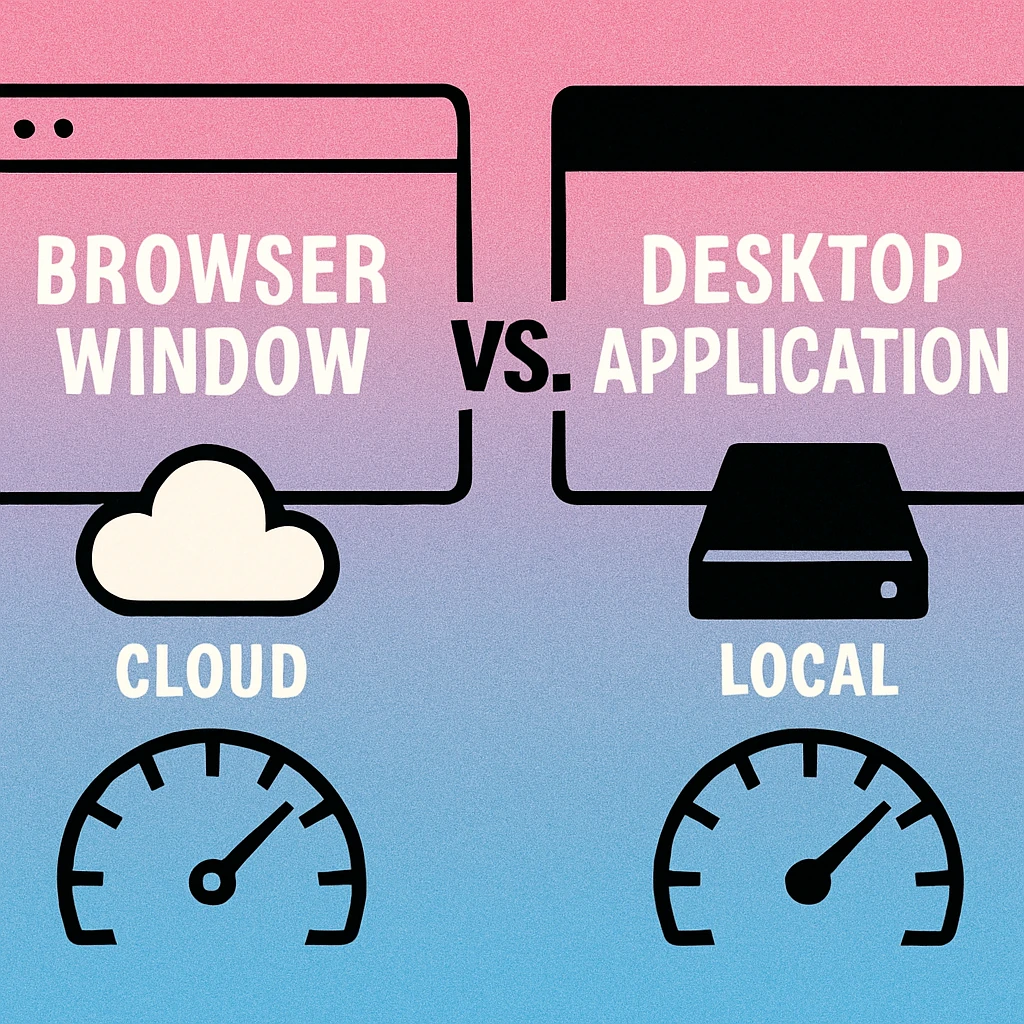
The Core Difference Between Web and Desktop QR Generators
At a surface level, web-based and desktop QR code generators appear to do the same job: you put in a URL, a Wi-Fi password, or a contact card, and out comes a scannable QR image. But the difference in how they accomplish that task has real consequences for your workflow, your data, and your long-term costs.
A web-based QR code generator runs entirely inside a browser. You navigate to the site, fill in a form, and download the result. No installation required. The processing typically happens on the vendor's server, the generated image is returned to your browser, and the session ends. Some tools store your codes in an account; others simply generate and discard.
A desktop QR code app is a native application installed on your operating system. On Mac, this usually means a dedicated app from the Mac App Store. The QR code is generated locally by your machine's processor, saved to your file system, and never touches a remote server. It runs whether or not you have an internet connection, and it integrates with your operating system at a level a browser tab never can.
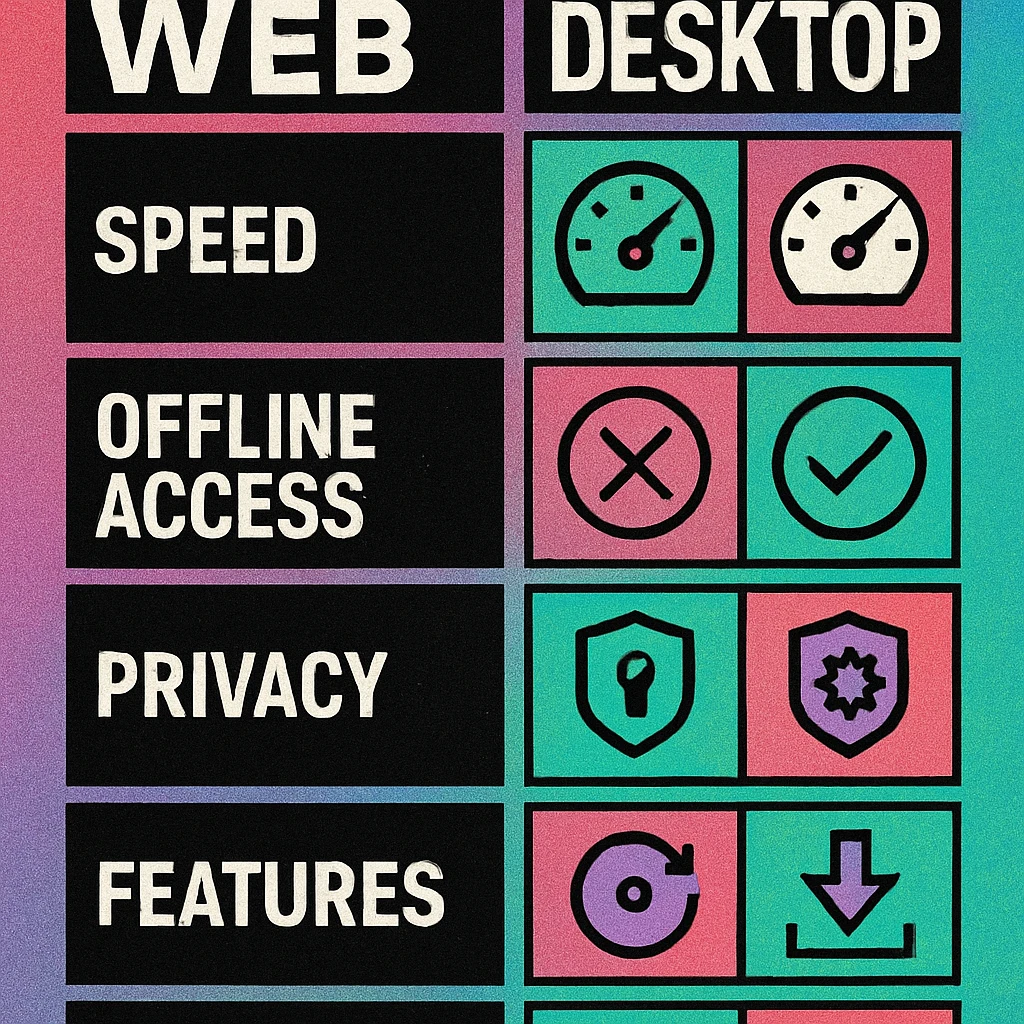
Neither approach is universally superior. A web generator is completely reasonable for a one-off QR code on a Tuesday afternoon. A desktop app earns its place when you need speed, privacy, offline reliability, or consistent professional output. The sections that follow break down each dimension in detail so you can make an informed decision for your specific use case. For a broader look at the tool landscape, our QR code generator comparison guide covers a wider range of options.
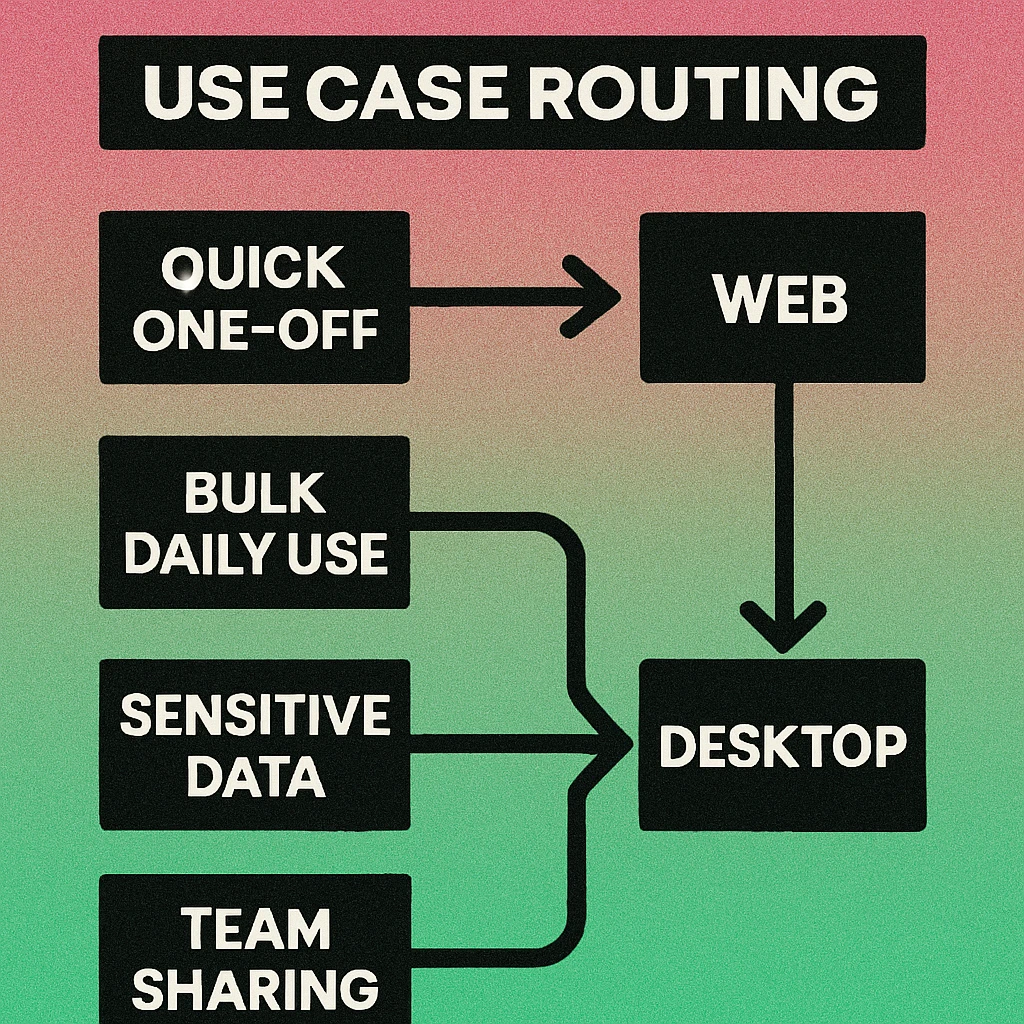
If you generate QR codes more than a few times per month, work with sensitive data, or need offline reliability, a native desktop app will serve you significantly better than a browser-based tool. If you only need a quick code once in a while and don't mind ads or account creation, a free web generator gets the job done.
Speed and User Experience
One of the most immediately noticeable differences between web and desktop QR generators is speed — not just in generating the code itself, but in the entire workflow from "I need a QR code" to "I have the file I want."
Web Generator Workflow
With a browser-based generator, your workflow looks something like this: open a new tab, navigate to the URL (or search for a tool if you haven't bookmarked one), wait for the page to load including any ads or cookie consent popups, fill in your input, wait for the tool to send your data to its server and return an image, choose your export settings (if any are available), and download. For a simple URL QR code on a fast connection, this might take 20–40 seconds from start to finish.
The experience degrades quickly if the site is heavy with trackers, if you're on a slow connection, or if the tool requires account login before allowing exports above a certain resolution. Many free web generators are also cluttered with advertising, which slows page rendering and adds cognitive friction to what should be a simple task.
Desktop App Workflow
A native Mac app is already installed on your machine. You launch it with a keyboard shortcut or a click in the Dock, paste or type your content, adjust any settings, and export. Launch-to-export on a modern Mac typically takes under ten seconds for a standard QR code. The app renders the QR code locally in real time as you type, so there's no server round-trip latency at any point in the process.
Native apps also integrate with macOS features like the Services menu, share sheets, and drag-and-drop to Finder or other apps. If you use a Mac regularly for design, marketing, or development work, this integration means QR code generation can become a truly frictionless step in a larger workflow rather than a context-switching detour to a browser tab.
Desktop apps win on workflow speed for regular users. The absence of page-load time, ads, and server latency makes a meaningful practical difference when you're generating codes frequently. Web tools are convenient for occasional single-code tasks where speed is less critical.
There is one area where web generators hold an edge: accessibility across devices. A browser tool works on any device with a browser — a phone, a Chromebook, a borrowed laptop. A desktop app is tied to the machine it's installed on. For users who need to generate codes from multiple devices, a web tool (or a cross-platform desktop app) may be the more practical choice.
Offline Access and Reliability
This is arguably the most practically important difference between the two approaches, and it's one that many users don't think about until they need it. Offline access matters more than it might initially seem.
Consider the following scenarios where a web-based generator would fail but a desktop app would work perfectly:
- Setting up a trade show booth the morning of the event, before venue Wi-Fi is available
- Preparing QR codes for a conference presentation on a flight with unreliable or expensive inflight internet
- Working on-site at a construction project, retail location, or field office with poor connectivity
- Generating QR codes for a client in a rural area or basement meeting room with no signal
- Operating in a country with restricted internet access where certain domains may be blocked
In every one of these situations, a browser-based generator is simply unavailable. A native desktop app continues working exactly as it would with full connectivity, because the only computation happening is local to your machine. The QR code generation algorithm doesn't need the internet — it only needs your processor.
Our dedicated guide to offline QR code generation on Mac goes deeper on this topic, including specific scenarios where offline capability is mission-critical. For a detailed look at the privacy and on-device processing angle, see our article on QR code privacy and on-device generation.
If you ever need to generate QR codes away from a reliable internet connection, a desktop app is not optional — it's the only workable solution. Web tools stop functioning the moment connectivity is lost. Desktop apps don't notice.
There's also a reliability argument beyond just offline scenarios. Web services can go down, change their terms, switch features behind a paywall, or shut down entirely. A desktop app you've purchased continues working indefinitely regardless of what happens to the vendor's web infrastructure. If the Mac App Store app you purchased stops being actively updated, it typically continues functioning on the macOS version it was last updated for. You have the software; you're not renting access.
Privacy and Data Security
When you use a web-based QR code generator, your input — the URL, Wi-Fi password, phone number, email address, or contact details you're encoding — travels over the internet to the vendor's server. It may be logged, stored, used to improve the service, shared with advertising partners, or simply processed and discarded. The privacy policy tells you which, but how many people read it?
For casual personal use, this is usually an acceptable trade-off. For business use, it deserves more consideration. Here are some categories of data that regularly appear in QR codes and that you might prefer not to send to a third-party server:
- Wi-Fi credentials — network names and passwords for office, home, or client networks
- Internal URLs — links to internal tools, intranet pages, or pre-authenticated URLs that reveal system structure
- Contact information — personal phone numbers, email addresses, and physical addresses encoded in vCard QR codes
- Payment links — URLs tied to specific transaction identifiers or payment processors
- Document URLs — links to private Google Drive files, Dropbox folders, or internal wikis
A native desktop app that generates QR codes entirely on-device eliminates these concerns. The data never leaves your machine. There's no server, no log, no cookie, and no policy to trust. For privacy-sensitive use cases, local generation is the only architecture that provides genuine data isolation.
It's also worth noting that some web-based QR generators create "dynamic" QR codes by default — codes that redirect through the vendor's servers so they can track scan counts. If you use one of these without realising, your QR code traffic is being routed through and logged by a third party indefinitely. For anyone with data governance responsibilities, this is a significant consideration.
Desktop apps that generate QR codes locally are objectively more private than web-based generators. If you encode anything you wouldn't want a third-party company to log, choose a local tool. This is especially relevant for Wi-Fi passwords, internal URLs, and contact details.
Export Formats and Output Quality
The quality and flexibility of QR code exports varies significantly between web generators and desktop apps, and this difference has real implications for anyone who uses QR codes in print, packaging, signage, or professional design work.
What Web Generators Typically Offer
Free web-based generators usually export PNG files at a fixed resolution — often 300×300 or 500×500 pixels. This is adequate for screen display but insufficient for high-quality print output. When scaled up for a billboard, packaging panel, or A3 poster, pixel-based QR codes at these resolutions will appear blurry or blocky.
SVG export — which produces a fully scalable vector file with no quality loss at any size — is typically locked behind paid tiers on web platforms. The same is often true for high-resolution PNG above 1000 pixels, custom colours, and transparent backgrounds. If you need professional print-ready output from a web tool, you'll almost certainly need to pay a monthly subscription fee.
What Desktop Apps Offer
Native Mac QR code apps are built to export at the full resolution of your screen and beyond. Retina-quality PNG at 2x or 3x density, true vector SVG, and PDF are common output formats for dedicated desktop apps. Because all rendering happens locally using the GPU and CPU, there are no server-side compression artefacts or resolution caps tied to account tier.
Desktop apps also tend to provide more granular control over QR code appearance: module shape (square, rounded, dots), finder pattern style, colour customisation, and embedded logo placement. These are the kinds of options that matter when you're producing QR codes that need to match a brand style guide or fit within a particular design layout.
Export Quality: What to Look For
SVG export. A true vector file that scales to any size without quality loss. Essential for print, packaging, and large-format applications. Often paywalled on web tools.
High-resolution PNG. At minimum 1000×1000px for professional use; 2000×2000px or higher for large-format print. Desktop apps deliver this by default.
Transparent background. Essential for placing QR codes on coloured backgrounds, packaging, or design files. Often restricted to paid tiers on web generators.
Custom colours. The ability to set precise foreground and background colours to match brand guidelines, rather than being limited to black-on-white.
No compression artefacts. Server-side processing and image optimisation on web tools can introduce JPEG-style artefacts that degrade scan reliability. Local desktop rendering avoids this entirely.
If your QR codes end up in any professional print context, the export quality argument alone is sufficient reason to choose a capable desktop app over a free web generator. Our article on the free vs paid QR code generator comparison examines these trade-offs in more detail.
Bulk Generation Capabilities
Bulk QR code generation — creating dozens, hundreds, or thousands of individual codes from a list of inputs — is a use case where the choice of tool type matters enormously. Manual generation of multiple QR codes through a web interface is painfully slow. Professional desktop apps and enterprise web platforms both offer bulk generation, but with very different constraints.
Bulk Generation on Web Platforms
Most consumer-grade web generators do not support bulk generation at all. You submit one input, you get one code. To generate 50 QR codes for 50 product pages, you'd need to repeat the process 50 times. Higher-tier subscription plans on some platforms unlock CSV-based bulk generation, where you upload a spreadsheet and download a ZIP file of codes. This works, but it requires a paid subscription and depends on the vendor's servers being available and fast enough to process your upload.
There are also practical limits on how many codes you can generate in a single batch, how frequently, and at what resolution — all of which vary by subscription tier. If your batch generation needs are occasional and modest, a mid-tier subscription might be cost-effective. If they're large or frequent, the costs add up quickly.
Bulk Generation on Desktop Apps
Native desktop QR code apps handle bulk generation locally, which means no server queue, no rate limiting, no file size restrictions, and no dependency on connectivity. You provide a list of inputs and the app generates the files as fast as your CPU allows — which, on a modern Mac, is very fast indeed.
Importantly, bulk generation on a desktop app is typically included in the standard purchase price, not gated behind a higher tier. This makes the economics of a one-time desktop app purchase especially compelling for users who need regular batch output.
For any meaningful volume of QR code generation, a desktop app is faster, cheaper per-code, and more reliable than a web platform. Server-side batch processing is rate-limited and subscription-gated; local processing is limited only by your hardware.
QR Code Apps for Mac & Safari
Prefer generating codes without opening a browser tab? These two native Apple apps cover both habits — a full generator on the desktop, and a one-click share button inside Safari.


Pricing Models Compared
The economics of web generators versus desktop apps is a topic worth its own article — and we've written one. See our deep-dive on QR code generators with no subscription for a full breakdown. Here we'll cover the key points as they relate to the web-vs-desktop comparison.
Web Generator Pricing
Free web generators exist in abundance, but their free tiers are typically limited by resolution (no high-res PNG), format (no SVG), features (no custom colours or logo embedding), and sometimes by the number of codes you can generate per day. The tools sustain themselves through advertising on the free tier and subscriptions for professional features.
Paid web generator plans typically run from $5 to $20 per month for individual users, with higher tiers for teams. Some annual plans bring the per-month cost down, but the subscription continues indefinitely as long as you use the tool. After 12 months you've spent $60–$240 on QR code generation. After 24 months, $120–$480.
There is also the hidden cost of dynamic QR codes. Many web platforms generate dynamic codes by default — codes that redirect through their servers. If you cancel your subscription, those codes may stop working. You haven't just stopped generating new codes; you've broken the ones you already deployed. This vendor lock-in is a real risk for anyone using QR codes in long-lived materials like printed menus, signage, or product packaging.
Desktop App Pricing
Native Mac App Store apps are typically priced as one-time purchases. A capable QR code generator for Mac generally costs in the range of $10–$30 as a one-time payment with no recurring fees. After the initial purchase, the app continues working indefinitely. The codes you generate are static by default, encoding the actual content you specify rather than a redirect URL — which means they keep working regardless of any vendor relationship.
The break-even point for a one-time desktop app versus a web subscription is typically two to four months. After that, every month of continued use is a saving. Over two years, a typical desktop app user saves $100–$300 compared to an equivalent subscription service. Our article on free vs paid QR code generator options has a detailed cost comparison table.
Full Feature Comparison Table
The table below summarises the key differences between a typical free web generator, a paid web subscription, and a native desktop app like Gen QR for Mac.
| Feature | Free Web Generator | Web Subscription | Desktop App (Gen QR) |
|---|---|---|---|
| Works offline | No | No | Full offline |
| Data stays on device | Server-side | Server-side | On-device only |
| SVG export | Rarely included | Paid tiers | Included |
| High-res PNG (>1000px) | Usually capped | Paid tiers | Full resolution |
| Custom colours | Rarely included | Paid tiers | Included |
| Logo embedding | Usually not included | Paid tiers | Included |
| Bulk generation | Manual only | Higher tiers | Included |
| No account required | Sometimes | Account required | No account |
| Ads-free experience | Usually not | Typically yes | Ad-free |
| macOS integration | Browser only | Browser only | Native, fast |
| Static codes (no redirect) | Varies | Often dynamic default | Static by default |
| Works if vendor shuts down | No | No | Yes |
| Pricing model | Free / ad-supported | Monthly/annual fee | One-time purchase |
| 2-year total cost (typical) | $0 (limited features) | $120–$480 | $10–$30 |
The comparison reveals a consistent pattern: native desktop apps match or exceed paid web subscriptions on almost every feature dimension, while costing a fraction of the two-year total spend. The only area where web generators genuinely lead is cross-device accessibility — the ability to generate a code from any browser on any device.
Who Should Choose Which
The right tool depends on your actual use case. Here's a direct guide to help you decide without overthinking it.
Choose a Web Generator If:
- You need a QR code right now, on a device you don't own (a friend's laptop, a library computer, a borrowed phone)
- You only generate QR codes once or twice a year and have no need for professional output quality
- You work primarily on Windows or Linux and a dedicated Mac app is not applicable to your platform
- You need dynamic QR codes with scan analytics — tracking redirect counts and geographic scan data — which requires a server-side platform by nature
- You need team collaboration features like shared code libraries, user permissions, or multi-seat access
Choose a Desktop App If:
- You generate QR codes regularly — more than a few times per month
- You need offline access in any scenario (travel, events, on-site work)
- You're encoding sensitive data — Wi-Fi passwords, internal URLs, contact details — that you'd prefer not to route through a third-party server
- You need professional print-quality output — SVG, high-res PNG, or consistent Retina-quality files
- You want predictable, one-time pricing with no subscription commitment
- You use a Mac and want a tool that integrates natively with your operating system
- You need bulk generation without paying per-batch or per-tier fees
For Mac users who fall into the "choose a desktop app" category, Gen QR — QR Code Maker is the leading option on the Mac App Store. It covers all major QR code types — URL, Wi-Fi, contact (vCard), plain text, email, phone, and SMS — with full SVG and high-resolution PNG export, on-device processing, and offline capability. See our detailed QR code generator for Mac guide for a full walkthrough.
The Best Desktop QR Code Generator for Mac
Gen QR — QR Code Maker. Native Mac App Store app. Works offline. Keeps your data on-device. Exports SVG and high-res PNG. One-time purchase, no subscription.
Frequently Asked Questions
For occasional, low-stakes QR codes a web generator is perfectly convenient. For regular use — especially if you value offline access, data privacy, fast export, or reliable bulk generation — a native desktop app delivers a noticeably better experience. Desktop apps also work without an internet connection and process data entirely on your device.
Yes. Native desktop QR code apps generate codes entirely on your device and do not require an internet connection. This makes them reliable at trade shows, on-site visits, or in any low-connectivity environment where browser-based tools would fail.
Most web-based QR generators process your input on their servers, which means your URLs, Wi-Fi credentials, and contact details pass through a third-party system. Desktop apps that run locally keep all data on your machine. For sensitive business information, a local desktop app is the safer choice.
Native desktop apps consistently produce higher-quality exports. They can output true vector SVG files and high-resolution Retina-quality PNG at any size without compression artefacts. Many web generators gate high-resolution export behind paid tiers or apply server-side compression that degrades print quality.
Yes. Gen QR — QR Code Maker is a native Mac App Store app that generates QR codes for URLs, Wi-Fi, contacts, text, and more entirely on-device. It exports high-resolution PNG and SVG, requires no account or internet connection, and is available as a one-time purchase with no subscription.