Why QR Codes Work for Feedback Collection
Customer feedback is only useful if you actually collect it. The biggest barrier isn't reluctance to share opinions — it's friction. Long URLs, forgotten email links, and paper forms all reduce the number of people who complete a survey. A QR code eliminates every one of those barriers: the customer sees the code, scans it, and is on the survey in under three seconds.
This immediacy matters because feedback quality degrades with time. A guest who rates their hotel room three minutes after check-out gives a more accurate answer than one who fills in an emailed survey four days later. QR codes let you place the feedback prompt at the exact moment of peak relevance — at the table, on the receipt, on the product packaging, or on the exit signage.
For a broader view of how QR codes fit into your overall marketing funnel, read our pillar guide on QR code marketing strategy. This article focuses specifically on the feedback and survey use case: choosing formats, placing codes effectively, and driving completions.
Studies consistently show that in-moment feedback collection yields 2–4× higher response rates than follow-up email surveys. QR codes are the most practical tool for capturing that in-moment window at a physical location.
Survey Formats That Work via QR Code
Not every survey format is equally suited to a QR code workflow. The scan-to-survey journey is typically done on a mobile device, often in a semi-public setting, and the respondent is in motion — just finishing a meal, leaving a store, or unboxing a delivery. This context favours short, visually clear formats.
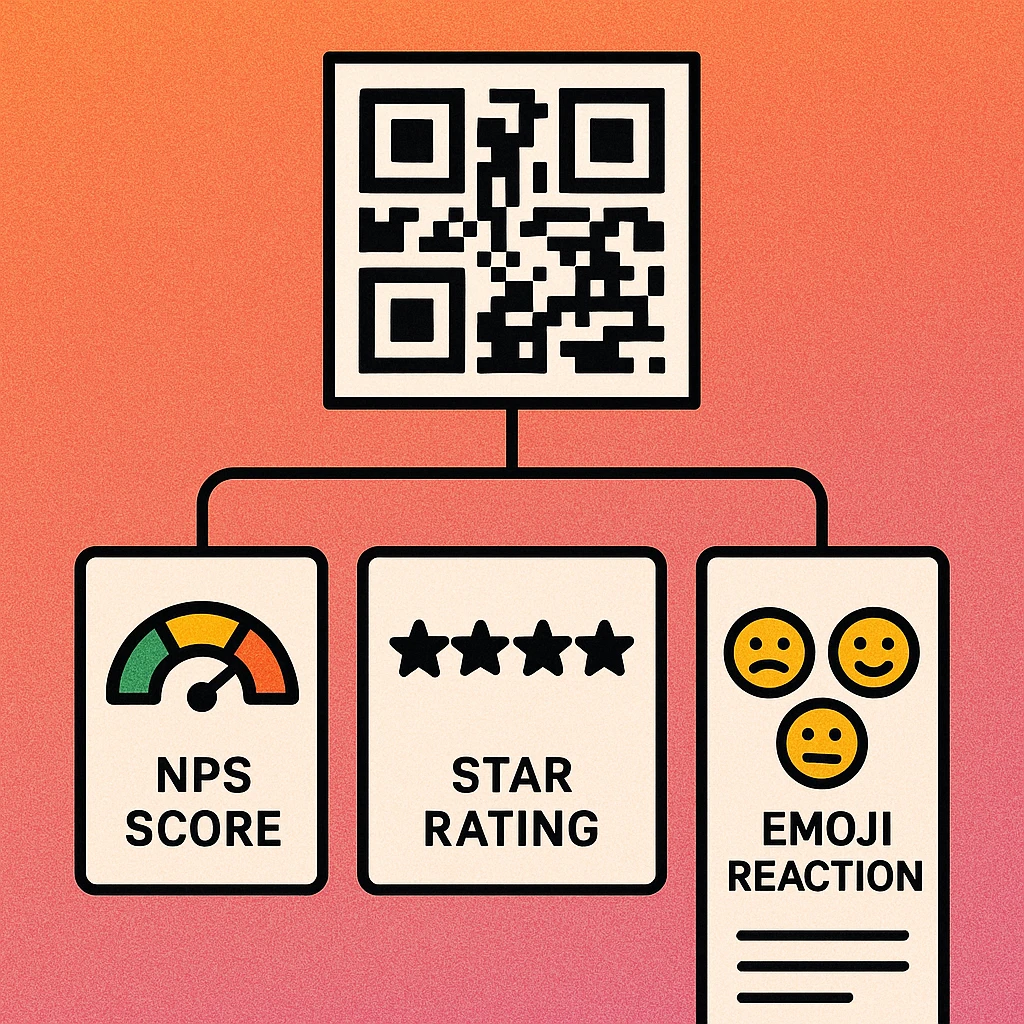
NPS (Net Promoter Score)
The NPS question — "How likely are you to recommend us to a friend or colleague?" answered on a 0–10 scale — is the most widely used single-question business metric. It is also an excellent fit for QR code surveys because it requires one tap and provides a quantitative score that can be tracked over time. Link your QR code to an NPS tool such as Typeform, SurveyMonkey, or a custom form. You can also extend the survey with one optional open-text follow-up: "What's the main reason for your score?" For a ready-made option, link directly to a Google Form configured as an NPS survey.
Star Ratings
A 1-to-5 star rating is immediately intuitive to consumers. It requires no reading, no thinking about number scales, and produces a result in a single tap. Star ratings work particularly well in hospitality, retail, and service contexts where the primary goal is tracking aggregate satisfaction over time rather than gathering qualitative insight. Pair a star rating with a single optional comment field to capture context without adding mandatory friction.
Emoji Reactions
Emoji-reaction surveys replace the rating scale with three to five expressive faces: unhappy, neutral, happy (and sometimes delighted or very dissatisfied). They are especially effective for high-volume, low-dwell-time environments: retail exits, hospital waiting rooms, event venue exits, and airport lounges. The visual immediacy removes the cognitive step of translating a feeling into a number. Response rates for emoji surveys placed on exit signage regularly exceed 20–30%, compared to 5–10% for equivalent text-based survey links.
Open-Text Feedback
Open text gives customers the space to describe their experience in their own words, surfacing issues and praise that structured scales miss entirely. The trade-off is completion friction — typing on a mobile keyboard is effortful. Use open text as an optional secondary question rather than the primary format. Alternatively, reserve open-text-only surveys for high-engagement contexts like post-purchase email follow-ups rather than in-location QR code placements.
| Format | Effort Required | Data Type | Best Context | Typical Completion Rate |
|---|---|---|---|---|
| Emoji Reaction | 1 tap | Sentiment | Exits, high volume | 20–35% |
| Star Rating | 1 tap | Quantitative | Hospitality, retail | 15–30% |
| NPS (single question) | 1 tap + optional text | Score + qualitative | All service businesses | 10–25% |
| Short survey (3–5 Q) | 1–2 min | Mixed | Post-purchase, email | 5–15% |
| Open Text (primary) | 3–5 min | Qualitative | Email follow-ups only | 2–8% |
Placement Strategies
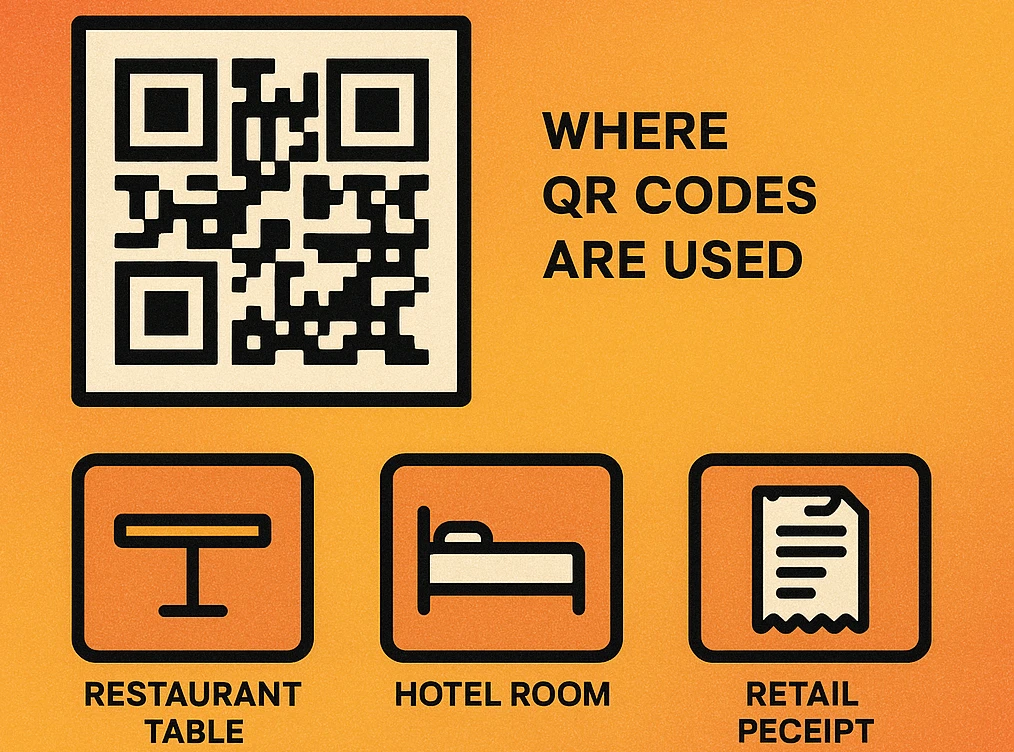
The placement of a feedback QR code is at least as important as the survey format. A perfect NPS survey linked from a QR code buried in a footer will be ignored. The same survey on a table card at the end of a meal will be scanned dozens of times per day.
Point-of-Sale and Receipts
Printing a feedback QR code on a receipt is one of the most scalable placements available. Every customer who completes a transaction receives the prompt automatically. Print the code prominently on the lower half of the receipt with a short label such as "How did we do? Scan to tell us." Digital receipts (emailed or SMS) work equally well — embed a QR code image or a clearly labelled text link that goes to the same survey landing page.
Table Cards and Check Presenters
Restaurants and cafes benefit enormously from table-top feedback codes. A small card propped beside a condiment set, or a QR code printed inside the check presenter, reaches customers at the exact moment of reflection — after the meal, while waiting for change. This placement consistently produces the highest response rates of any in-location format for food service businesses.
Product Packaging Inserts
E-commerce brands can include a small card with a feedback QR code inside every shipment. The unboxing moment — when the product is new, the customer is engaged, and the experience is fresh — is ideal for capturing product satisfaction scores. Combining the feedback QR code with your Google review QR code on the same insert lets satisfied customers leave a public review in one additional step.
Exit Signage
Retail stores, venues, and hospitality businesses can place feedback QR codes near exits. A well-designed A5 or A4 sign with a large QR code and a clear, brief prompt ("30 seconds — tell us how we did") captures customers as they leave. This placement pairs especially well with emoji-reaction surveys because the format matches the brief attention window of someone walking out of a door.
Follow-Up Emails
Post-purchase and post-service email sequences are a standard feedback channel. Including a QR code in the email body is less intuitive than clicking a hyperlink on desktop, but mobile email readers benefit from a scannable code when the email is viewed on a different device. More practically, a QR code image in an email reinforces the request visually and can link to a dedicated mobile-optimised survey page.
Place feedback QR codes at or immediately after the highest-value moment in your customer journey. The faster you ask after a positive experience, the higher the score and the higher the response rate. Delayed asks get lower scores and fewer completions.
QR Code Apps for Mac & Safari
Prefer generating codes without opening a browser tab? These two native Apple apps cover both habits — a full generator on the desktop, and a one-click share button inside Safari.


Boosting Response Rates
Placement and format set the ceiling for your response rate. These optimisation tactics help you reach it.
Five Tactics to Increase Survey Completions
Write a compelling label. The text next to your QR code does most of the persuasion work. "Share your feedback" is generic and easy to ignore. "Tell us in 10 seconds — help us improve" is specific, low-commitment, and community-oriented. The label should communicate how long it takes and why it matters.
Keep the survey to one or two questions. Every additional question reduces completions. A one-question NPS or star rating should have a target of under 30 seconds to complete. If you need richer data, make the second question optional and clearly label it as such — "Optional: anything else to share?"
Optimise the landing page for mobile. The survey must load fast and display correctly on a 375px-wide screen. Large tap targets (minimum 44px), readable font sizes (minimum 16px), and no horizontal scrolling are non-negotiable. Test on iOS Safari and Android Chrome before deploying.
Use a short, branded URL. A QR code destination of survey.yourbrand.com/feedback builds trust. If the URL preview shows a long query string or an unfamiliar domain, some users will hesitate to scan. Use a custom short link or domain redirect to control what appears in the browser bar.
Close the loop visibly. If customers see evidence that feedback leads to change — a message on the same sign that reads "You told us the queues were too long. We added a second checkout." — future response rates increase significantly. Visible responsiveness signals that the survey is not performative.
Generate Your Feedback QR Code Free
Paste your survey URL and download a ready-to-print QR code. No account, no watermarks, no time limits.
Tools & Integrations
You don't need dedicated feedback software to run a QR code survey. Several free and low-cost tools cover the most common use cases.
Google Forms
Google Forms is free, mobile-responsive, and integrates directly with Google Sheets for response tracking. It supports star-rating, multiple-choice, and open-text question types. Generate a QR code pointing to your form's published URL and you have a complete feedback system at zero cost. See our step-by-step guide on QR codes for Google Forms for full setup instructions.
Typeform
Typeform's conversational survey format works exceptionally well on mobile. Its one-question-at-a-time layout is ideally suited to the QR code use case because it mirrors the quick, low-friction experience users expect. The free tier supports up to 10 questions and 100 responses per month, which is sufficient for most small-business feedback programmes.
Tally
Tally is a free, Notion-inspired form builder with unlimited responses on the free plan. It supports logic branching (e.g. show an extra question only if a user rates below 3 stars) and provides a clean, minimalist mobile experience. An excellent choice for teams already using Notion for operations.
Google Reviews Integration
Satisfied customers represent an opportunity beyond internal feedback — they can leave a public Google review that improves your search visibility and social proof. After a customer completes your internal survey and gives a high rating, redirect them to your Google review page. Pair your feedback QR code with your Google review QR code on the same insert or signage to capture both outcomes from a single satisfied customer.
For most businesses, Google Forms (free) or Typeform (free tier) linked to a QR code is all you need to run an effective feedback programme. The key variables are placement timing, survey length, and mobile optimisation — not the sophistication of the tool.
Frequently Asked Questions
Short formats work best. A single NPS question (0–10 score) or a 1-to-5 star rating delivers the highest completion rates because respondents can answer in under ten seconds. If you need richer data, keep open-text optional and limit the survey to three questions maximum. Longer surveys can be linked but expect completion rates to drop sharply after five questions.
Place the QR code at the moment of peak satisfaction — directly after a positive experience such as a completed purchase, a delivered meal, or a hotel check-out. Add a clear, benefit-driven label like "Tell us in 10 seconds". Keep the survey mobile-optimised with large tap targets. Offering a small incentive (discount, entry to a prize draw) can lift response rates by 20–40%, but avoid incentives that bias scores.
Yes. Generate a QR code with your Google Form URL and place it wherever your customers are. Google Forms are mobile-responsive and free, making them a practical choice for small businesses. For more detail on the setup process, see our dedicated guide on QR codes for Google Forms.
The most effective placements are: receipts and till displays (post-purchase), table cards and check presenters (restaurants), product packaging inserts (e-commerce), exit-point signage (retail), and follow-up email footers (digital). The common principle is timing — the QR code should appear when the experience is freshest in the customer's mind.
Emoji reaction surveys (e.g. sad face / neutral / happy face) are extremely effective for high-volume, low-effort contexts such as retail exits, hospital waiting rooms, and event venues. The visual immediacy removes friction. Response rates for emoji-style surveys can exceed 30% in well-placed contexts, compared to 5–10% for traditional text-based survey links.