Why People Switch QR Code Platforms
Platform migrations are rarely planned from day one. They usually happen because something has gone wrong: a price increase arrives at renewal time, a feature you relied on disappears behind a higher tier, the analytics dashboard breaks, or the company behind your QR platform is acquired or shut down. Sometimes the reason is simpler — you have outgrown the tool, or discovered a better one.
Whatever the trigger, the challenge is the same: your QR codes are already deployed. They are on printed menus, packaging, business cards, posters, billboards, and product inserts. You cannot simply cancel your old account and sign up for a new one without consequences for every code in the field. The decisions you make during migration determine whether those codes keep working, whether your scan data survives, and whether your users experience any disruption.
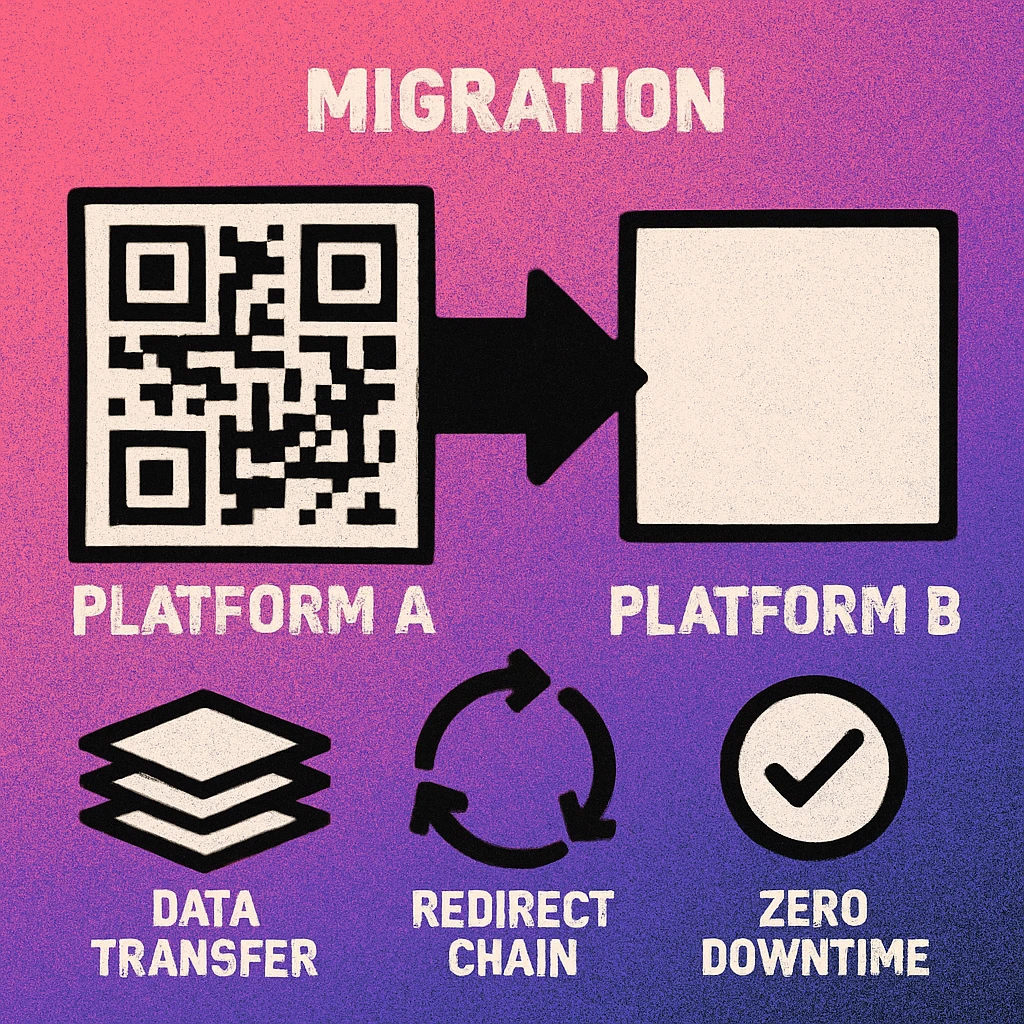
The most common reasons teams find themselves searching for a QR code migration guide include:
- Subscription cost increases — platforms that raise prices at renewal with little notice, often tied to a new "tier" structure that breaks existing feature sets.
- Platform sunset or acquisition — the QR provider shuts down, is acquired, or pivots away from QR codes as a core product.
- Analytics gaps — the current platform fails to track scans reliably, loses historical data, or lacks the reporting depth you now need.
- Custom domain or branding requirements — outgrowing a provider that does not support your domain for short redirect URLs.
- Compliance requirements — data residency, privacy, or accessibility standards that the current platform cannot meet.
Understanding the underlying type of QR code you are migrating is the most important thing you can do before anything else. As we will see in the next section, the migration path for static codes and dynamic codes is fundamentally different.
This guide focuses on migrating codes that are already deployed — meaning they are printed on physical materials or published in digital campaigns. The migration challenge is unique because you cannot simply update every end user's printed code.
Static vs Dynamic: Very Different Migrations
Before you plan a single step, you must understand the fundamental difference between static and dynamic QR codes and how that difference shapes your migration options. If you are unfamiliar with this distinction, our article on static vs dynamic QR codes covers it in full detail. Here is the summary as it applies to migration.
Static QR Codes
A static QR code encodes data — a URL, text, Wi-Fi credentials, a phone number — directly into the QR pattern itself. The pattern is fixed at creation time. There is no redirect layer, no platform middleware, and no dependency on the generating platform remaining online.
This means static QR codes do not have a "platform" to migrate away from. The code works regardless of whether the platform that created it still exists. If you created a static QR code with Gen QR — QR Code Maker on your Mac and encoded https://yourwebsite.com/menu directly into it, that code will scan to that URL forever — as long as that URL remains live. Switching to a new QR code tool for future codes has zero effect on your existing static codes.
Static QR codes are the only type that are completely immune to platform migrations. Because they encode destinations directly, they require no redirect infrastructure and have no dependency on any ongoing service. This is one of their most underappreciated advantages.
The only scenario in which a static QR code "breaks" in a migration context is if the destination URL itself stops working — for example, if you are changing domains as part of the same business transition. In that case, set up a 301 redirect from the old URL to the new one at the DNS or web server level, and the QR code continues to work without any changes to the code itself.
Dynamic QR Codes
A dynamic QR code encodes a short redirect URL that lives on the platform's infrastructure, not a final destination. When scanned, the platform's server resolves the short URL and redirects the scanner to the configured destination. This is what enables features like updating the destination without reprinting the code, and collecting scan analytics.
The consequence for migration is significant: the dynamic QR code only works as long as the platform's redirect infrastructure is online and your account is active. The moment you cancel your subscription or the platform shuts down, every dynamic code you issued through that platform immediately stops resolving — they all break simultaneously. This is the core risk that a well-executed migration prevents.
Our article on whether QR codes expire covers exactly when and why codes stop working — platform dependency is the number one cause of unexpected code failure.
| Factor | Static QR Code | Dynamic QR Code |
|---|---|---|
| Platform dependency | None | High |
| Migration required? | No | Yes |
| Redirect updatable? | No | Yes |
| Scan analytics | None (native) | Yes |
| Risk if provider cancels | Zero risk | All codes break |
| Migration complexity | None needed | High |
From a migration standpoint, static codes are nearly maintenance-free. If you are using a tool like Gen QR on Mac to generate static codes, you have already sidestepped the entire class of platform migration problems that dynamic QR users face. The rest of this guide focuses on migrating dynamic QR codes, which is where the complexity and risk concentrate.
Pre-Migration Checklist
Rushing into a migration without preparation is the fastest way to create broken codes, lost data, and angry stakeholders. The following checklist covers everything you need to have in place before you take a single action on either platform.
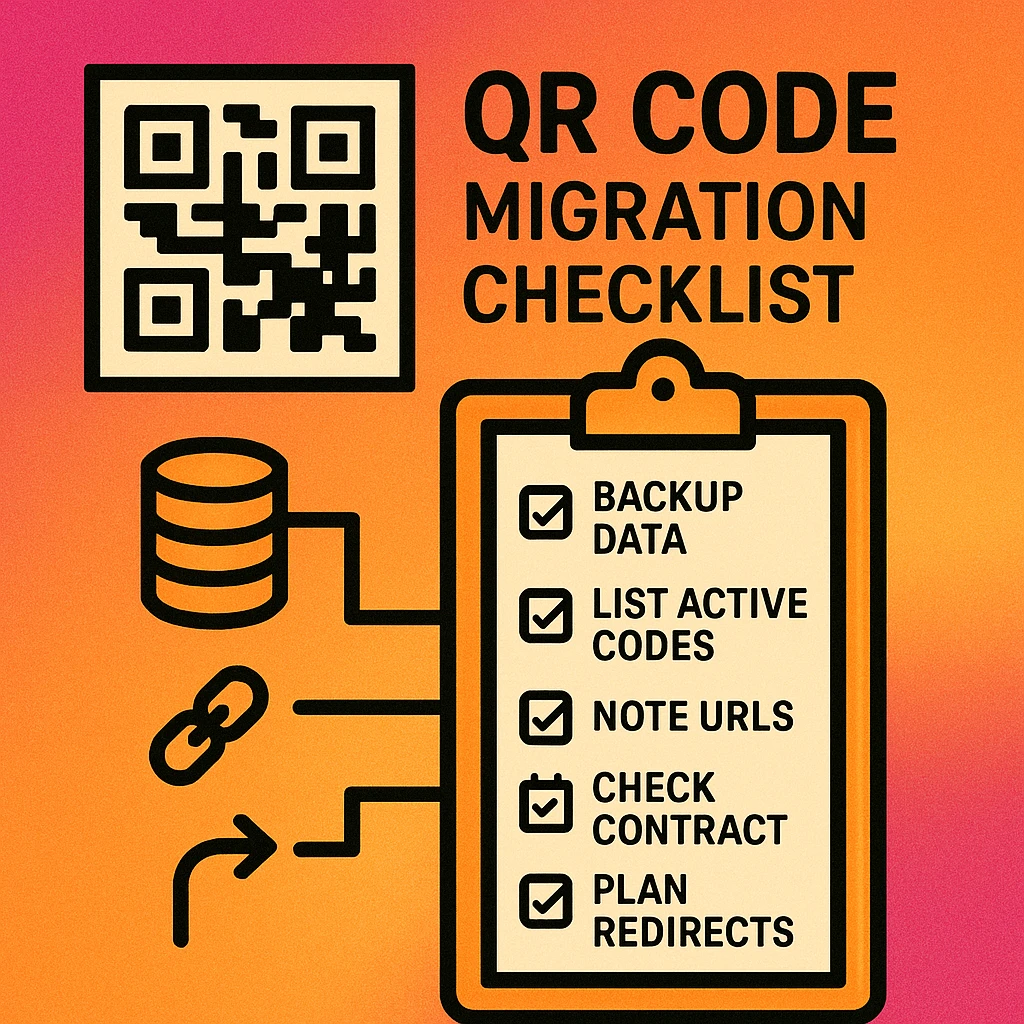
- Complete QR code inventory. List every active QR code: where it lives (platform, campaign, folder), what redirect URL it uses, when it was created, and where it is physically or digitally deployed.
- Identify high-value codes. Flag codes that are on packaging, printed in large quantities, or embedded in long-running campaigns. These are the highest-risk items and need special handling.
- Export all analytics data. Download CSV or PDF exports of every code's scan history before starting. Once the account closes, this data is gone.
- Note your current redirect URLs. Document the exact short-link URLs encoded in each dynamic QR code. You will need these to set up chained redirects.
- Check account cancellation terms. Some providers give 30-day grace periods after cancellation; others cut off access immediately. Know your window.
- Set up the new platform first. Create your account, configure custom domains, and test a single code end-to-end before touching any production codes.
- Plan your overlap period. Both accounts need to run in parallel for at least 30 days. Budget accordingly and do not cancel the old subscription prematurely.
- Communicate with stakeholders. Alert anyone who monitors scan analytics that data will appear split across two platforms during the transition period.
Do not cancel your existing QR code subscription until you have confirmed every code is redirecting through the new platform and running cleanly for at least 30 days. Premature cancellation is the single most common cause of migration disasters.
Step-by-Step Migration Guide
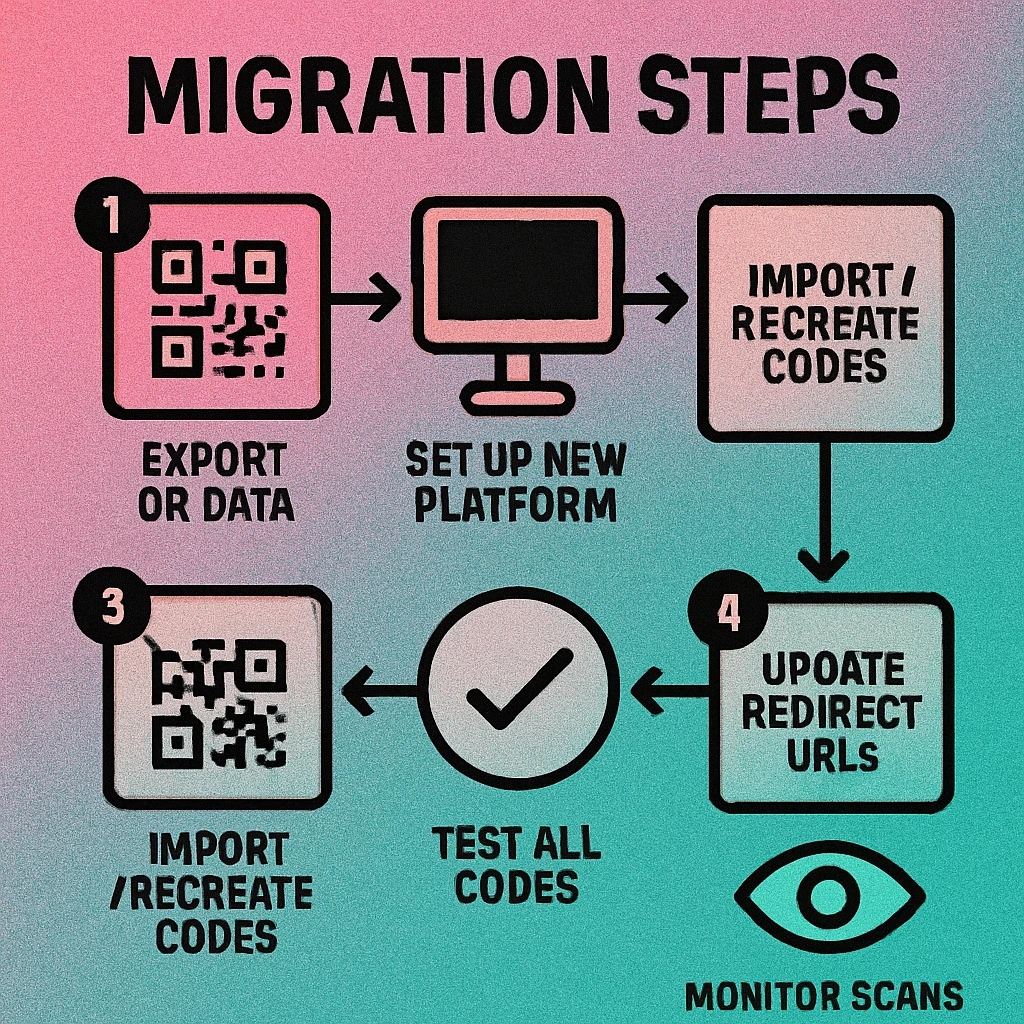
With your checklist complete, you are ready to execute the migration. The six steps below are designed to minimise downtime and eliminate scan loss. Work through them in order and do not skip ahead.
The Six-Step QR Code Migration Process
Audit every active QR code. Using your pre-migration inventory, confirm the status of every code: is it still active? Is it still scanning? Are there any already-broken codes you can simply retire rather than migrate? Reduce the migration scope to only codes worth saving.
Export analytics and download code images. On your current platform, export full scan history as CSV or PDF for every code. Also download PNG and SVG versions of every QR code image you intend to keep for reference. Confirm the exports are complete and readable before proceeding.
Recreate codes on the new platform. Set up equivalent dynamic QR codes on the new provider for every code in your inventory. Configure the redirect URL on the new platform to match the final destination URL of the original code. If you use UTM parameters, recreate them precisely. Enable analytics, custom domains, and any other settings before the codes go live.
Update old codes to redirect to new platform URLs. On your current (old) platform, edit each dynamic QR code's destination URL to point to the equivalent new-platform redirect URL. This is the key step: your existing printed codes still contain the old platform's short URL, but now when scanned they chain through to the new platform, which then forwards to the final destination. Scans continue uninterrupted.
Test every code with a real device. Before declaring success, scan each migrated code using at least two devices (iOS and Android) and verify that the destination loads correctly. Check the new platform's analytics dashboard to confirm the test scan was recorded. Pay special attention to codes on high-value physical materials.
Monitor for 30+ days, then retire the old account. Run both platforms in parallel. Watch for any broken redirects, missing analytics, or edge-case scan failures. After 30 days of clean operation — 60 or 90 days for codes on long-lived packaging or signage — cancel the old subscription. Your migration is complete.
Understanding the Chained Redirect Strategy
Step 4 deserves additional explanation because it is the most counterintuitive part of the process. When you update the old platform's destination URL to point to the new platform's redirect URL, you are creating a redirect chain:
Old QR code pattern → Old platform short URL → New platform redirect URL → Final destination
This adds one extra HTTP redirect hop (typically 301 Moved Permanently) to every scan during the overlap period. In practice, this is imperceptible to the end user — modern mobile browsers handle 301 chains in milliseconds. The advantage is that every existing printed code continues to work without any physical changes, while the new platform begins accumulating scan data from the moment of the switch.
Once the overlap period ends and you have replaced all physical materials with codes pointing directly to the new platform, you can eliminate the chain entirely. But during migration, the chain is your safety net.
If you control your own domain, consider using your own redirect infrastructure as the intermediate layer. Point old dynamic codes to yourdomain.com/r/campaign-name which you then control permanently. This fully decouples you from both platforms and means you never need to execute a chained migration again.
QR Code Apps for Mac & Safari
Prefer generating codes without opening a browser tab? These two native Apple apps cover both habits — a full generator on the desktop, and a one-click share button inside Safari.


Preserving Scan Analytics During Migration
Analytics are often the thorniest part of any QR code migration. Scan history is stored in your current provider's database and there is no industry-standard export format that new platforms can import to reconstruct historical data. What you can realistically preserve, and how to do it, is what this section covers.
What You Can Export and Keep
Most platforms allow you to export scan data as CSV files containing columns like scan timestamp, location (country, city, device), and sometimes referrer information. Before you start any migration activity, export this data for every code. Store it in a spreadsheet or BI tool. This historical data will not appear in your new platform's dashboard, but it is not lost — you have it as a reference.
When stakeholders ask about scan counts, you will be able to provide combined totals: platform A data (CSV) plus platform B data (dashboard) gives a complete picture, even if it requires manual aggregation.
Handling the Analytics Gap During Transition
During the transition period, some scans will register on the old platform (for codes not yet switched over), and some on the new platform (for codes that have been updated). This creates a split-reporting problem. Manage it by:
- Batching your migration by campaign or code group rather than switching everything at once, so the split is predictable and documented.
- Recording the exact date and time each code was switched, so you can reconcile old-platform and new-platform scan counts for any time period.
- Adding notes to each code in both platforms indicating when the migration switch occurred.
Starting Fresh on the New Platform
In many cases, the cleanest approach is to accept that historical analytics will live in the old platform's exports, and let the new platform start fresh from the migration date. This is not a failure — it is realistic. As long as you have exported the historical data, you have not lost anything; you have simply moved it to a different format for archival purposes.
No migration tool exists that can move live scan data from one QR platform to another. Accept that historical data lives in exports, document the migration date clearly, and ensure your new platform is configured to track all the dimensions (device, location, time) you care about from day one.
If scan analytics are a critical business requirement, this migration challenge is actually an argument for owning your own redirect infrastructure rather than relying on a QR platform's URL shortener. When your redirects live on your domain, your analytics platform (Google Analytics 4, Plausible, Fathom, or similar) sees every scan regardless of which QR code tool you use — and the data follows you when you switch platforms, because it never lived with the QR provider in the first place.
Common Pitfalls to Avoid
The majority of migration problems are predictable and preventable. The following pitfalls represent the most common failures encountered during QR code platform transitions — based on patterns across real-world migrations.
Cancelling the Old Account Too Early
This is the single most destructive mistake. The moment you cancel your old subscription, every dynamic QR code that still points to the old platform's short URL stops resolving. If you have not updated those old codes to redirect to the new platform first, they all break simultaneously. Always complete the redirect update for every code before cancelling, then run in parallel for at least 30 days.
Forgetting Codes on Physical Materials
Digital campaigns are easy to audit — they live in dashboards. Physical materials are harder. Packaging, brochures, menus, business cards, conference banners, and product inserts may have QR codes that were printed months or years ago. Organisations often discover these codes only after they break. Build a physical materials audit into your pre-migration checklist, including a sweep of storage rooms, print files, and supplier-held stock.
Missing UTM Parameters in the New Setup
If your current QR codes are configured with UTM parameters for Google Analytics attribution (utm_source, utm_medium, utm_campaign), you must replicate these exactly on the new platform. A common mistake is setting the correct destination URL but forgetting to append UTM parameters, causing post-migration traffic to appear as direct in analytics rather than as campaign traffic.
Not Testing on Real Devices
Browser testing of redirect URLs is not sufficient. QR codes must be tested with a physical device camera, because the QR scanning behaviour of iOS and Android differs from typed URL navigation. Some edge cases — redirect loops, SSL certificate mismatches, mobile-specific redirects — only surface when scanning with a real device.
Overlooking Custom Domain Configuration
If your current platform serves redirect URLs on a custom domain you own (e.g., go.yourcompany.com), you will need to reconfigure DNS to point that domain at the new platform's infrastructure. This is a step that often gets missed in the technical migration checklist, and it can cause codes that encode the custom domain URL to break even if the platform switch went smoothly.
DNS changes for custom redirect domains can take up to 48 hours to propagate globally. Schedule your custom domain cutover well before the old platform's account expires, and verify propagation from multiple geographic locations before finalising.
Assuming the New Platform Is a Drop-In Replacement
Different QR platforms have different URL structures, analytics models, API capabilities, and configuration options. The new platform's short URLs will be different from the old ones. Its dashboard will look different. Its export formats may differ. Build time into your migration plan for learning the new system before executing the switch on production codes.
Reading a tool like our QR code generator features checklist before selecting the new platform can help ensure it covers the capabilities you depend on before you commit to the migration.
Testing Your Migration Thoroughly
Testing is not optional and it cannot be performed by clicking links in a browser. A QR code migration must be verified by scanning codes in conditions that replicate real-world usage. Here is a structured testing approach for each phase of the migration.
Pre-Launch Testing (New Platform Setup)
Before switching any production codes over, create a test code on the new platform and scan it thoroughly:
- Scan with iOS native camera app and confirm the destination loads correctly.
- Scan with Android native camera app (Google Lens) and confirm the same result.
- Scan with a third-party scanner app (e.g., QR & Barcode Scanner by Gamma Play) to test scanner compatibility.
- Check the new platform's analytics dashboard and confirm the test scan registered with the correct device type, timestamp, and location.
- If using UTM parameters, confirm they appear correctly in your analytics platform (GA4, Plausible, etc.).
Post-Redirect Testing (After Updating Old Codes)
After updating each batch of codes on the old platform to redirect to the new platform's URLs, verify the full chain:
- Scan the original QR code (the code that was already in the field, whether printed or digital).
- Confirm the final destination loads correctly — not just that a redirect chain initiates.
- Confirm the new platform's analytics register the scan (not the old platform's, since the old platform is now just a pass-through).
- Time the redirect chain. It should add no more than 200–500ms in practice. If it adds several seconds, investigate the old platform's redirect latency.
Regression Testing (Ongoing During Overlap Period)
During the 30-day overlap period, run weekly scans on a sample of your migrated codes. This catches platform-side changes (both old and new) that might silently break redirect chains after initial testing passed. Automated uptime monitoring tools can be pointed at redirect URLs to alert you if any start returning errors.
Test every code that was issued on physical materials individually. Test a 10% sample of codes that live in digital campaigns. Test 100% of codes that point to URLs with custom domains. The cost of testing is a fraction of the cost of discovering a broken code in the field after the old platform account has been closed.
Want to Avoid This Complexity Entirely?
Static QR codes from Gen QR encode destinations directly — no platform dependency, no redirect layer, no migration ever. One-time purchase. No subscription. Runs natively on Mac.
Frequently Asked Questions
No. Static QR codes encode the destination URL or data directly into the pattern. Once printed, that pattern cannot be changed. If you need to update a destination or switch platforms without reprinting, you must use dynamic QR codes that point to a redirect URL you control. Static codes from platforms like Gen QR actually avoid this problem entirely: because there is no platform intermediary, there is nothing to migrate — the code simply encodes your URL and always will.
Scan analytics are stored by your current provider and cannot usually be transferred to a new platform in a live sense. What you can do is export your historical data (CSV or PDF) before cancelling your account, then start fresh on the new platform. Going forward, all new scans are tracked by the new provider. Plan your migration timing so you have a clean export of all historical data before access is terminated.
The safest approach is a phased migration using intermediate redirects. Set up your new platform first, then update each dynamic QR code's redirect target on the old platform to point to a URL hosted on your own domain. This decouples your QR codes from both platforms and allows you to move to the new provider without any scan gap. Test every redirect with a real device before retiring the old account.
Not in the same way dynamic codes do. Static QR codes encode data directly, so there is no platform dependency to migrate away from. However, if a static code encodes a URL that you no longer control — such as one on a cancelled domain — the code will break. The solution is to ensure static codes always point to URLs on a domain you own long-term, or to use short redirect URLs that you control independently of any QR platform.
Keep both platforms active for a minimum of 30 days after launch on the new provider. This gives time to catch any missed redirects, validate analytics accuracy, and replace any printed materials in the field that still reference old codes. For large campaigns with codes on packaging or long-lived signage, a 60–90 day overlap is safer.