What Is a WhatsApp QR Code?
A WhatsApp QR code is a scannable code that encodes a special URL, which opens a direct chat window in the WhatsApp app. Instead of asking someone to save your phone number, search for you in their contacts, and then start a conversation, the QR code lets them scan once and begin messaging immediately. It is one of the most practical types of QR codes for businesses and individuals who want to reduce friction in communication.
The technology behind this relies on WhatsApp's click-to-chat API and the wa.me short link service. When you create a link in the format https://wa.me/PHONENUMBER, WhatsApp's servers recognize the phone number and open a chat window with that contact — even if the person scanning has never messaged you before. No contact saving required.
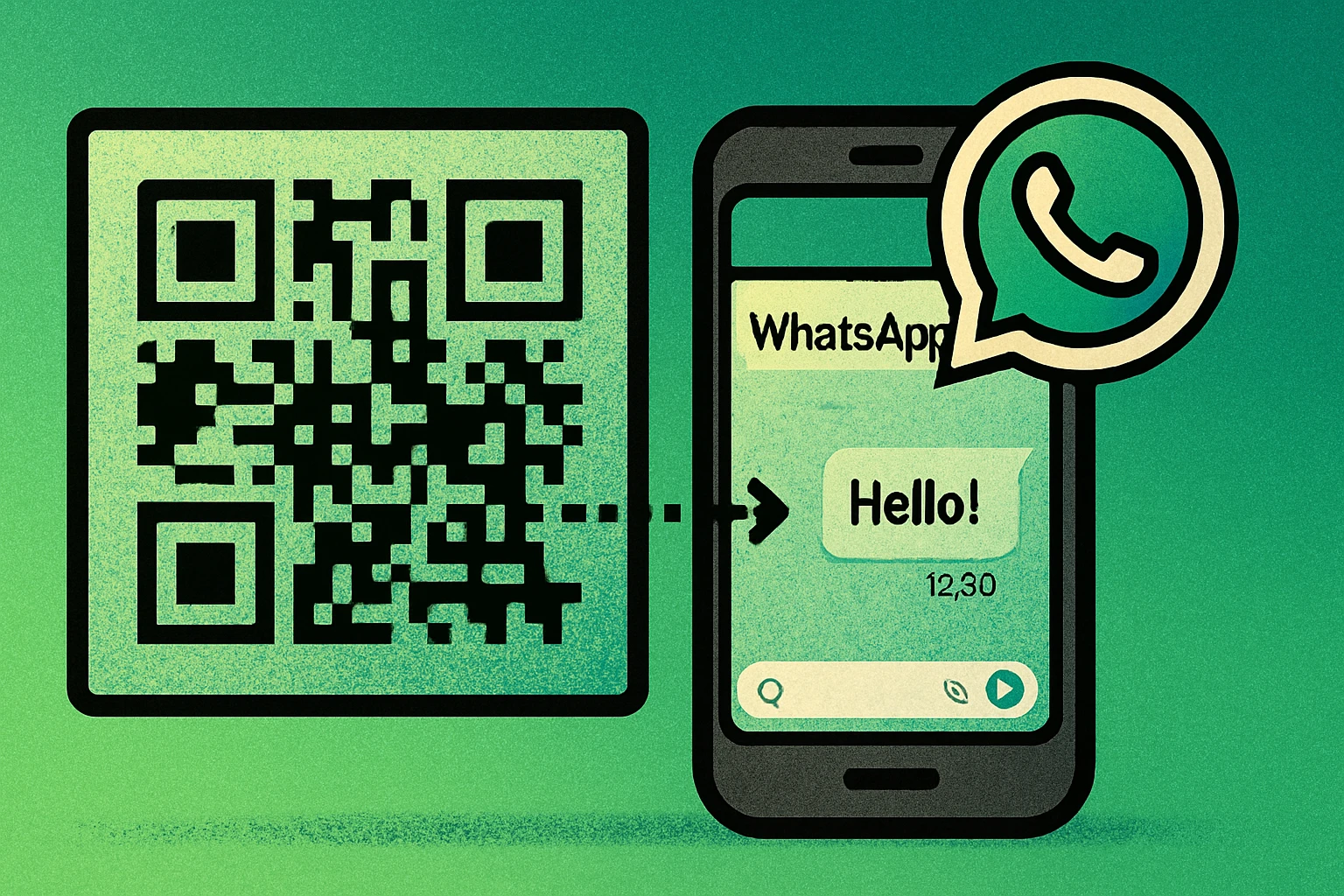
This is different from WhatsApp's built-in QR code feature (found under Settings), which is designed to share your contact profile so others can add you. A custom QR code for WhatsApp using a wa.me link is far more versatile: it can include a pre-filled message, it works across print and digital media, and it gives you full control over the destination and message content.
The concept is similar to how an SMS QR code or an email QR code works — instead of encoding a webpage, the QR code encodes a protocol-specific URL that triggers a particular app on the user's phone. In this case, the wa.me URL triggers WhatsApp.
A WhatsApp QR code encodes a wa.me link that opens a direct chat window in WhatsApp. It eliminates the need for contact saving and can include a pre-filled message to guide the conversation.
How to Create a WhatsApp QR Code (Step by Step)
Creating a QR code for WhatsApp is straightforward. You need your phone number, a wa.me URL, and a QR code generator. Here is the complete process:
Create Your WhatsApp QR Code
Get your full phone number with country code. Identify the phone number linked to your WhatsApp account. You need the full international format without the plus sign, dashes, or spaces. For example, a US number (555) 123-4567 becomes 15551234567. A UK number 07911 123456 becomes 447911123456.
Build the wa.me URL. Construct your click-to-chat link: https://wa.me/15551234567. If you want a pre-filled message, append it as a query parameter: https://wa.me/15551234567?text=Hi%20I%20need%20help. Spaces become %20 and special characters must be URL-encoded.
Open a QR code generator. Go to a free generator like GenerateOnlineQR.com. Select the URL input type so the tool treats your wa.me link as a standard URL to encode.
Paste the wa.me link and generate. Paste your complete wa.me URL into the input field and click Generate. The QR code is created instantly, encoding your WhatsApp link into a scannable pattern.
Test and download. Scan the QR code with your phone to confirm it opens the correct WhatsApp chat with the right pre-filled message. Once verified, download the QR code as a PNG for digital use or SVG for high-quality print.
The entire process takes less than two minutes. Once downloaded, you can place the QR code on business cards, flyers, product packaging, websites, email signatures, or any other material where you want people to reach you on WhatsApp.
WhatsApp URL Formats
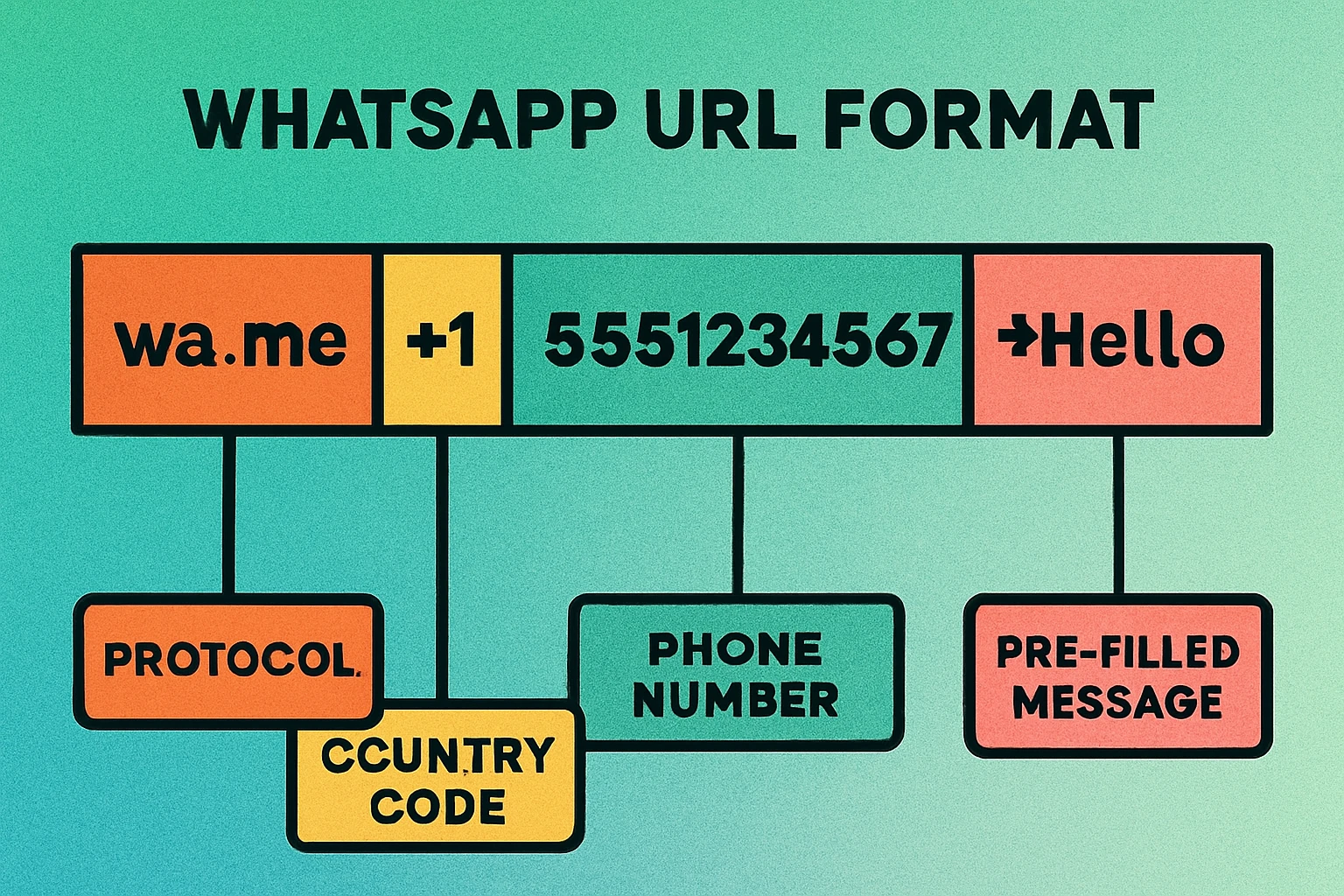
Understanding the correct URL format is critical because even a small error — a missing country code, an extra zero, or incorrect encoding — will cause the QR code to fail. Here are the URL patterns you need to know:
Basic Click-to-Chat Link
The simplest format opens a blank chat window with the specified number:
https://wa.me/PHONENUMBER
Replace PHONENUMBER with the full international number. Do not include the + sign, parentheses, dashes, or spaces. The country code is mandatory. Examples:
- US:
https://wa.me/15551234567 - UK:
https://wa.me/447911123456 - India:
https://wa.me/919876543210 - Brazil:
https://wa.me/5511987654321
Click-to-Chat with Pre-filled Message
To suggest a message that appears in the text field when the chat opens, append the text parameter:
https://wa.me/PHONENUMBER?text=PREFILLED_MESSAGE
The message must be URL-encoded. Common replacements: space becomes %20, line break becomes %0A, and the ampersand becomes %26. For example:
https://wa.me/15551234567?text=Hi%20I%20would%20like%20to%20place%20an%20orderhttps://wa.me/15551234567?text=Hello!%20I%20saw%20your%20ad%20and%20I%20am%20interested.https://wa.me/15551234567?text=Order%20%23456%20%E2%80%93%20I%20need%20help%20with%20my%20delivery
The user can always edit the message before sending it. The pre-fill is a suggestion, not a locked-in message.
Universal Link (Without Phone Number)
If you want the QR code to open a message without specifying a recipient (useful for sharing a pre-written message to anyone), you can omit the phone number:
https://wa.me/?text=PREFILLED_MESSAGE
This opens WhatsApp and lets the user choose which contact to send the message to. It is less common for business use but can work for viral sharing campaigns.
Do not include a leading zero after the country code. Many countries use a leading zero for domestic dialing (e.g., 07911 in the UK) but this zero must be removed in the wa.me URL. Use 447911123456, not 4407911123456.
WhatsApp Business vs Personal
WhatsApp offers two versions of its app, and the one you use affects how your QR code for WhatsApp functions in practice. Both work with wa.me links, but the experience on the receiving end differs significantly.
| Feature | WhatsApp Personal | WhatsApp Business |
|---|---|---|
| wa.me links | Yes | Yes |
| Business profile | No | Yes |
| Auto-replies | No | Yes |
| Quick replies | No | Yes |
| Product catalog | No | Yes |
| Labels & organization | No | Yes |
| Verified badge | No | Available |
| API access | No | Yes |
If you are using a QR code for WhatsApp in any business context — customer support, sales, marketing — the WhatsApp Business app is strongly recommended. When a customer scans your QR code and opens a chat, they see your business name, description, hours, address, and catalog instead of just a phone number. This builds trust immediately.
WhatsApp Business also lets you set up away messages and greeting messages that fire automatically when someone initiates a chat. Combined with a QR code that drives inbound messages, this means you can acknowledge customers instantly even when you are not online. You can also use labels to categorize incoming chats from QR code scans (e.g., "From Flyer," "From Website," "From Product") to track which placements are generating the most conversations.
For personal use — sharing your number at events, on a personal blog, or with friends — a standard WhatsApp account works perfectly fine with wa.me QR codes.
Create Your WhatsApp QR Code Now
Paste your wa.me link into our free generator and download a print-ready QR code in seconds.
QR Code Apps for Mac & Safari
Prefer generating codes without opening a browser tab? These two native Apple apps cover both habits — a full generator on the desktop, and a one-click share button inside Safari.


Use Cases for WhatsApp QR Codes
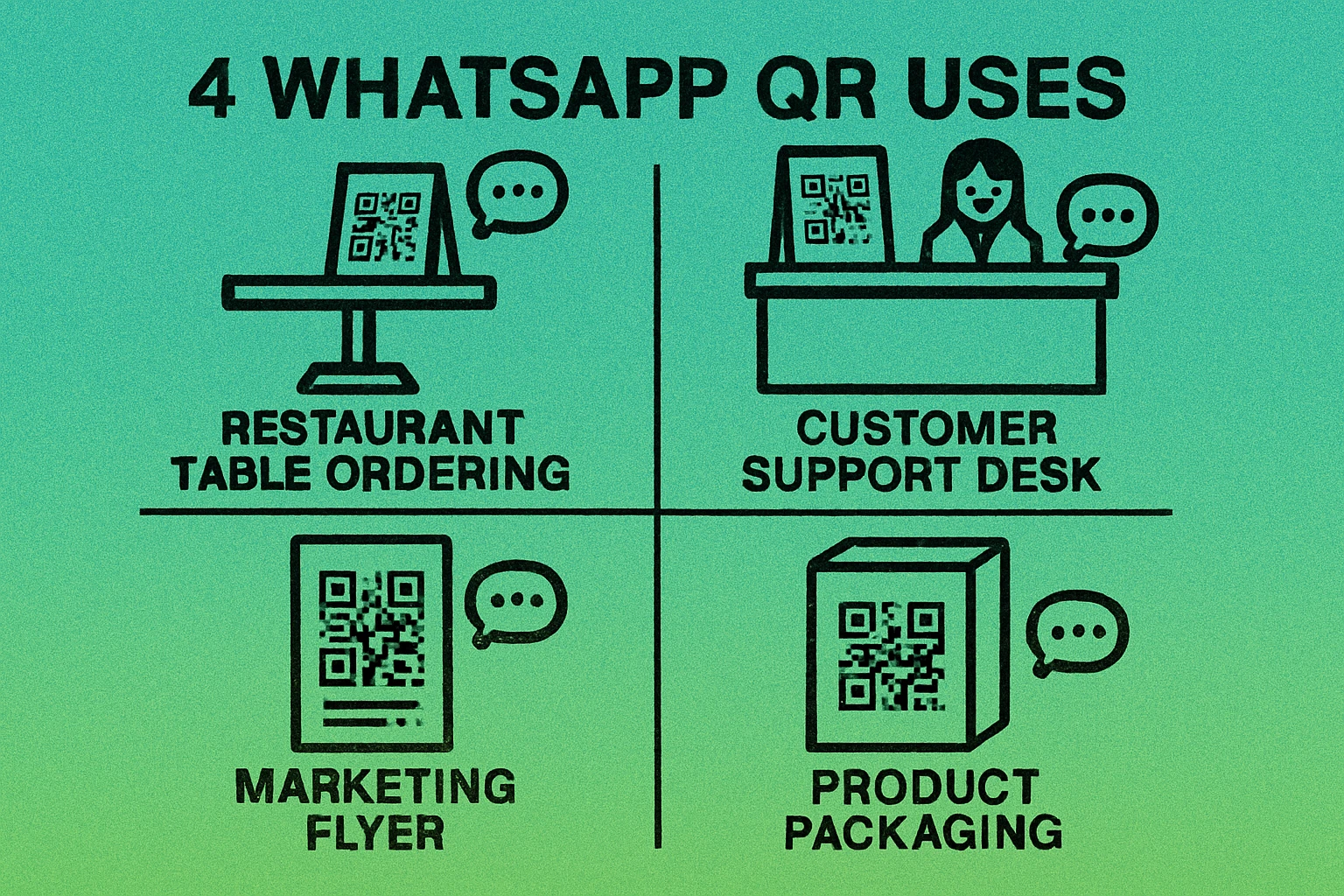
The beauty of a QR code for WhatsApp is its versatility. Anywhere you want to start a conversation, a scannable code eliminates the barriers. Here are the most effective applications:
Customer Support
Print a WhatsApp QR code on product packaging, user manuals, warranty cards, or receipts. When a customer has a question or issue, they scan the code and start a support conversation instantly. This is faster than email, more personal than a help desk ticket, and the customer does not need to look up your support number. Use a pre-filled message like "Hi, I need help with [Product Name]" to route inquiries efficiently.
Order Inquiries and E-commerce
Add a QR code to order confirmation pages, shipping notifications, or delivery packages. The pre-filled message can include the order number: https://wa.me/15551234567?text=Order%20%23{{ORDER_ID}}%20%E2%80%93%20I%20have%20a%20question. This lets customers reach you about specific orders without explaining their situation from scratch. Many small e-commerce businesses in Southeast Asia and Latin America run their entire order flow through WhatsApp.
Marketing and Advertising
Place WhatsApp QR codes on print ads, billboards, bus shelters, flyers, brochures, and event banners. Unlike a website URL that requires the user to browse, find a contact form, and wait for a response, a WhatsApp QR code opens a real-time conversation. Pre-fill the message with a campaign identifier: "Hi, I saw your ad in [Magazine Name]" to track which placements drive the most engagement. This approach works well alongside social media QR codes as part of an omnichannel strategy.
Restaurant and Food Ordering
Table-top QR codes that open a WhatsApp chat are popular in restaurants, cafes, and food trucks, especially in markets where WhatsApp is the primary messaging platform. Customers scan, send their order via message, and receive confirmation. No app download, no account creation, no waiting for a waiter. The pre-filled message can say "Hi, I would like to order from Table [NUMBER]" to streamline the workflow.
Appointments and Bookings
Service businesses — salons, clinics, repair shops, consultants — can place a WhatsApp QR code at the reception desk, on business cards, or on their website. A pre-filled message like "Hi, I would like to book an appointment" kicks off the scheduling conversation immediately. This works particularly well for businesses that already manage bookings via WhatsApp.
Real Estate and Property Listings
Agents place QR codes on "For Sale" or "For Rent" signs outside properties. When a passerby scans the code, a WhatsApp chat opens with a message like "Hi, I am interested in the property at [ADDRESS]." The agent gets an instant lead with context, and the potential buyer or tenant does not have to write down a phone number. For more ways QR codes connect physical spaces to digital actions, see our complete QR code guide.
Best Practices for WhatsApp QR Codes
A poorly configured WhatsApp QR code wastes your print budget and frustrates users. Follow these guidelines to ensure every scan converts into a conversation:
- Always include the country code. This is the most common mistake. Without the country code, the wa.me link will fail for users in other countries and may fail for domestic users as well. Double-check the international dialing code for your region.
- Remove leading zeros. Many countries use a leading zero for domestic calls (e.g., 0 in the UK, 0 in Australia). Strip this zero when building your wa.me URL. The country code replaces it.
- Keep pre-filled messages short and clear. A message longer than one or two sentences feels intrusive. Give the user enough context to start the conversation but leave room for them to add their own details. Something like "Hi, I am interested in your services" works better than a three-paragraph template.
- URL-encode your message text. Spaces, line breaks, and special characters must be properly encoded. Use an online URL encoder if you are unsure, or your QR codes will break when the message contains characters like
&,#, or accented letters. - Test on both iOS and Android. WhatsApp behavior can differ slightly between platforms. Scan your QR code on at least two different devices before printing or publishing to confirm the link opens correctly and the pre-filled message appears as intended.
- Use WhatsApp Business for professional contexts. The business profile, auto-replies, and catalog features make a significant difference in user trust and conversion rates. If customers are scanning your QR code and landing on a blank personal profile, you are missing an opportunity.
- Print at sufficient size. For printed materials, ensure the QR code is at least 2 cm x 2 cm (about 0.8 inches). Larger is better, especially if the code will be scanned from a distance (posters, signs, banners). Maintain the quiet zone around the code.
- Add a clear call-to-action. Do not just print a QR code and hope people scan it. Add text like "Scan to message us on WhatsApp" or "Chat with us instantly" alongside the code. Users need to know what will happen before they scan. This applies equally to social media QR codes and any other contact-based QR code type.
Create different QR codes for different placements, each with a unique pre-filled message. This lets you track which channels drive the most WhatsApp conversations. For example, use "Saw your flyer" for print and "Found you on Google" for your website.
Frequently Asked Questions
Yes. When someone scans a WhatsApp QR code, their phone tries to open the wa.me link in the WhatsApp app. If WhatsApp is not installed, the link redirects to a web page prompting the user to download the app. The QR code itself will still scan correctly, but the chat cannot start without WhatsApp.
Yes. Append ?text=Your%20message to the wa.me URL. For example, https://wa.me/15551234567?text=Hi%20I%20am%20interested will pre-fill the message field with "Hi I am interested." The user can always edit the message before sending.
WhatsApp's built-in QR code (found in Settings) shares your contact information so another user can add you. A custom WhatsApp QR code using a wa.me link opens a direct chat window, optionally with a pre-filled message. The custom version is more versatile for business and marketing because it drives conversations, not just contact saves.
A static QR code encoding a wa.me URL does not expire. As long as the phone number remains active on WhatsApp, the QR code will continue to work indefinitely. WhatsApp's own built-in contact QR codes can be reset, but custom wa.me QR codes have no expiration.
A static QR code does not provide scan analytics on its own. To track scans, use a dynamic QR code service that redirects through a tracking URL before reaching your wa.me link. Alternatively, count incoming WhatsApp messages that match your pre-filled message text as a rough proxy for scan volume.