QR Code Types: A Complete Overview
A QR code is fundamentally a container for text data. What makes different types of QR codes distinct from each other is not the code itself — it is the data format encoded inside. When your phone scans a QR code, it reads the text string and then decides what to do based on how that string is structured. A URL starts with https://, a Wi-Fi credential block starts with WIFI:, a vCard starts with BEGIN:VCARD, and so on.
This means every QR code uses the same black-and-white module grid and the same scanning technology. The "type" is determined entirely by the content. If you are new to QR codes in general, our complete QR code guide covers the fundamentals of how they work.
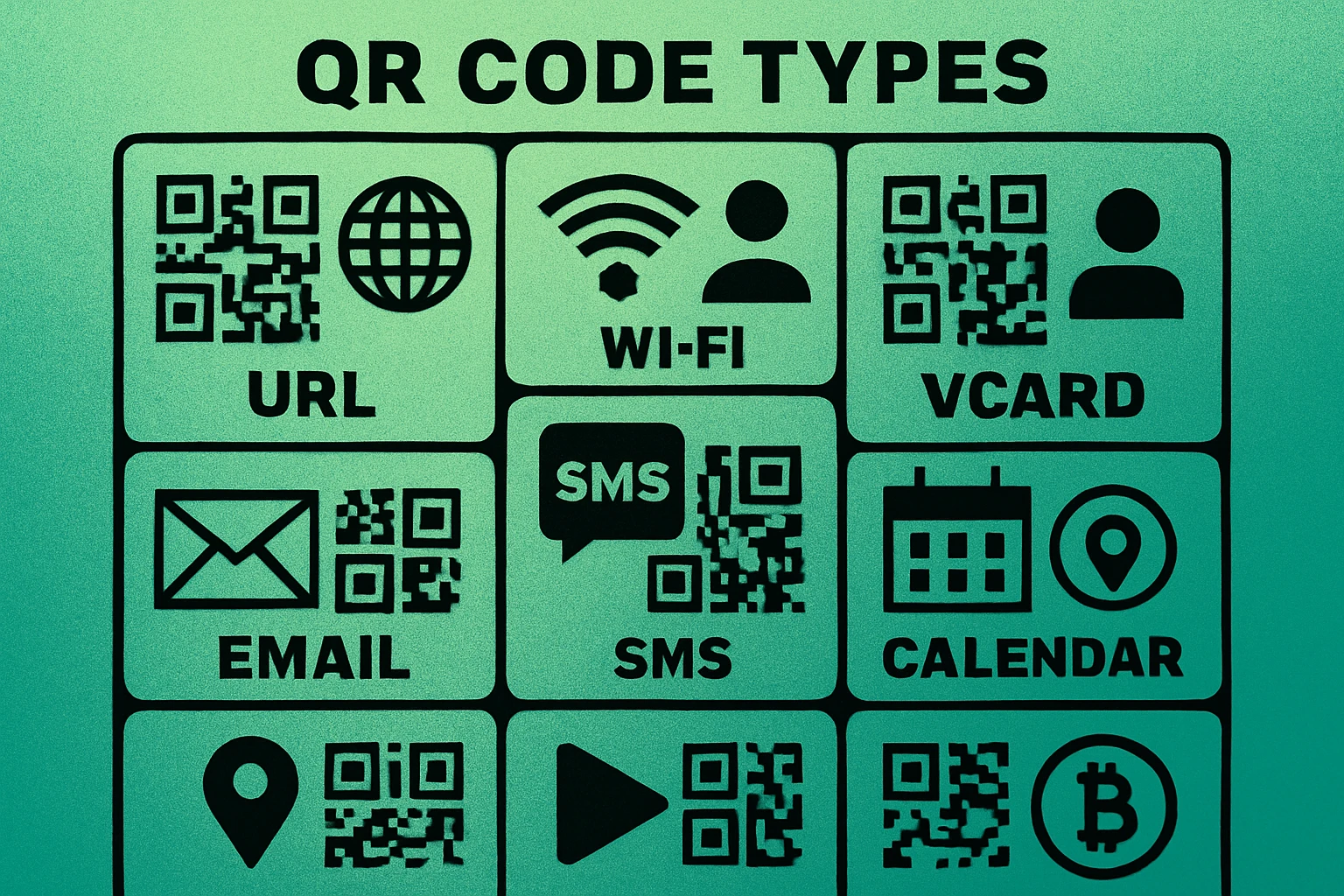
Below, we cover every major QR code type organized into three categories: communication types, content and media types, and utility and data types. For each one, you will learn what data format it uses, what happens when someone scans it, and whether it works as a static code, a dynamic code, or both.
The "type" of a QR code is defined by the data format inside it, not by the visual appearance of the code. All QR codes use the same technology — the encoded content determines the behavior when scanned.
Communication QR Code Types
These QR code types are designed to initiate a communication action on the scanner's device — opening a webpage, sending an email, making a phone call, or starting a text conversation.
1. URL QR Codes
URL QR codes are the most common type by a wide margin. They encode a web address (like https://www.generateonlineqr.com) and open it in the scanner's default browser. Every QR code you see on a restaurant menu, product label, poster, or business card that sends you to a website is a URL QR code. For a step-by-step walkthrough, see our guide on how to generate a URL QR code.
- Data format:
https://example.com/page - Action: Opens link in browser
- Static or Dynamic: Both — static encodes the URL directly; dynamic uses a redirect URL so you can change the destination later
2. Email QR Codes
Email QR codes encode a mailto: link that opens the scanner's email app with the recipient address, subject line, and body text pre-filled. They are perfect for customer support, feedback collection, and making it easy for people to reach you without typing your email address. Learn more in our email QR code guide.
- Data format:
mailto:hello@example.com?subject=Hello&body=Message - Action: Opens email composer with pre-filled fields
- Static or Dynamic: Typically static
3. SMS QR Codes
SMS QR codes open the phone's messaging app with a pre-filled phone number and optional message text. Businesses use these for opt-in text campaigns, quick support requests, and two-way communication triggers where email is too slow.
- Data format:
smsto:+15551234567:Your message here - Action: Opens messaging app with recipient and text pre-filled
- Static or Dynamic: Static only
4. Phone Number QR Codes
Phone number QR codes encode a tel: link that initiates a direct phone call. Scan the code and your phone immediately prompts you to dial the number. These are commonly used on business cards, storefronts, and emergency contact signage.
- Data format:
tel:+15551234567 - Action: Opens dialer with number pre-filled or initiates call
- Static or Dynamic: Static only
5. WhatsApp QR Codes
WhatsApp QR codes use WhatsApp's click-to-chat URL format to open a conversation with a specific phone number in the WhatsApp app. You can optionally pre-fill a message. Businesses in regions where WhatsApp is the primary messaging platform use these heavily for customer support and sales inquiries.
- Data format:
https://wa.me/15551234567?text=Hello - Action: Opens WhatsApp chat with the specified number
- Static or Dynamic: Both (static encodes WhatsApp URL directly; dynamic allows updates)
Content & Media QR Code Types
These types link scanners to specific content — a contact card, a video, a document, or a social media profile.
6. vCard QR Codes
vCard QR codes encode a complete digital business card in the vCard format. When scanned, the phone offers to save the contact with all fields populated: full name, phone numbers, email addresses, company, job title, website, and physical address. This is the modern replacement for paper business cards. Our vCard QR code guide walks through the creation process.
- Data format:
BEGIN:VCARDblock with structured fields - Action: Saves contact to phone's address book
- Static or Dynamic: Both — static works offline but cannot be updated; dynamic allows edits after printing
7. Social Media QR Codes
Social media QR codes link to a profile or page on platforms like Instagram, Facebook, LinkedIn, Twitter/X, or TikTok. Some implementations encode a single profile URL, while others use a landing page that displays links to multiple platforms. Read more in our guide to QR codes for social media profiles.
- Data format: Profile URL (e.g.,
https://instagram.com/yourhandle) or multi-link landing page - Action: Opens social media app or profile page in browser
- Static or Dynamic: Both
8. YouTube QR Codes
YouTube QR codes link directly to a video, channel, or playlist on YouTube. When scanned, the YouTube app opens (if installed) or the video loads in the browser. These are widely used on product packaging, educational materials, and event signage to share video content without requiring viewers to search for it.
- Data format:
https://www.youtube.com/watch?v=VIDEO_ID - Action: Opens YouTube video, channel, or playlist
- Static or Dynamic: Both
9. PDF QR Codes
PDF QR codes link to a PDF document hosted online. When scanned, the PDF opens in the phone's browser or a PDF viewer. Common uses include restaurant menus, product manuals, event programs, and real estate flyers. For the full walkthrough, see how to create a QR code for a PDF.
- Data format: URL pointing to a hosted PDF file
- Action: Opens or downloads the PDF document
- Static or Dynamic: Typically dynamic (so you can swap the PDF without reprinting the code)
10. App Store QR Codes
App store QR codes link directly to an app's listing on the Apple App Store, Google Play Store, or both. Some implementations detect the scanner's operating system and redirect to the appropriate store automatically. These are essential for app marketing materials, in-app referral programs, and physical advertising.
- Data format: App store URL (e.g.,
https://apps.apple.com/app/id123456) - Action: Opens app listing in the appropriate store
- Static or Dynamic: Both (dynamic recommended for OS-aware redirects)
Create Any QR Code Type — Free
Generate URL, Wi-Fi, vCard, email, and more. No signup required. Download as PNG or SVG.
Utility & Data QR Code Types
These types encode structured data that triggers a specific utility action on the scanner's device — connecting to Wi-Fi, adding a calendar event, opening a map, or processing a payment.
11. Wi-Fi QR Codes
Wi-Fi QR codes encode your network name (SSID), password, and encryption type in a standardized format. When scanned, the phone connects to the network automatically without requiring the user to type anything. This is one of the most practical QR code types and works entirely offline. See our Wi-Fi QR code generator guide for step-by-step instructions.
- Data format:
WIFI:T:WPA;S:NetworkName;P:Password;; - Action: Connects device to the Wi-Fi network
- Static or Dynamic: Static only (the credentials must be encoded directly)
12. Calendar Event QR Codes
Calendar event QR codes encode event details in iCalendar format — event name, date, time, location, and description. When scanned, the phone prompts the user to add the event to their calendar app. Conference organizers, event planners, and venues use these on invitations, posters, and tickets.
- Data format:
BEGIN:VEVENTblock with date, time, summary, and location fields - Action: Opens calendar app with event details pre-filled
- Static or Dynamic: Static (event data is encoded directly)
13. Geolocation QR Codes
Geolocation QR codes encode GPS coordinates (latitude and longitude) that open a map application when scanned. The scanner sees a pin on the map at the exact location. Businesses use these on print materials to help customers find physical locations, and event organizers use them to direct attendees to venues.
- Data format:
geo:40.7128,-74.0060or a Google Maps URL - Action: Opens map app with location pinned
- Static or Dynamic: Static (coordinates are fixed)
14. Crypto Wallet QR Codes
Cryptocurrency QR codes encode a wallet address (and optionally an amount) for Bitcoin, Ethereum, or other cryptocurrencies. Crypto wallets and payment terminals display these to receive payments. The scanner's wallet app reads the address and pre-fills the transaction details, eliminating errors from manual address entry.
- Data format:
bitcoin:1A2b3C4d5E6f?amount=0.05 - Action: Opens crypto wallet with address and optional amount pre-filled
- Static or Dynamic: Static (wallet addresses are fixed)
15. Google Form QR Codes
Google Form QR codes encode the URL of a Google Form (or any online survey tool). When scanned, the form opens directly in the browser, making it effortless to collect responses at events, in classrooms, at point-of-sale locations, and on printed materials.
- Data format: Google Forms URL (e.g.,
https://docs.google.com/forms/d/e/FORM_ID/viewform) - Action: Opens form in browser
- Static or Dynamic: Both (dynamic recommended so you can swap forms)
16. Plain Text QR Codes
Plain text QR codes encode a simple text string with no special formatting. When scanned, the phone displays the text on screen. These are used for serial numbers, product information, instructions, promotional codes, and any scenario where you need to transfer short text without requiring internet access.
- Data format: Any text string (e.g.,
PROMO-SAVE20) - Action: Displays text on screen
- Static or Dynamic: Static only
QR Code Apps for Mac & Safari
Prefer generating codes without opening a browser tab? These two native Apple apps cover both habits — a full generator on the desktop, and a one-click share button inside Safari.


Complete QR Code Types Comparison
The table below summarizes every QR code type, the data format it uses, the most common use case, and whether it supports static codes, dynamic codes, or both.
| QR Code Type | Data Format | Common Use | Static | Dynamic |
|---|---|---|---|---|
| URL | https:// link | Website links, landing pages | Yes | Yes |
| mailto: link | Support, feedback, inquiries | Yes | Rare | |
| SMS | smsto: link | Opt-in campaigns, quick replies | Yes | No |
| Phone | tel: link | Business cards, signage | Yes | No |
| wa.me link | Customer support, sales | Yes | Yes | |
| vCard | BEGIN:VCARD block | Digital business cards | Yes | Yes |
| Social Media | Profile URL | Follower growth, networking | Yes | Yes |
| YouTube | youtube.com link | Video sharing, tutorials | Yes | Yes |
| URL to hosted file | Menus, manuals, brochures | Yes | Yes | |
| App Store | Store listing URL | App downloads, marketing | Yes | Yes |
| Wi-Fi | WIFI: config block | Guest networks, offices | Yes | No |
| Calendar | BEGIN:VEVENT block | Events, meetings, reminders | Yes | No |
| Geolocation | geo: coordinates | Store locations, directions | Yes | No |
| Crypto | bitcoin: / ethereum: | Payments, wallet transfers | Yes | No |
| Google Form | Forms URL | Surveys, feedback, sign-ups | Yes | Yes |
| Plain Text | Raw text string | Promo codes, serial numbers | Yes | No |
Notice the pattern: QR code types that encode a URL (URL, social media, YouTube, PDF, app store, Google Form) can all work as dynamic codes because the redirect URL can be swapped. Types that encode structured data directly into the code (Wi-Fi, calendar, geolocation, crypto, plain text, SMS, phone) are inherently static — the data lives in the code itself and cannot be changed after creation.
Static vs Dynamic: What It Means for Each Type
Understanding the distinction between static and dynamic QR codes is essential when choosing the right type for your project.
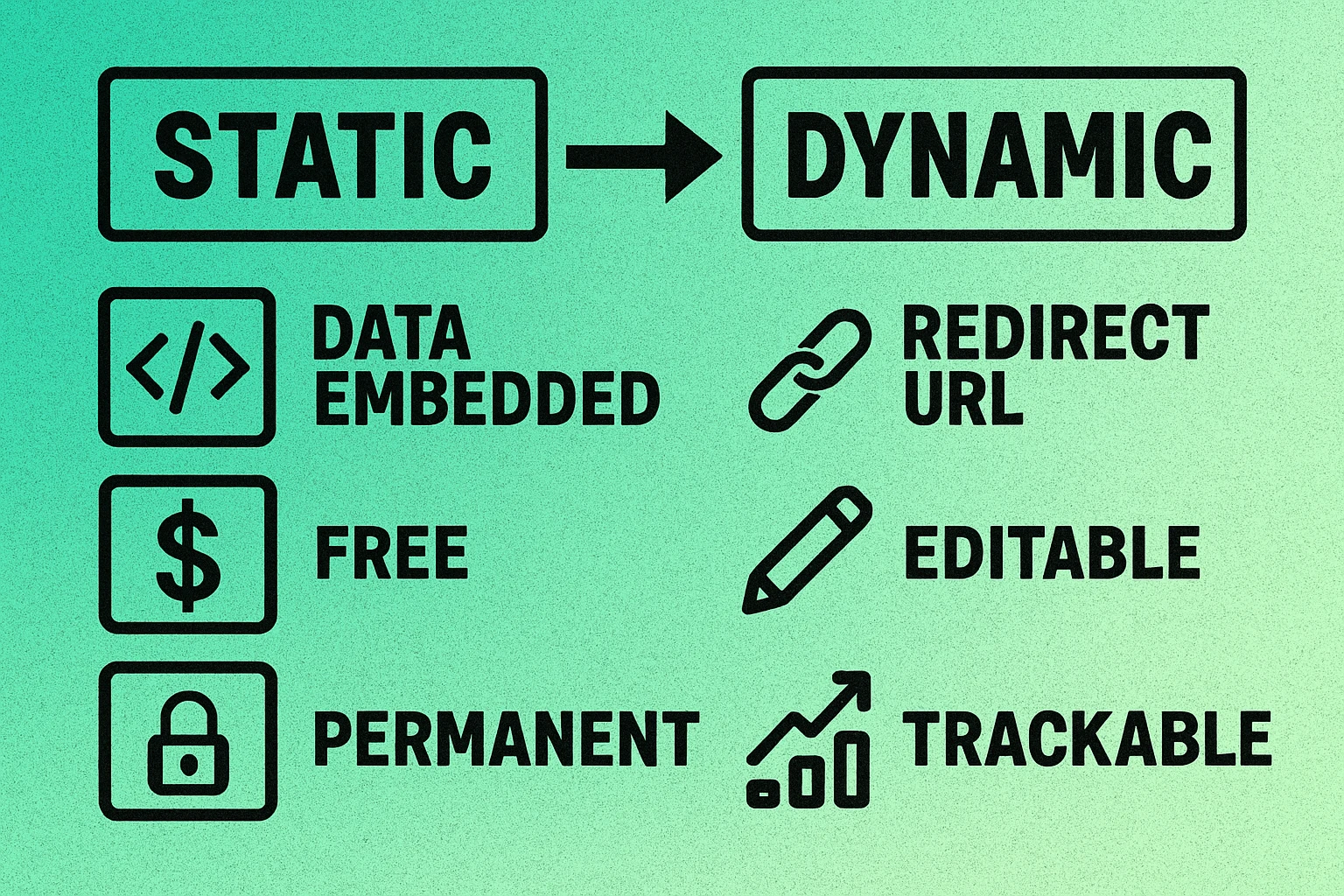
Static QR codes encode the actual data directly into the QR code pattern. Once generated, the content is permanent. The advantage is that static codes work forever with no dependencies — no server, no subscription, no internet requirement for non-URL types. The disadvantage is that if you need to change the content, you must generate and reprint a new code.
Dynamic QR codes encode a short redirect URL instead of the final content. When scanned, the redirect URL forwards the scanner to the actual destination. This means you can change where the code points, track how many times it has been scanned, see geographic data about scanners, and even set time-based rules — all without touching the physical code. The trade-off is that dynamic codes depend on a redirect service, which usually requires a subscription.
If your content will never change and you do not need analytics, use a static QR code. If you need the ability to update the destination, track scans, or run A/B tests, use a dynamic code. Types like Wi-Fi, calendar, and plain text are always static by nature.
For a deeper comparison including pricing, analytics features, and when each approach makes sense, read our full article on static vs dynamic QR codes. You may also want to understand QR code data capacity, since the amount of data you encode directly affects how dense and scannable the code is.
Which QR Code Type Should You Use?
With over 15 types available, choosing the right one comes down to answering one question: what do you want to happen when someone scans your code?
Quick Decision Guide
Send people to a webpage? Use a URL QR code. This is the right choice 80% of the time. If you might change the destination later, make it dynamic.
Share Wi-Fi access? Use a Wi-Fi QR code. Guests scan it once and connect instantly. Print it on a card or frame it in a common area.
Share your contact info? Use a vCard QR code. Put it on your business card, email signature, or conference badge.
Collect feedback or responses? Use a Google Form QR code or link to any survey tool via a URL QR code. Dynamic is recommended so you can swap forms between campaigns.
Share a document? Use a PDF QR code. Host the file online and encode the link. Dynamic codes let you update the document without reprinting.
Enable direct communication? Use an email QR code, SMS QR code, phone QR code, or WhatsApp QR code depending on your preferred channel.
Receive cryptocurrency payments? Use a crypto wallet QR code. Always double-check the wallet address — transactions are irreversible.
In general, if your use case involves sending someone to a URL of any kind (website, video, form, app store, social profile, PDF), a URL QR code or a dynamic QR code will cover it. The specialized types (Wi-Fi, vCard, calendar, geolocation, crypto, SMS, phone, plain text) exist because they trigger device-level actions that a simple URL cannot.
Ready to Create Your QR Code?
Choose your type, paste your content, and download. Free, no signup, no expiration.
Frequently Asked Questions
There are over 15 distinct types of QR codes based on the data they encode, including URL, Wi-Fi, vCard, email, SMS, phone number, calendar event, geolocation, WhatsApp, social media, app store, PDF, YouTube, cryptocurrency, Google Form, and plain text QR codes. Each type uses a specific data format that triggers a different action when scanned.
URL QR codes are by far the most common type. They encode a web address and open the link in the scanner's browser when scanned. URL QR codes are used on business cards, product packaging, posters, restaurant menus, and virtually every other QR code application you encounter daily.
A static QR code encodes data directly into the code pattern and cannot be changed after creation. A dynamic QR code encodes a short redirect URL that points to your actual destination, allowing you to change the target URL, track scan analytics, and update content without reprinting the code. Static codes are free and work forever, while dynamic codes typically require a subscription service.
A single QR code encodes one data string, but that string can contain structured data with multiple fields. For example, a vCard QR code contains a name, phone number, email, company, and address all within one encoded text block. However, you cannot combine unrelated types (like a Wi-Fi network and a URL) into a single QR code.
Several QR code types work fully offline: Wi-Fi QR codes connect you to a network without needing existing internet access, vCard QR codes save contact information locally, plain text QR codes display text on-screen, and phone number QR codes initiate a call using your cellular connection. URL QR codes, however, require internet to load the linked webpage after scanning.