What Is a Crypto QR Code?
A crypto QR code is a QR code that encodes a cryptocurrency wallet address — and optionally a payment amount, label, or message — so that anyone can scan it with a wallet app and send funds instantly. Instead of copying and pasting a long string of alphanumeric characters (a typical Bitcoin address is 26–62 characters), the sender simply points their camera at the code and confirms the transaction.
Every major cryptocurrency supports QR code scanning natively. Bitcoin wallets have used QR codes since the early days of the protocol. Ethereum, Litecoin, Bitcoin Cash, Solana, and virtually every other chain followed suit. The underlying principle is the same: the QR code encodes a URI (Uniform Resource Identifier) string that the wallet app recognizes and parses into a destination address and optional parameters.
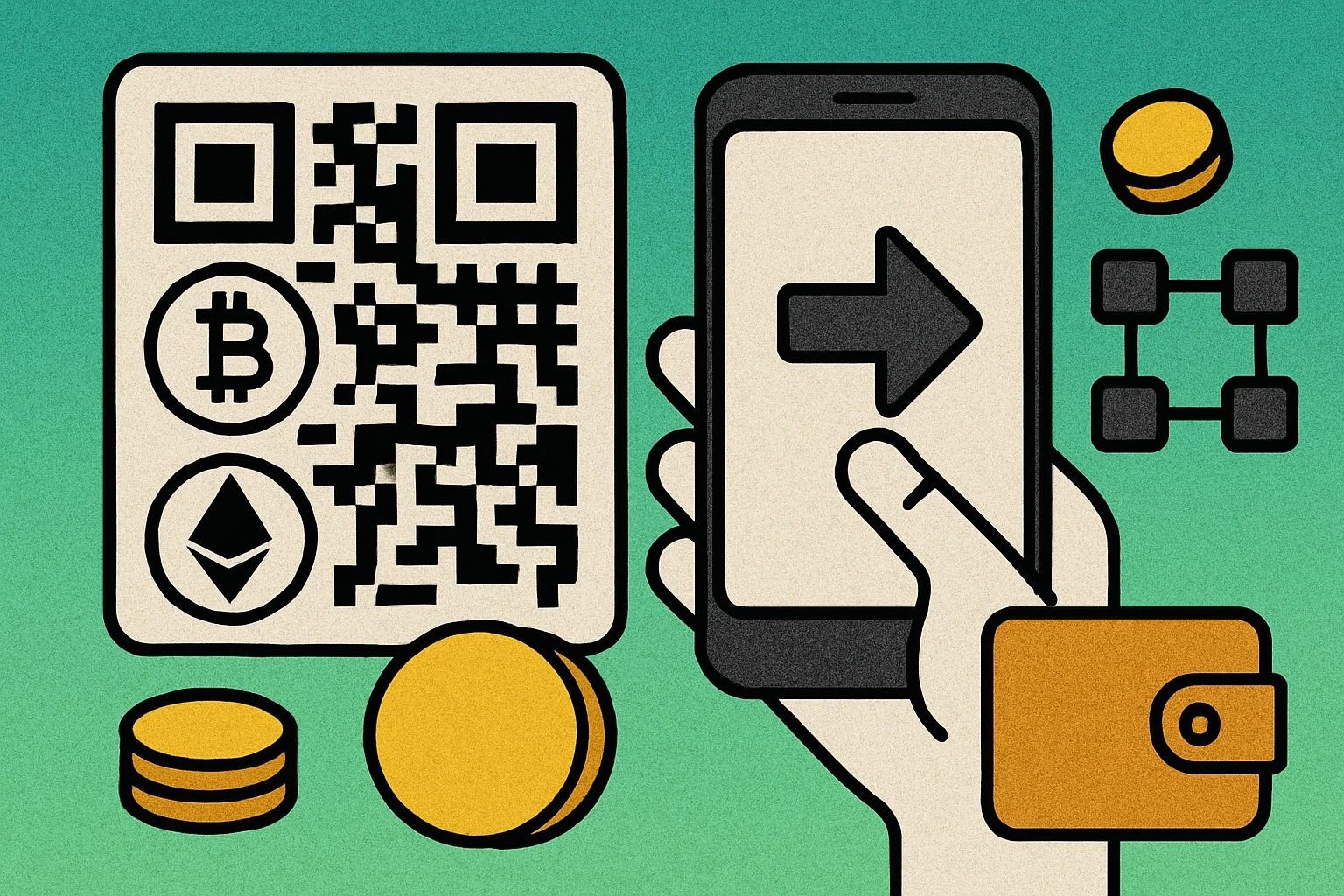
This approach eliminates the most dangerous step in cryptocurrency transactions: manually typing or copying an address. A single wrong character means funds are sent to a nonexistent address or, worse, to someone else entirely — and blockchain transactions are irreversible. QR codes remove that risk by encoding the exact address in a machine-readable format.
Crypto QR codes follow the same technical standard as any other QR code. The wallet address is simply the data payload, encoded using standard QR code encoding modes. What makes them special is the URI format, which tells the scanning wallet which blockchain network to use and what parameters to apply. For a broader overview of how different data types map to QR codes, see our guide on types of QR codes.
A crypto QR code encodes a wallet address (and optional payment details) in a scannable format, eliminating manual copying errors and making cryptocurrency transactions faster and safer.
How to Create a Crypto QR Code (Step by Step)
Generating a QR code for a crypto wallet address takes less than a minute. The key is using the correct URI format for your specific cryptocurrency so that wallet apps recognize it automatically.
Create Your Crypto Wallet QR Code
Copy your wallet address. Open your cryptocurrency wallet app (MetaMask, Trust Wallet, Coinbase Wallet, BlueWallet, Electrum, etc.) and tap the "Receive" button. Copy the full receiving address. Double-check that you have selected the correct network — for example, Bitcoin mainnet vs. testnet, or Ethereum mainnet vs. an L2 like Arbitrum.
Format the URI string. Construct the proper URI for your chain. For Bitcoin: bitcoin:1A1zP1eP5QGefi2DMPTfTL5SLmv7DivfNa. For Ethereum: ethereum:0x742d35Cc6634C0532925a3b844Bc9e7595f.... You can add optional parameters like ?amount=0.01&label=Donation. See the URI formats section below for full syntax.
Open a trusted QR code generator. Use a generator that processes data client-side (in your browser) rather than sending it to a remote server. This ensures your wallet address is never transmitted or stored externally. Our free QR code generator works entirely in the browser.
Paste the URI and generate. Enter your formatted crypto URI into the text or URL input field. Click generate. The tool will produce a QR code that encodes your complete URI string, including the protocol prefix and any parameters.
Verify the QR code. This step is critical. Scan the generated QR code with a different device or wallet app to confirm it decodes to the correct address and amount. Compare the first and last several characters of the address carefully. Never skip this step.
Download and deploy. Download the QR code as a PNG or SVG file. Place it on your website donation page, invoices, point-of-sale display, printed materials, or anywhere you accept crypto payments.
Most wallet apps also have a built-in feature that generates a QR code for your receiving address. However, using an external generator gives you more control over the design, format (PNG vs. SVG), and the ability to include custom parameters in the URI.
Crypto URI Formats
Each cryptocurrency defines a URI scheme that wallet apps recognize. When a wallet scans a QR code and sees the correct protocol prefix, it knows which blockchain to use and can parse optional parameters like amount, label, and message. These URI formats are critical — using the wrong one means the wallet will not recognize the QR code or, worse, could misinterpret the data.
Bitcoin (BIP-21)
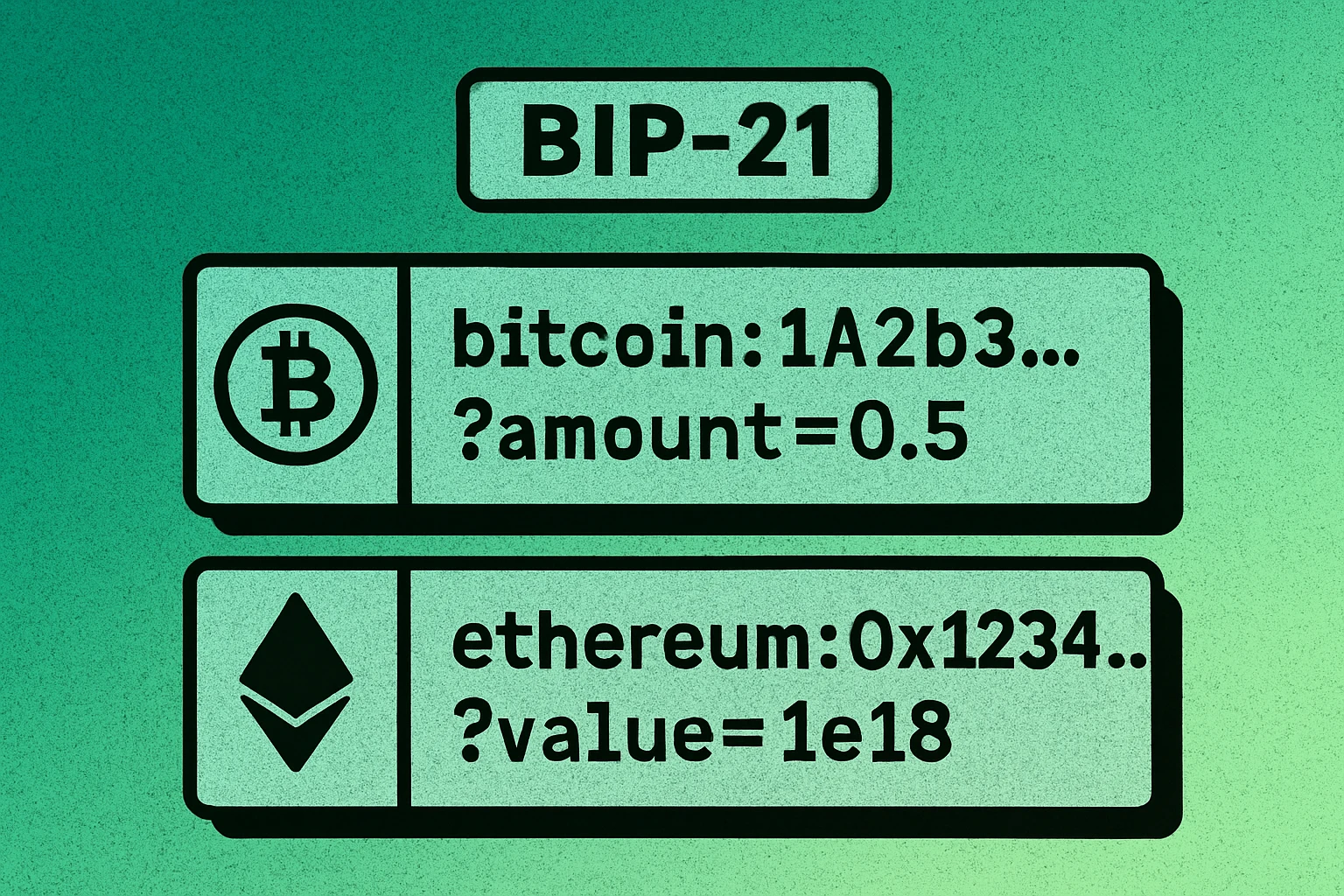
Bitcoin uses the BIP-21 standard for payment URIs. This is the most widely adopted crypto URI format and has been in use since 2012.
A real-world example:
The amount is always in BTC (not satoshis). The label is a human-readable name for the address (shown in the sender's wallet). The message is an optional note about the payment. All parameters are optional — you can encode just the address if you prefer.
Ethereum (EIP-681)
Ethereum uses the EIP-681 standard, which supports both simple transfers and smart contract interactions.
A simple ETH transfer example:
Note that the value parameter is in wei, not ETH. One ETH equals 1e18 wei, so value=1e16 represents 0.01 ETH. The optional @chainId parameter specifies the network (1 for mainnet, 137 for Polygon, 42161 for Arbitrum, etc.).
Other Chains
Most altcoins follow a similar pattern, using their protocol name as the URI prefix:
- Litecoin:
litecoin:<ADDRESS>?amount=<LTC> - Bitcoin Cash:
bitcoincash:<ADDRESS>?amount=<BCH> - Solana:
solana:<ADDRESS>?amount=<SOL>&spl-token=<MINT> - Dogecoin:
dogecoin:<ADDRESS>?amount=<DOGE>
If you are unsure about the URI format for a specific cryptocurrency, check the coin's official documentation or BIP/EIP specification. Using plain addresses (without the protocol prefix) will still work in most wallets, but including the prefix ensures the wallet identifies the correct network automatically. For more details on how QR codes handle different data types, see our URL QR code guide.
QR Code Apps for Mac & Safari
Prefer generating codes without opening a browser tab? These two native Apple apps cover both habits — a full generator on the desktop, and a one-click share button inside Safari.


Bitcoin vs Ethereum vs Other Chains
While the concept is the same — encode a wallet address in a QR code — there are meaningful differences between chains in terms of address format, URI scheme, and what parameters are supported.
| Feature | Bitcoin | Ethereum | Solana |
|---|---|---|---|
| URI Prefix | bitcoin: | ethereum: | solana: |
| Standard | BIP-21 | EIP-681 | Solana Pay |
| Address Format | Base58 or Bech32 (26–62 chars) | Hex, 0x prefix (42 chars) | Base58 (32–44 chars) |
| Amount Unit | BTC | Wei (1 ETH = 1e18) | SOL |
| Label / Memo | Yes | Limited | Yes |
| Token Support | BTC only | ERC-20 via contract call | SPL tokens via param |
| Chain ID Param | N/A | @chainId | N/A |
The most important takeaway is that each chain requires its own QR code. You cannot use a Bitcoin QR code to receive Ethereum, and vice versa. Sending cryptocurrency to an address on the wrong chain will result in permanent loss of funds. If you accept multiple cryptocurrencies, generate a separate QR code for each one and label them clearly.
Never reuse a QR code across different blockchains. Each cryptocurrency has a unique address format and URI scheme. Mixing them up leads to irreversible loss of funds.
Generate a Crypto QR Code in Seconds
Paste your wallet address or full crypto URI and download a scannable QR code instantly — free, no signup required.
Use Cases for Crypto QR Codes
Crypto QR codes are not just a convenience feature — they are essential infrastructure for anyone accepting cryptocurrency payments. Here are the most common scenarios where a QR code crypto wallet integration makes a real difference.
Donations and Fundraising
Nonprofits, open-source projects, and content creators display crypto QR codes on their websites, README files, and social media profiles. Supporters scan the code and donate directly without needing to navigate complex payment flows. This is especially popular for Bitcoin donations, where the QR code can include a label like "Support Our Project."
Point-of-Sale Payments
Physical retailers and restaurants that accept cryptocurrency display a QR code at the checkout counter. The customer scans the code with their wallet app, confirms the amount, and the transaction processes on-chain. Services like BTCPay Server and Solana Pay generate dynamic QR codes with pre-filled amounts for each transaction.
Invoicing
Freelancers and businesses embed crypto QR codes directly into invoices. The QR code includes the exact amount owed, making payment as simple as scan-and-confirm. This reduces payment friction and eliminates the back-and-forth of sharing wallet addresses via email or chat.
Tipping and Creator Economy
Streamers, bloggers, and social media creators embed crypto QR codes in their content. Viewers and followers can tip instantly by scanning the code, without needing to sign up for a centralized payment platform. This is particularly valuable for creators operating across international borders where traditional payment services may not be available.
Merchant Checkout Integration
E-commerce platforms integrate crypto QR codes into their checkout flow. When a customer selects "Pay with Bitcoin" or "Pay with Ethereum," the system generates a QR code with the merchant's address and the order total pre-filled. The customer scans, approves, and the payment is complete. For more on embedding QR codes in digital workflows, see our complete QR code guide.
Security Best Practices
Cryptocurrency transactions are irreversible. Once you send funds to the wrong address, there is no customer support to call, no chargeback to file, and no way to recover the money. This makes QR code security especially critical in the crypto context.
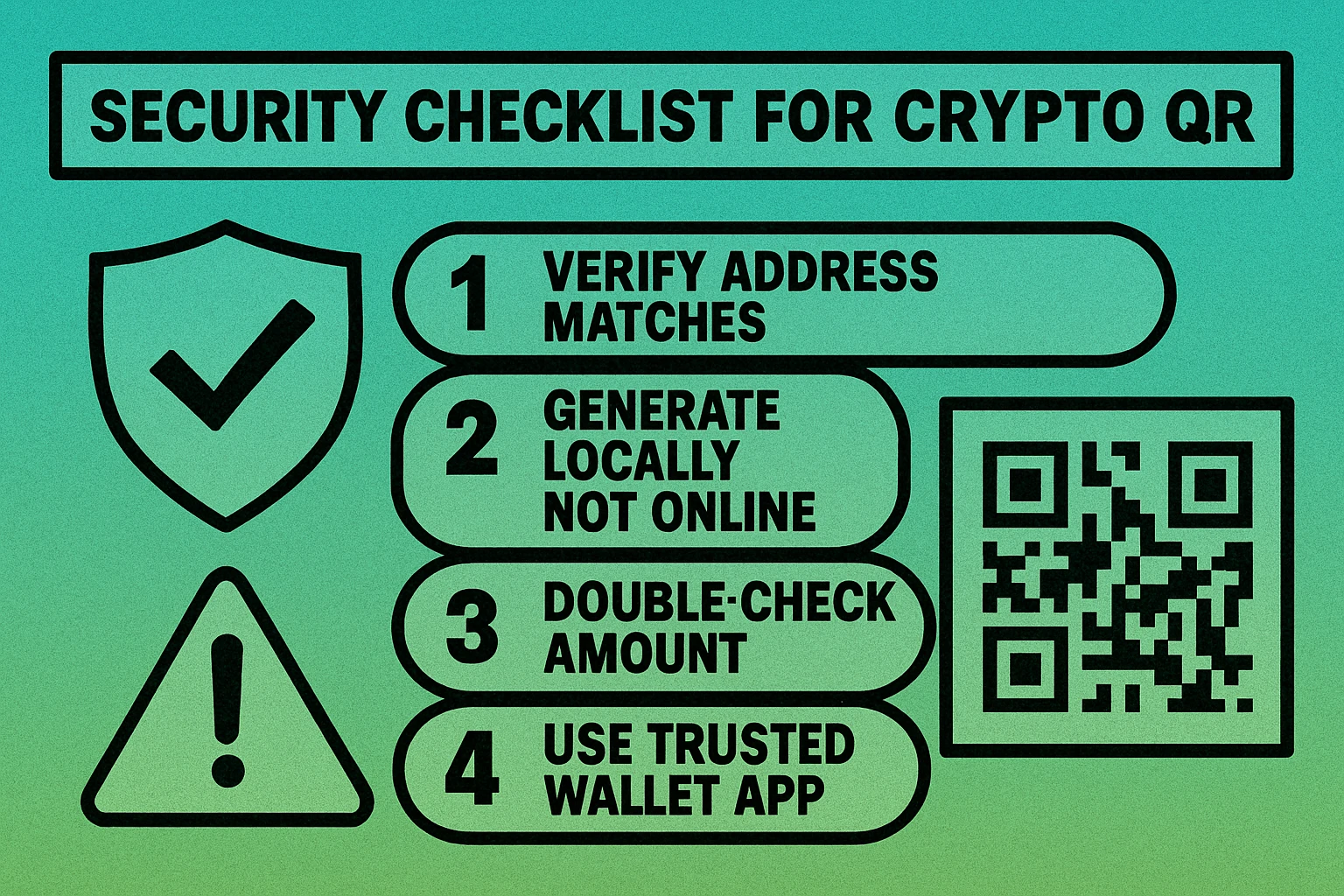
1. Always Verify the Address After Scanning
After scanning a crypto QR code, compare the first 6 and last 6 characters of the decoded address with the original address. This catches clipboard hijacking malware (which replaces copied addresses with an attacker's address) and ensures the QR code was not tampered with. Never send funds based solely on a QR code without this verification step.
2. Generate QR Codes Locally, Not on Unknown Online Tools
A malicious QR code generator could silently replace your wallet address with the attacker's address. Use a trusted, client-side generator that processes your data entirely in the browser. Even better, use an offline tool or your wallet's built-in QR code feature. Our free generator processes everything locally in your browser — no data is ever sent to a server.
3. Double-Check Before Sending
Every reputable wallet app shows a confirmation screen before broadcasting a transaction. Use this screen to verify the recipient address, the amount, and the network fee. Take the extra five seconds to check — it could save you from losing your funds permanently.
4. Watch for QR Code Tampering
In physical environments (crypto ATMs, merchant displays, printed materials), attackers may place a sticker with their own QR code over the legitimate one. If a QR code looks like it has been placed over another image, or if the surface appears tampered with, do not scan it. Ask the merchant to verify.
5. Use Fresh QR Codes for Large Transactions
For high-value transactions, generate a new QR code each time rather than reusing an old one. This minimizes the risk of using a compromised or outdated code. Some wallets generate a new receiving address for each transaction (HD wallets) — always use the latest address.
Treat every crypto QR code as potentially compromised until verified. Always scan with a separate device and compare the decoded address character by character before sending any funds.
Frequently Asked Questions
Yes. Both Bitcoin and Ethereum URI formats support an amount parameter. For Bitcoin, use bitcoin:ADDRESS?amount=0.5 (in BTC). For Ethereum, use ethereum:ADDRESS?value=1e18 (in wei). Most wallet apps will pre-fill the amount when the QR code is scanned, so the sender only needs to confirm.
It depends on the generator. A reputable tool that generates QR codes client-side (in your browser) is safe because your address is never sent to a server. Avoid generators that require an account or process data server-side, as a malicious service could swap your address. When in doubt, generate the QR code offline using your wallet's built-in feature.
Nearly all modern cryptocurrency wallets support QR code scanning for receiving and sending payments. This includes MetaMask, Trust Wallet, Coinbase Wallet, BlueWallet, Electrum, Phantom, and virtually every other mainstream wallet. QR codes have been a standard feature in crypto wallets since the early days of Bitcoin.
Cryptocurrency transactions are irreversible. If you send funds to an incorrect address, there is no way to reverse the transaction or recover the funds. This is why it is critical to always verify the wallet address after scanning a QR code — compare the first and last several characters before confirming any transaction.
No. Each cryptocurrency has its own address format and URI scheme. A Bitcoin QR code uses the bitcoin: prefix, while Ethereum uses ethereum:. Sending one cryptocurrency to an address meant for another will result in permanent loss of funds. Always generate separate QR codes for each cryptocurrency you accept.